
Top 10 LiteCart To WooCommerce Migration Companies
Moving an ecommerce store sounds simple until you look behind the curtain. Your store is not just a group of product pages. It contains products, categories, images, customer records, orders, URLs, payment settings, shipping rules, tax settings, extensions, tracking codes, and years of SEO value. That is why LiteCart To WooCommerce Migration should be treated as a business migration rather than a simple copy-and-paste job.
WooCommerce is an attractive destination because it gives merchants a large amount of control over their stores. It is an open-source ecommerce platform for WordPress, and WordPress.org currently reports more than 7 million active WooCommerce installations. WooCommerce also supports a large ecosystem of extensions and integrations, giving businesses room to build a store around their requirements.
The hard part is getting there safely.
A poorly planned migration can leave you with missing images, incorrect variants, broken customer records, dead URLs, checkout problems, or lost search rankings. A well-managed migration should feel much less dramatic. Customers should arrive at the new store, find the products they expect, and continue shopping while your team gets a more flexible platform behind the scenes.
This guide looks at 10 companies worth considering for a LiteCart to WooCommerce migration project in 2026. The list includes migration specialists as well as broader ecommerce and web development companies. Since not every company publicly advertises LiteCart migration as a dedicated service, their inclusion should not be read as proof that they have completed a specific number of LiteCart migrations. Instead, you should compare their ecommerce, development, integration, migration, and support capabilities and verify LiteCart-specific experience before hiring.
Why Businesses Are Moving From LiteCart to WooCommerce
Business needs rarely stay still. A store that started with a small catalog may later need better marketing tools, payment options, analytics, subscriptions, integrations, custom checkout flows, multilingual features, or connections with business software. At that point, your ecommerce platform is no longer just the place where products live. It becomes the engine connecting marketing, sales, fulfillment, customer service, and reporting.
This is one reason WooCommerce becomes attractive. WooCommerce describes itself as an open-source ecommerce platform built on WordPress, while its official documentation covers store setup, products, payments, shipping, taxes, orders, marketing, reporting, customization, and platform migration.
WooCommerce also gives store owners control over their product information. Its official migration documentation explains that WooCommerce products are stored in the WordPress database and provides several approaches for importing, exporting, and migrating product information between stores and systems.
That does not mean every LiteCart store should move. Migration makes sense when WooCommerce solves a real business problem. If your current store is working perfectly and meets your future plans, moving simply because another platform is popular may create unnecessary work.
The better question is: Will migrating from LiteCart to WooCommerce make your store easier to grow, manage, market, and integrate over the next few years?
What Makes a Good LiteCart to WooCommerce Migration Company?
Choosing a migration company is a little like hiring someone to move a shop while it is still open. You are not simply moving boxes. You need to know what goes where, which items are fragile, what customers still need access to, and how to reopen without creating chaos.
A capable LiteCart to WooCommerce migration partner should understand both data and ecommerce operations. Ask how the company plans to migrate products, categories, attributes, images, customers, orders, URLs, metadata, and important custom information. If your LiteCart store contains custom functionality, ask whether that feature can be recreated directly in WooCommerce, replaced by a suitable extension, or rebuilt through custom development.
Testing is just as important as moving the data. WooCommerce recommends making a current backup and testing potentially disruptive technical changes on a staging site whenever possible. That same principle is valuable for ecommerce migrations because it allows problems to be found before customers reach the new store.
You should also ask about post-launch support. A migration is not finished simply because a database import says “complete.” Real customers may find edge cases that were missed during testing, so having a clear support period after launch can make the first few days much safer.
Data Migration and Store Accuracy
Data is the heart of an ecommerce migration. A store with 10 products may be easy to inspect manually. A store with thousands of SKUs, variants, customers, orders, images, and categories is a different animal altogether.
Your migration partner should first identify what exists inside LiteCart and decide where each data type belongs in WooCommerce. Product names may be straightforward, but variants, attributes, customer information, historical orders, category relationships, image galleries, tax rules, and custom fields can require more careful mapping.
WooCommerce’s migration documentation shows why structure matters. Products are stored in the WordPress database, and WooCommerce supports different methods for importing, exporting, and migrating product data between systems.
A good migration team should perform checks after importing data rather than assuming that a successful script means a successful store. Product counts should be compared. Prices should be checked. Variations should connect to the correct parent products. Images should load. Customer records should be reviewed.
Think of it as moving a library. Getting every book into the new building is only half the job. The books also need to land on the correct shelves.
SEO, Redirects, and Traffic Protection
SEO is one of the easiest things to overlook during an ecommerce migration because it is less visible than products and design. You can launch a beautiful WooCommerce store and still create a serious problem if important LiteCart URLs suddenly disappear.
Before launch, the migration team should inventory the existing store and identify valuable URLs. Old product, category, content, and other important URLs should be mapped to their closest relevant destinations on the WooCommerce site.
The team should also review titles, descriptions, headings, canonical signals, indexability, internal links, image references, structured data, XML sitemaps, analytics, and search-console configurations where relevant.
This is particularly important when products already receive organic traffic. Search engines have built an understanding of the existing URLs over time. Changing the platform, URL structure, content, and internal linking all at once without a migration map is like changing your shop address without telling customers where you moved.
Before selecting a vendor, ask a direct question: What is your SEO migration and redirect plan?
WooCommerce Development and Integrations
A migration should not simply recreate every limitation of the old store on a new platform. This is also a chance to decide what should be improved.
WooCommerce can support different store requirements through its core platform, extensions, integrations, and custom development. Its official documentation also provides guidance for customizing different parts of a WooCommerce storefront.
That matters if your business uses ERP software, CRM systems, accounting tools, email marketing platforms, analytics, payment providers, inventory software, marketplaces, or custom business applications.
Before development begins, create three buckets: must migrate, must rebuild, and nice to improve. This stops the project from turning into an endless redesign exercise.
For example, historical order records may be a must-migrate item. A custom LiteCart shipping calculator may need to be rebuilt or replaced. A redesigned product filter might be a useful improvement but not essential for launch.
Quick Comparison of the Top 10 LiteCart to WooCommerce Migration Companies
| Company | Best Fit | Capability to Verify Before Hiring |
|---|---|---|
| CMSTOWP | Migration-focused ecommerce projects | Data scope, redirects, custom functionality |
| EbizON | Migration plus broader ecommerce development | Project scope and post-launch support |
| Lukkien | Digital experience and web development projects | Direct LiteCart and WooCommerce experience |
| Globant | Large digital commerce transformation | LiteCart-specific delivery approach |
| DigitalPlus24x7 | Development-led ecommerce projects | LiteCart portfolio and migration methodology |
| Wida Group | Integration-heavy ecommerce stores | Direct LiteCart migration experience |
| Faro Development | Custom development requirements | WooCommerce depth and LiteCart examples |
| Agilio | Digital development projects | WooCommerce and LiteCart-specific experience |
| Dan Neamtu | Smaller developer-led projects | QA, SEO, capacity and support coverage |
| Exnoweb | Structured web development projects | LiteCart methodology and references |
1. CMSTOWP
A Migration-Focused Choice for Moving LiteCart Stores to WooCommerce
CMSTOWP is a strong option for businesses that specifically need help moving from one ecommerce platform to another. Its migration-focused approach makes it relevant for store owners who want to protect products, customers, orders, URLs, and other important store data during the move. For LiteCart users, the project can cover both data migration and setting up the new WooCommerce environment. Businesses looking for professional help moving a LiteCart ecommerce store to WooCommerce can explore CMSTOWP’s LiteCart to WooCommerce migration service. It is particularly worth considering when migration itself is the main goal rather than one small part of a huge digital transformation project.
- Migration-focused approach: Suitable for businesses specifically moving between ecommerce platforms.
- Store data transfer: Products, categories, customers, orders, images, and other important information can be planned within the migration scope.
- WooCommerce setup: The new store can be configured around WooCommerce requirements and existing business needs.
- SEO migration planning: Existing URLs, redirects, metadata, and important organic landing pages should form part of the migration plan.
- Best suited for: Businesses looking for a focused LiteCart to WooCommerce migration partner.
2. EbizON
End-to-End LiteCart Migration for Stores With Custom WooCommerce Requirements
EbizON can be considered when a LiteCart migration involves more than simply transferring store records. A growing ecommerce business may also need new WooCommerce templates, custom functionality, third-party integrations, performance improvements, or changes to its customer journey. This makes a broader development approach useful when migration and ecommerce development need to happen together. Businesses researching end-to-end LiteCart store migration with WooCommerce development support can explore EbizON’s LiteCart to WooCommerce migration service. It can be worth evaluating when an existing LiteCart store contains custom or more complicated business requirements.
- End-to-end migration: Suitable when store migration and WooCommerce development need to happen together.
- Custom development: Relevant when existing LiteCart functionality needs to be recreated or improved.
- Integration support: Useful when the store connects with payment, marketing, CRM, ERP, or other business systems.
- WooCommerce development: Worth considering when the new store requires more than a standard platform setup.
- Best suited for: Growing ecommerce businesses with custom LiteCart to WooCommerce migration requirements.
3. Lukkien
A Broader Digital Experience Option for Ecommerce Platform Modernization

Lukkien is a broader digital company rather than a dedicated LiteCart migration specialist based on the public information reviewed for this comparison. Its capabilities cover web development, online experiences, applications, and ecommerce-related work. This can make it interesting for businesses that see migration as an opportunity to improve the wider customer experience instead of simply copying the old store. General ecommerce expertise, however, should not automatically be treated as proven LiteCart To WooCommerce Migration experience. Businesses should ask for direct WooCommerce migration examples and LiteCart-specific capabilities before adding Lukkien to their final shortlist.
- Digital experience expertise: Relevant for businesses planning a larger ecommerce experience upgrade.
- Web development capabilities: Useful when migration also requires substantial development or redesign work.
- Broader ecommerce fit: Can make sense when platform migration is part of a wider digital project.
- Experience to verify: Ask for direct examples involving WooCommerce migrations and, ideally, LiteCart.
- Best suited for: Brands combining ecommerce platform migration with wider digital modernization.
4. Globant
Enterprise Commerce Expertise for Complex Ecommerce Transformation Projects
Globant is particularly relevant when an ecommerce migration forms part of a much larger digital commerce project. The company has publicly discussed digital commerce strategy, connected commerce ecosystems, integrations, custom solutions, and broader transformation work. This can make it more suitable for complex organizations where the storefront connects with many other business systems. For a small LiteCart shop, that level of capability may be more than necessary. Larger organizations should still verify direct LiteCart and WooCommerce experience before choosing Globant specifically for this migration.
- Enterprise commerce expertise: Better aligned with large and complicated ecommerce environments.
- Connected commerce: Relevant for businesses working with PIM, ERP, OMS, analytics, and other systems.
- Custom solutions: Useful when migration forms part of a broader technology modernization project.
- Experience to verify: Confirm direct LiteCart to WooCommerce migration experience and delivery methodology.
- Best suited for: Enterprise businesses planning a large-scale ecommerce transformation.
5. DigitalPlus24x7
A Development Partner to Evaluate for Custom LiteCart Store Migration

DigitalPlus24x7 is another company to evaluate when building a shortlist for a LiteCart to WooCommerce project. The important point here is to focus on technical evidence instead of relying only on general agency claims. Businesses should ask for recent WooCommerce projects similar to their own store in catalog size, product complexity, integrations, and customer data. The team should also explain how it would extract information from LiteCart and map it correctly into WooCommerce. Direct migration examples and a clear testing process should carry significant weight when making the final decision.
- WooCommerce experience: Request recent projects with similar ecommerce complexity.
- Data migration: Verify how products, customers, orders, images, and LiteCart information will be handled.
- Custom functionality: Confirm how old extensions and custom fields would be replaced or rebuilt.
- QA process: Look for testing of products, checkout, payments, mobile pages, customer data, and redirects.
- Best suited for: Businesses prepared to verify LiteCart migration expertise before choosing a development partner.
6. Wida Group
An Integration-Focused Option for Connected Ecommerce Stores
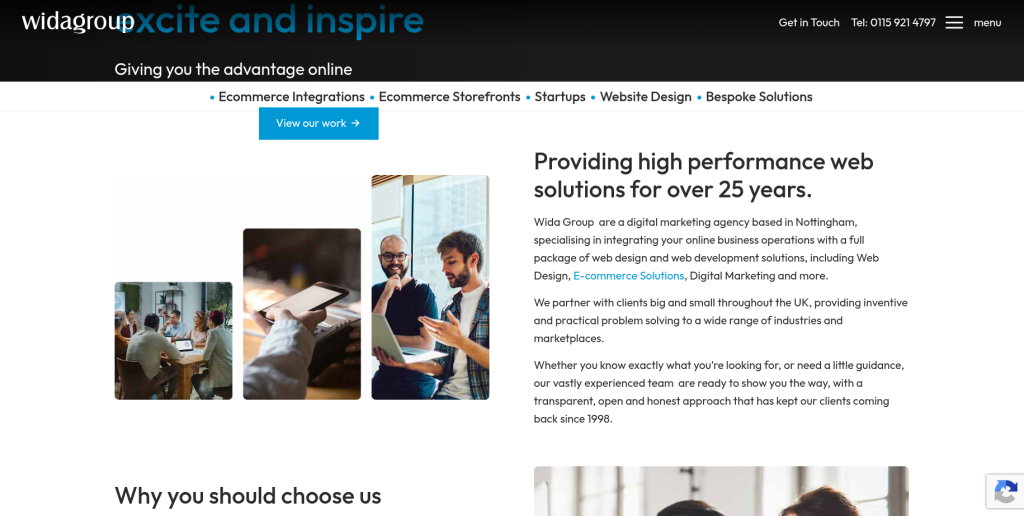
Wida Group has a clearer public connection with ecommerce development and system integrations. Integration experience can be particularly useful when an existing LiteCart store communicates with several other business systems. Product information might come from an ERP, customer records might connect with a CRM, and orders or stock information may move between different platforms. That makes integration knowledge an important factor when moving the storefront to WooCommerce. Direct LiteCart migration experience should still be confirmed before starting the project.
- Established web experience: Relevant for businesses looking for an experienced web development provider.
- Ecommerce development: Suitable for projects that involve storefront development as well as migration.
- System integrations: Particularly relevant for stores connected with ERP, CRM, marketplaces, or other platforms.
- Bespoke solutions: Useful when LiteCart functionality cannot simply be replaced by standard WooCommerce features.
- Best suited for: Businesses planning an integration-heavy LiteCart to WooCommerce migration.
7. Faro Development
A Custom Development Option for Technically Complex LiteCart Migrations

Faro Development is another provider from the shortlist that should be evaluated through a technical discovery process. LiteCart stores can differ greatly even when they look similar to customers because one store may use standard features while another contains years of custom development. Before requesting a final migration quote, businesses should ask the team to review the existing store and identify technical risks. The proposed WooCommerce architecture should clearly separate standard functionality, extensions, and custom development. Relevant WooCommerce migration examples should also be requested before making the final decision.
- Technical discovery: Ask for an audit of the existing LiteCart store before finalizing the project.
- WooCommerce architecture: Confirm which features will use WooCommerce core, extensions, or custom code.
- Migration testing: Look for staging and test imports before the final store migration.
- Experience to verify: Request WooCommerce migration work and LiteCart-specific examples where available.
- Best suited for: Businesses that need a custom technical approach to LiteCart ecommerce migration.
8. Agilio
A Development Partner to Assess for Data-Heavy WooCommerce Migration
Agilio is included as another development partner worth investigating for a LiteCart migration project. Businesses should first confirm the company’s recent WooCommerce experience and determine whether those projects involved real ecommerce data migration rather than only new-store development. A mature LiteCart store can contain products, customers, historical orders, custom functionality, integrations, and years of SEO value. The migration team therefore needs to understand much more than WooCommerce design. Before selecting Agilio, ask clear questions about LiteCart data, SEO migration, testing, project ownership, and post-launch support.
- WooCommerce capability: Verify the number and complexity of recent WooCommerce projects.
- Data handling: Ask how LiteCart products, customers, orders, and custom information would be migrated.
- SEO protection: Confirm plans for URLs, redirects, metadata, sitemaps, and internal links.
- Post-launch support: Determine who handles migration-related problems after the new store goes live.
- Best suited for: Businesses able to validate WooCommerce and LiteCart migration capabilities before hiring.
9. Dan Neamtu
A Developer-Led Approach for Smaller LiteCart to WooCommerce Projects

Dan Neamtu may appeal to businesses that prefer working with a smaller development setup instead of a large digital agency. A smaller setup can sometimes provide more direct communication with the developer actually reviewing the database and implementing the WooCommerce store. This can work well when migration requirements are clearly defined and the store is not excessively complicated. At the same time, businesses need to confirm enough capacity exists to cover development, testing, SEO, integrations, and launch support. Technical fit should matter more than company size when evaluating this option.
- Direct communication: A smaller setup may provide closer access to the person performing the technical work.
- Flexible development: Can be considered for stores with clearly defined custom requirements.
- Capacity check: Confirm coverage for database work, frontend development, QA, SEO, and server tasks.
- Migration support: Ask how unexpected LiteCart customizations discovered during development would be handled.
- Best suited for: Businesses seeking a developer-led LiteCart to WooCommerce migration process.
10. Exnoweb
A Structured Development Option for Planning a WooCommerce Store Migration

Exnoweb completes the list of companies worth evaluating for a LiteCart to WooCommerce migration. Businesses should judge the company using the same core factors applied to other providers: ecommerce knowledge, WooCommerce capability, LiteCart understanding, data planning, SEO protection, testing, and support. Discovery is particularly important because the development team needs to understand the existing catalog, customers, orders, custom functionality, payment systems, shipping rules, and integrations before estimating the work. A detailed migration plan should then divide the project into clear stages. Relevant migration examples should be requested before Exnoweb is placed on the final shortlist.
- Migration discovery: The existing LiteCart setup should be reviewed before development starts.
- Structured process: Look for clear stages covering backup, mapping, migration, QA, launch, and monitoring.
- WooCommerce setup: Confirm how the new ecommerce environment will be configured and customized.
- SEO and testing: Important URLs, redirects, checkout, payments, mobile usability, and data accuracy should be checked.
- Best suited for: Businesses comparing structured LiteCart to WooCommerce migration development partners.
What Should Be Migrated From LiteCart to WooCommerce?
The exact migration scope depends on your store, but most ecommerce businesses need much more than product names and prices transferred.
Start with your catalog. Products, SKUs, descriptions, prices, categories, images, attributes, options, variants, stock information, and relevant metadata should be reviewed. Then look at customer and transaction data. Depending on legal, technical, and business requirements, you may need customer accounts, addresses, historical orders, order statuses, coupons, and other records.
WooCommerce migration resources show how interconnected ecommerce information can become. WooCommerce documentation for migration tools covers data such as customers, products, product reviews, coupons, orders, and subscriptions and even recommends an import sequence to preserve relationships between information.
Then there is the part people forget: behavior.
Payment gateways need configuration. Shipping rules need to produce the right prices. Taxes need to behave correctly. Emails should fire when expected. Analytics and advertising tags should record the right events. Search should find products. Forms should work. Customer accounts should behave properly.
SEO needs its own checklist covering old and new URLs, redirects, metadata, canonicalization, crawlability, sitemaps, internal links, and important landing pages.
Before hiring anyone, create a spreadsheet containing every data type and feature you expect to survive the migration. Mark each item as migrate, rebuild, replace, remove, or needs review.
That one document can prevent a surprising number of arguments later.
How to Choose the Right LiteCart to WooCommerce Migration Partner
Do not choose a migration company from the logo wall alone. Start with your own requirements and make each company answer the same questions.
First, ask for relevant experience. A provider does not necessarily need hundreds of LiteCart migrations, but it should demonstrate that it understands ecommerce databases, WooCommerce, data mapping, integrations, QA, and migration risks. Direct LiteCart experience is a major advantage because the team will already understand more about the source platform.
Second, ask for the migration method. How will the data be extracted? How will LiteCart fields map into WooCommerce? Will there be a test migration? How will changes made on the live store during development be handled before launch?
Third, ask about SEO. Your existing organic visibility has value. Make sure the proposal includes URL mapping and appropriate redirects where URLs change. Do not accept “we will install an SEO plugin” as an SEO migration strategy.
Fourth, test the support model. Find out what happens during launch day and the weeks immediately afterward. Ask whether bugs discovered after launch are included in the migration scope.
Finally, compare proposals based on risk and value, not only price. A cheaper migration that loses customer records, breaks important URLs, or creates checkout problems can become far more expensive than a properly planned project.
Conclusion
A LiteCart To WooCommerce Migration is not simply about changing ecommerce software. You are moving a working business from one technical foundation to another, and that means products, customers, orders, URLs, integrations, SEO signals, checkout flows, and daily operations all deserve attention.
WooCommerce can be a strong destination for businesses that want the flexibility of an open-source WordPress ecommerce ecosystem. WordPress.org currently reports 7+ million active WooCommerce installations, while WooCommerce maintains dedicated documentation for businesses planning migrations to the platform.
The best migration company for your business depends on what sits behind your existing LiteCart store.
If migration specialization is the main requirement, CMSTOWP deserves a close look. If you need migration combined with wider ecommerce development, EbizON can also be considered. Businesses with larger transformation or integration requirements may want to investigate providers such as Globant or Wida Group, while the remaining companies should be qualified against your exact technical requirements.
Do not make the decision based only on a starting price.
Ask each shortlisted provider for a migration scope, data plan, SEO plan, testing process, timeline, launch procedure, and post-launch support commitment. When those pieces are clear, comparing companies becomes much easier.
FAQs
1. What is LiteCart to WooCommerce migration?
LiteCart to WooCommerce migration is the process of moving an ecommerce store from LiteCart to WooCommerce on WordPress. Depending on the project, this can include products, categories, images, attributes, customers, orders, URLs, SEO information, and other store data. Custom LiteCart features may need to be recreated or replaced rather than simply copied. A complete migration should also include testing important WooCommerce functions before the new store becomes the live website.
2. Why should I migrate from LiteCart to WooCommerce?
You should consider migrating when WooCommerce better matches your future business needs. WooCommerce is open source, gives merchants ownership and control of their store data, and has a large ecosystem around the platform. The decision should still be based on your actual requirements rather than popularity alone. If LiteCart already meets your needs, migration may not provide enough benefit to justify the work.
3. Can products be migrated from LiteCart to WooCommerce?
Yes, product information can generally be moved, but the exact process depends on the structure and customization of the LiteCart store. Names, SKUs, prices, descriptions, images, categories, attributes, options, variants, and inventory may need to be mapped into WooCommerce’s structure. WooCommerce itself supports multiple methods for importing and migrating product data.
4. Can customer and order history be moved to WooCommerce?
Customer and order information may be migrated when the necessary source information is available and can be mapped correctly. Historical records can be important for customer support, reporting, and account continuity. Because customers, products, and orders can be connected, data relationships need to be carefully maintained during the migration.
5. Will migrating LiteCart to WooCommerce hurt SEO?
It can if the migration is handled poorly. URL changes, missing pages, incorrect redirects, lost metadata, broken internal links, indexing mistakes, and unnecessary content changes can affect organic performance. Your migration plan should therefore cover important existing URLs, new URL mapping, redirects, metadata, sitemap updates, analytics, and post-launch monitoring.
6. How long does a LiteCart to WooCommerce migration take?
There is no useful one-size-fits-all timeline. A small store with standard products can be much simpler than a store containing thousands of products, years of orders, custom functionality, integrations, unusual checkout logic, or a full redesign. Ask the migration company to inspect the existing store before giving you a firm schedule.
7. Should I redesign my website during the migration?
You can, but combining a full redesign and platform migration increases the number of things changing at the same time. For some businesses, that is worthwhile because it avoids rebuilding an outdated design. Others may reduce risk by keeping the first WooCommerce launch closer to the existing customer experience and improving it afterward.
8. What should I test before launching the WooCommerce store?
Test products, prices, images, variations, stock, categories, customer accounts, checkout, payments, shipping, taxes, coupons, transactional emails, search, mobile layouts, forms, analytics, advertising tracking, redirects, integrations, and important SEO pages. WooCommerce recommends backups and staging before potentially disruptive technical changes, which is also a sensible approach during a store migration.
9. How do I choose the best LiteCart to WooCommerce migration company?
Look for direct migration experience, WooCommerce development knowledge, a clear data-mapping process, SEO migration planning, staging and QA, integration experience, transparent scope, and post-launch support. Ask for examples similar to your project rather than relying on general portfolio claims. If LiteCart-specific experience is not publicly documented, ask the provider to demonstrate it during the sales process.
10. Which is the best LiteCart to WooCommerce migration company?
There is no single provider that is best for every store. CMSTOWP is a logical company to investigate when you want a migration-focused service, while EbizON can be considered when broader ecommerce development is part of the project. Larger businesses may have different requirements around integrations, custom development, and digital transformation. The right choice depends on your store size, custom features, integrations, SEO requirements, budget, timeline, and the evidence each provider can show for similar projects.