
Top 10 Ghost to WordPress Migration Companies
Moving a website from Ghost to WordPress may look simple at first.
You have posts, pages, images, tags, authors, and other content. You move everything to WordPress, change the design, and launch the new website.
But a real Ghost to WordPress migration needs much more care.
Your old URLs may already rank on Google. Some articles may have backlinks. Images may receive search traffic. Your website may also have members, custom designs, analytics, integrations, and years of content that you cannot afford to lose.
Ghost’s official documentation explains that site owners can export posts, pages, tags, settings, and staff information in JSON format. Member information can also be exported separately as CSV data. This makes exporting possible, but the information still needs to be mapped correctly into WordPress.
WordPress also provides an official guide for importing content from another publishing system. It notes that migration methods can differ depending on the source system.
That is why choosing the right migration partner matters.
Below are the Top 10 Ghost to WordPress Migration Companies in 2026 to consider if you want to move your website while protecting content, SEO value, URLs, design, and important functionality.
Best Ghost to WordPress Migration Companies in 2026
The 10 companies covered in this guide are:
- EbizON Digital
- CMSTOWP
- Codewitty
- Bold
- ILL Creative
- Fiora
- Bliss
- 10Dumbs
- Kreovox
- Zeal Corporations
EbizON Digital and CMSTOWP are included because they provide dedicated Ghost to WordPress migration offerings. For the other companies, businesses should verify direct Ghost migration experience, especially when the public information available focuses more broadly on web development, design, WordPress, or digital services.
What Should You Look for in a Ghost to WordPress Migration Company?
A CMS migration is not only about moving text from one database to another.
The right company should first understand what exists on your Ghost website. That includes posts, pages, authors, tags, images, URLs, metadata, members, custom templates, integrations, analytics, and other important information.
It should then decide where everything belongs in WordPress.
For example, Ghost tags may need to become WordPress tags or categories. Ghost authors need WordPress user accounts. Images need to move without breaking inside old articles. Existing URLs may need to remain unchanged or redirect to their closest new URLs.
Google recommends creating an old-to-new URL map when URLs change during a website migration. It also recommends testing the new website, using permanent redirects, updating internal links, submitting the new sitemap, and monitoring the move after launch. (Google Search Central)
These are the details that separate a proper CMS migration from a simple content import.
1. EbizON Digital
Ghost to WordPress Migration for Content-Heavy and Custom Websites
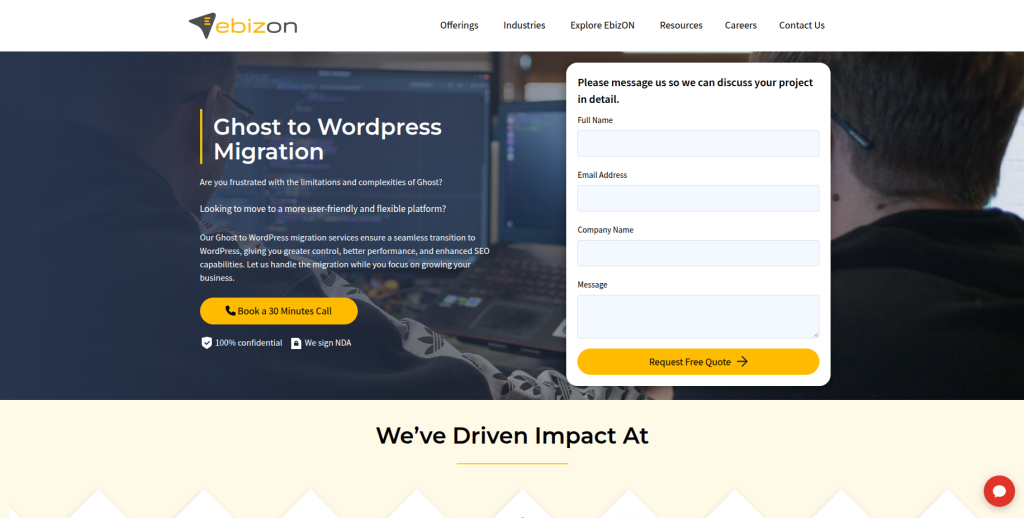
EbizON Digital is a strong option for businesses that want to move a Ghost website to WordPress while also improving the new site’s design, functionality, and long-term flexibility. A Ghost website may contain years of articles, pages, media, SEO data, and custom features that need careful handling. The migration should therefore cover more than copying content into a fresh WordPress installation. EbizON Digital can be considered when WordPress development and customization are also part of the project. This makes it useful for businesses that want the new website to support future content, marketing, SEO, and development needs.
- Content migration: Plan the movement of Ghost posts, pages, tags, images, and other important content.
- WordPress development: Build the destination website around the business’s future requirements.
- Custom functionality: Recreate or replace important features that cannot move directly from Ghost.
- SEO migration: Protect important URLs, metadata, internal links, redirects, and organic landing pages.
- Best suited for: Content-heavy businesses needing Ghost CMS migration plus custom WordPress development.
Before development starts, businesses can review EbizON Digital’s Ghost to WordPress migration service for content-heavy websites and growing brands to understand the migration scope and discuss which parts of the existing Ghost site need to be retained, rebuilt, or improved.
2. CMSTOWP
Structured Ghost CMS to WordPress Migration With SEO and Content Protection
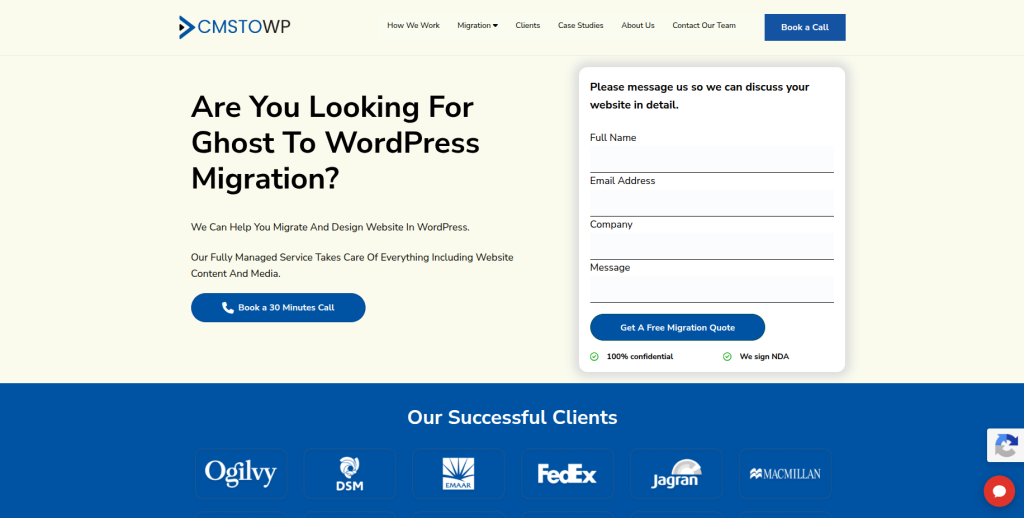
CMSTOWP is a migration-focused option for businesses that mainly want to move an existing Ghost website into WordPress. The migration may include posts, pages, images, tags, authors, URLs, and other important website information. A structured approach becomes especially useful when a Ghost publication has hundreds or thousands of articles that need to remain organized after the move. SEO also needs attention because old URLs may already have rankings and backlinks. CMSTOWP is therefore worth considering when the migration itself is the main goal rather than one part of a much larger digital transformation.
Businesses that want a focused migration process can explore the complete Ghost CMS to WordPress migration solution for preserving website content and SEO before deciding how much content, media, and SEO information should be included in the project.
- CMS migration focus: Suitable for businesses moving an established website from Ghost into WordPress.
- Content transfer: Posts, pages, images, tags, authors, and other important content should form part of migration planning.
- URL preservation: Existing URLs need to be reviewed and mapped before the new website launches.
- WordPress setup: The destination CMS should be configured around future publishing and management needs.
- Best suited for: Businesses looking for a structured Ghost blog to WordPress migration service.
3. Codewitty
Web Development Partner to Evaluate for Custom Ghost CMS Migration
Codewitty is one of the companies businesses can investigate when a Ghost migration also needs broader website development. The important step is to verify direct Ghost and WordPress migration experience before choosing a development partner. A developer should be able to explain how Ghost JSON data will be converted, how images will be handled, and how the new WordPress content structure will work. Custom features and integrations should also be reviewed before the migration begins. Ask for recent CMS migration examples that are close to the size and complexity of your current Ghost website.
- Development capability: Check whether the team can handle custom requirements around the new WordPress website.
- Content mapping: Ask how Ghost posts, pages, tags, authors, and media would map into WordPress.
- Technical discovery: Make sure the existing Ghost installation is reviewed before receiving a final migration plan.
- Experience to verify: Request examples of recent Ghost or similar CMS-to-WordPress migrations.
- Best suited for: Businesses evaluating a development-led Ghost to WordPress migration project.
4. Bold
Digital Agency Option for Ghost Migration With Marketing and Website Needs
Bold can be evaluated by businesses that see a CMS move as part of a broader digital project. Public information shows familiarity with digital advertising tools and WordPress, but businesses should confirm direct Ghost migration experience before hiring the company for this specific job. This matters because a CMS migration needs different skills from building a fresh marketing website. Content relationships, URLs, images, authors, metadata, and redirects all need careful handling. A discovery discussion should therefore focus specifically on how the team would move an existing Ghost publication into WordPress.
- WordPress familiarity: WordPress appears within the company’s digital skill set.
- Digital marketing context: Useful when the new website also needs to work with wider marketing activity.
- Migration planning: Ask for a clear process covering export, conversion, import, testing, and launch.
- Experience to verify: Confirm previous Ghost migrations or comparable publishing-platform migrations.
- Best suited for: Brands exploring Ghost CMS migration alongside wider digital marketing work.
5. ILL Creative
Custom WordPress Development for Complex Content and Integration Requirements
ILL Creative has publicly listed content management, websites, ecommerce, WordPress, WP Engine, and a broad range of platforms and integrations among its capabilities. That makes it relevant when the destination WordPress website needs more than a standard theme and simple content import. A Ghost migration may also involve custom integrations, hosting decisions, analytics, or new functionality. Its public material does not by itself establish Ghost-specific migration expertise, so that experience should still be checked directly. Businesses with a technically involved project should ask for a detailed discovery and migration plan before selecting the company.
- Content management: Relevant when the project involves restructuring a large amount of website content.
- WordPress capability: WordPress and WP Engine are included in its publicly listed platform experience.
- Integration experience: Useful when the new WordPress website needs to connect with other systems.
- Experience to verify: Ask specifically for Ghost-to-WordPress or similar CMS migration examples.
- Best suited for: Businesses needing custom WordPress development after a Ghost CMS migration.
6. Fiora
SEO-Conscious WordPress Migration for Websites That Cannot Risk Organic Visibility
Fiora is worth considering when SEO and user experience are important parts of a CMS migration. Its public case-study material shows WordPress work and describes a content migration strategy designed to preserve search visibility during a website project. That experience is relevant because changing a CMS can affect URLs, content structure, speed, navigation, and internal linking. Ghost-specific experience should still be verified before hiring Fiora for this exact migration. It may be particularly interesting for organizations that want to use the move as a chance to improve both content management and the overall website experience.
- WordPress experience: Public case studies show WordPress being selected and implemented for client requirements.
- SEO consideration: Public work includes content migration planning aimed at protecting search performance.
- UX improvement: Useful when the migration also includes changes to navigation and user journeys.
- Experience to verify: Confirm direct Ghost CMS migration capability and how Ghost data would be converted.
- Best suited for: Organizations planning an SEO-focused Ghost to WordPress website migration.
7. Bliss
WordPress Development and Content Migration for Mission-Driven Organizations
Bliss publicly offers WordPress development alongside Drupal, web applications, API development, support, design, SEO, and digital strategy. It has also published examples of handling large content and data migrations, although the available examples are not proof of direct Ghost-to-WordPress work. This broader migration and WordPress background can still be useful for content-rich organizations. Bliss appears especially focused on charities and nonprofit organizations, which may make it relevant for publishers and mission-driven teams in that space. Direct Ghost experience, migration tooling, and member-data handling should be confirmed during discovery.
- WordPress development: Public services include tailored WordPress development and ongoing support.
- Migration experience: Published work includes handling large content and data migration projects.
- API capability: Useful when a Ghost website connects with external tools or custom systems.
- Experience to verify: Ask for direct Ghost migration examples and a plan for Ghost JSON and member data.
- Best suited for: Nonprofits and mission-driven organizations needing a content-heavy website migration to WordPress.
8. 10Dumbs
Website Development Option to Qualify for a Ghost to WordPress Move
10Dumbs is another company from the requested shortlist that businesses can evaluate for a Ghost-to-WordPress project. For this provider, qualification should begin with direct evidence rather than assumptions about migration experience. Ask the team to show recent WordPress development work and explain whether it has handled migrations from Ghost or another publishing CMS. A strong proposal should explain content mapping, image migration, URL handling, testing, and post-launch support. If the existing Ghost website includes custom integrations or membership features, those should be discussed before pricing is finalized.
- WordPress capability: Ask for current WordPress projects with similar content and functionality requirements.
- Migration method: Request a step-by-step plan for exporting, converting, importing, and validating content.
- SEO handling: Confirm how old URLs, metadata, redirects, and internal links would be protected.
- Experience to verify: Request direct evidence of Ghost or comparable CMS migration work.
- Best suited for: Businesses willing to qualify a web development partner for Ghost migration requirements.
9. Kreovox
WordPress Development With Design, SEO Setup, and Ecommerce Options
Kreovox publicly offers WordPress development, web design, WordPress SEO setup, and ecommerce services. This makes it a company worth reviewing when the new WordPress site needs development and design work after the Ghost content has been transferred. The main question is whether the team has direct experience converting Ghost exports and preserving the relationships between posts, tags, media, authors, and URLs. Businesses should not assume general WordPress expertise automatically means Ghost migration expertise. A test migration can be useful before committing a large content library to the final move.
- WordPress development: WordPress is directly listed among the company’s development services.
- Web design: Relevant when the move also includes a new visual experience.
- SEO setup: Useful when search optimization needs to be reviewed on the destination website.
- Experience to verify: Confirm Ghost-specific data migration, redirects, and content-validation experience.
- Best suited for: Businesses combining Ghost content migration with WordPress design and SEO setup.
10. Zeal Corporations
WordPress and Web Development Support for Custom CMS Migration Projects
Zeal Corporations publicly lists web development, ecommerce development, WordPress, PHP, HTML, CSS, Node.js, databases, and other technologies among its capabilities. This development mix can be useful when a Ghost-to-WordPress move requires technical work beyond importing content. The company also states that it works across website design and development, which may help when the destination website needs a visual refresh. However, businesses should ask for direct Ghost migration evidence before making a decision. The proposal should clearly explain how content, media, SEO information, URLs, and custom functionality will be tested.
- WordPress development: WordPress is included in the company’s publicly listed web technology stack.
- Technical capability: PHP, databases, frontend technologies, and other development tools are also listed.
- Design support: Relevant if the migration includes rebuilding or refreshing the website experience.
- Experience to verify: Ask for recent Ghost, publishing CMS, or comparable WordPress migration examples.
- Best suited for: Businesses needing WordPress development support around a custom CMS migration.
What Data Should Be Moved From Ghost to WordPress?
Before asking for quotes, create a list of everything that exists on your Ghost website.
Ghost’s official content and data export documentation says a content export can include posts, pages, tags, settings, and staff users. Members can be exported separately in CSV format.
That gives you a useful starting point.
A typical migration may need to cover:
- Posts
- Pages
- Authors
- Tags
- Featured images
- Images inside articles
- Excerpts
- Publication dates
- Slugs
- SEO titles
- Meta descriptions
- Canonical settings
- Members or subscribers
- Internal links
- Custom code
- Analytics
- Integrations
- Redirects
Do not assume everything inside a Ghost export will automatically land in the correct WordPress field.
Your migration company should create a mapping before importing the full website.
Ghost Posts, Pages, Tags, and Authors Need Proper Mapping
Ghost and WordPress do not organize every piece of content in exactly the same way.
That means your migration team needs to decide how each Ghost content type should work inside WordPress.
Posts will normally become WordPress posts. Pages can become WordPress pages. Tags need to be reviewed because you may want some to become categories and others to remain tags.
Authors need attention too.
A site with several writers may need separate WordPress users, author archive pages, biographies, profile images, and ownership of historical articles.
The goal is not simply to make the import finish successfully.
The goal is to make the WordPress website feel like the content always belonged there.
Protect SEO During Ghost to WordPress Migration
SEO protection should be part of the migration plan from day one.
If an article currently ranks well on Google, keeping the same URL can reduce unnecessary change. When the URL must change, it should normally redirect to the closest matching new page.
Google’s official site migration guidance for websites with URL changes recommends creating a mapping between old and new URLs, using permanent server-side redirects where possible, updating internal links, testing redirects, and monitoring the website after the move.
Google also says permanent redirects such as 301 and 308 are recommended when URLs move permanently.
Before launch, check:
- Old and new URLs
- Page titles
- Meta descriptions
- Canonical tags
- Internal links
- Image URLs
- XML sitemap
- Robots directives
- Structured data
- Important backlinks
- Google Search Console
- Analytics tracking
Do not redirect every old article to the homepage.
Each important old URL should point to the closest useful new destination.
What About Ghost Members and Subscribers?
This part deserves special attention.
Ghost is more than a basic blogging tool. Some publications use its membership and newsletter features.
Ghost says member information can be exported in CSV format with fields such as email, name, notes, subscription information, labels, Stripe customer ID, and creation information.
WordPress does not automatically provide an identical membership model.
Your migration company therefore needs to understand what the members actually do on your Ghost site.
Do they only receive emails?
Do they log in?
Do they pay for subscriptions?
Do they access protected content?
Do they have Stripe subscriptions?
The answers determine whether WordPress core, a membership plugin, an email platform, WooCommerce, custom development, or another solution is needed.
This should be planned before the final migration, not discovered after launch.
Images and Media Need Their Own Migration Plan
A content migration can look successful while still leaving hundreds of images loading from the old Ghost server.
That creates a future problem.
If the old hosting is later removed, those images can disappear.
Your migration team should identify media used across posts and pages, copy required files into the new environment, update content references, and test important articles after the import.
Featured images deserve special attention because Ghost and WordPress may store or display them differently.
Check image quality, alt text, captions, file paths, responsive behavior, and whether old image URLs receive meaningful handling where necessary.
Should You Redesign the Website During Migration?
You can, but do it carefully.
Changing the CMS, design, navigation, URLs, content, and hosting at the same time creates more variables to test.
Google’s site-move guidance recommends changing one major thing at a time when possible. That can make problems easier to identify.
For some businesses, a redesign is still worth doing during migration because the old Ghost design may not translate well to WordPress.
If you combine both projects, divide the work into clear stages:
- Audit the Ghost website.
- Define the WordPress information architecture.
- Create the design.
- Build WordPress.
- Run a test migration.
- Review content and SEO.
- Perform final migration.
- Test the complete website.
- Launch.
- Monitor.
This gives the team checkpoints instead of one giant launch-day surprise.
How to Choose the Right Ghost to WordPress Migration Company
Start by showing each shortlisted company the same information.
Tell them how many posts and pages you have. Explain whether you use Ghost memberships, newsletters, custom themes, integrations, analytics, or paid subscriptions.
Then ask how they would perform the migration.
Ask About Ghost Export Handling
Ghost exports website content in JSON format.
Ask how the provider will convert and map that information into WordPress.
A company should be able to explain the process in plain English.
Ask for a Test Migration
For a large website, do not make the first migration attempt the final launch.
Move a sample first.
Check posts, pages, tags, authors, images, formatting, metadata, and URLs.
A test migration can reveal problems while they are still easy to fix.
Ask About SEO Migration
Ask for an old-to-new URL mapping plan.
The team should also explain how it will handle redirects, metadata, canonicals, internal links, sitemaps, structured data, and Search Console.
If the SEO plan is simply “install an SEO plugin,” keep asking questions.
Ask About Quality Testing
A successful import does not mean the website is ready.
The team should inspect content and functionality after migration.
Look for broken formatting, missing images, incorrect authors, missing tags, broken links, incorrect redirects, mobile problems, forms, search issues, and tracking errors.
Ask About Post-Launch Support
Some issues only become visible after real visitors start using the new site.
Ask how long post-launch support lasts and what it includes.
You should also know who is responsible for monitoring Search Console, analytics, redirects, and server errors after launch.
How Much Does Ghost to WordPress Migration Cost?
There is no useful fixed price that applies to every website.
A small Ghost blog with 50 posts is very different from a publication with 20,000 articles, multiple writers, thousands of members, custom integrations, and years of SEO history.
Cost normally depends on factors such as:
- Number of posts and pages
- Number of images
- Member or subscriber data
- Custom theme requirements
- WordPress design work
- Custom functionality
- Integrations
- SEO migration
- URL changes
- Content cleanup
- Hosting changes
- Testing
- Post-launch support
Ask for a detailed scope rather than comparing only the final price.
A cheap migration that loses images or organic traffic can become expensive very quickly.
Common Ghost to WordPress Migration Mistakes
The most common problems are usually caused by skipping planning.
One mistake is importing posts and forgetting about URLs.
Another is leaving images hosted on the old Ghost installation.
Some teams move articles but forget authors, tags, metadata, canonical settings, internal links, or member information.
Other projects change the CMS and redesign every URL at the same time without a redirect map.
Google specifically warns that incorrect redirects, forgotten noindex rules, outdated sitemaps, and crawl problems can create issues during a site move.
A simple migration checklist can prevent most of these problems.
Ghost to WordPress Migration Checklist
Before launch, confirm that:
- All required posts have moved.
- Important pages are present.
- Authors are mapped correctly.
- Tags and categories make sense.
- Featured images work.
- Images inside posts load from the correct location.
- Publication dates are correct.
- Important metadata is present.
- URLs match the migration plan.
- Redirects work.
- Canonicals point to the correct URLs.
- Internal links use the new URLs.
- Forms work.
- Search works.
- Mobile pages display correctly.
- Analytics works.
- Search Console is ready.
- The new sitemap is correct.
- Important integrations work.
- Member functionality has been tested.
- Backups are available.
- Post-launch monitoring is assigned to someone.
FAQs
1. What is Ghost to WordPress migration?
Ghost to WordPress migration is the process of moving a website or publication from the Ghost CMS to WordPress. It may include posts, pages, tags, authors, images, URLs, metadata, members, integrations, and design elements. The exact migration scope depends on how the Ghost website is configured.
2. Can I migrate Ghost posts to WordPress?
Yes. Ghost allows site owners to export posts and other content in JSON format. That data then needs to be converted or processed so it can be imported and organized correctly in WordPress. Large or customized sites usually need more testing than a small blog.
3. Can Ghost pages and tags be moved to WordPress?
Yes, but they need proper mapping. Ghost pages can normally become WordPress pages. Ghost tags may become WordPress tags or categories depending on how the new website is organized. Review the taxonomy structure before performing the full migration.
4. Can Ghost members be migrated to WordPress?
Ghost members can be exported as CSV data, but WordPress does not have an identical built-in Ghost membership system. You first need to decide how memberships, email subscriptions, protected content, and paid subscriptions will work in WordPress. A plugin, external service, or custom solution may be needed.
5. Will Ghost to WordPress migration affect SEO?
It can. SEO problems often happen when URLs change without redirects, metadata disappears, internal links break, images go missing, or pages become accidentally blocked from search engines. Careful URL mapping, testing, redirects, and post-launch monitoring can reduce these risks.
6. Can I keep the same URLs after moving from Ghost to WordPress?
Often, yes, depending on your Ghost permalink structure and WordPress configuration. Keeping important URLs unchanged can simplify the migration. If a URL needs to change, create a permanent redirect from the old address to the closest relevant new page.
7. How long does a Ghost to WordPress migration take?
It depends on the size and complexity of the website. A small blog can be much easier than a publication with thousands of posts, many authors, custom integrations, members, paid subscriptions, and a full redesign. A technical audit should happen before a firm timeline is given.
8. Can Ghost images be migrated to WordPress?
Yes. Images should be copied into the new environment and references inside posts should be checked. Do not assume that importing article text means all media has been moved. Test both featured images and images embedded inside content.
9. Should I redesign my website while migrating from Ghost?
You can, but combining a redesign and CMS migration increases the amount of change happening at once. For a large or SEO-sensitive site, careful staging and testing become even more important. Keeping the migration and redesign work clearly separated into phases can reduce confusion.
10. What should I ask a Ghost to WordPress migration company before hiring?
Ask about Ghost export handling, WordPress imports, image migration, author mapping, tags and categories, member data, SEO, URL redirects, test migrations, custom functionality, integrations, quality testing, backups, launch planning, and post-launch support. Also request examples of migrations with similar complexity.
Conclusion
Moving from Ghost to WordPress can give a business more choices around website design, plugins, integrations, content management, ecommerce, marketing, and custom development.
But the value of the move depends on how carefully it is completed.
Your Ghost website may contain years of posts, images, authors, tags, SEO value, backlinks, members, and business data. Those assets should be treated as part of the migration, not as an afterthought.
Start with a complete Ghost website audit. Decide what needs to move, what needs to be rebuilt, and what can be removed. Then create the WordPress structure, run a test migration, check important content and URLs, and test the new site before launch.
Most importantly, choose a migration company based on relevant technical evidence and a clear process.
A good Ghost to WordPress migration should leave your visitors thinking very little has happened while giving your team a much better platform behind the scenes.