
Top 10 Concrete CMS to WordPress Migration Companies
Concrete CMS can be a good platform for managing websites. But as a website grows, teams may want a different editing experience, a wider plugin ecosystem, new design options, or a WordPress-based setup that fits their future plans.
That is where Concrete CMS to WordPress Migration comes in.
The move is not only about copying text from one CMS to another. Concrete CMS organizes pages through a site hierarchy, and its SEO settings can include URL slugs, meta titles, meta descriptions, and sitemap controls. A migration plan needs to account for these elements instead of focusing only on visible page content.
Your images, documents, forms, page structure, metadata, URLs, redirects, analytics, integrations, and custom functions may also need attention.
WordPress provides its own tools and methods for importing content from other publishing systems. However, there is no standard one-click Concrete CMS importer listed in the official WordPress import documentation. This means a Concrete CMS migration may require a more customized content mapping and migration process.
Below are 10 Concrete CMS to WordPress migration companies and development providers to evaluate in 2026.
Some companies on this list offer broader web development, redesign, data, or CMS services rather than advertising a dedicated Concrete CMS migration service. In those cases, you should verify their direct Concrete CMS and WordPress migration experience before hiring them.
Top 10 Concrete CMS to WordPress Migration Companies at a Glance
| Company | Good Fit For | What to Verify |
|---|---|---|
| CMSTOWP | Focused CMS-to-WordPress migration | Scope, custom features, SEO migration |
| EbizON Digital | Migration plus WordPress development | Integrations and custom development |
| Fishbones Digital | Web and digital projects | Direct Concrete CMS migration experience |
| Indigo Foundry | Website modernization and rebuilds | WordPress and Concrete CMS experience |
| Fratello Holding | Development projects | CMS migration process and portfolio |
| Baas en Baas | Website redevelopment | Concrete CMS and WordPress expertise |
| Webbio | Complex digital platforms and data | WordPress migration fit |
| Die NEOs | Website relaunch and ongoing support | Direct Concrete CMS experience |
| Onlines | Web development projects | Migration methodology and WordPress work |
| Dot Nine Solutions | Custom and database-driven development | Concrete CMS migration experience |
Why Move From Concrete CMS to WordPress?
There is no reason to migrate simply because WordPress is popular. The move should solve a real business problem.
You may want an easier publishing workflow. Your marketing team may need more control over landing pages. You might need different plugins, integrations, SEO tools, or a new design. Your current Concrete CMS implementation may also contain old custom code that has become harder to maintain.
Before making the decision, review what your current website actually contains.
Concrete CMS itself recommends backing up website data before major platform work, and its documentation shows that a Concrete site can contain both a database and a significant collection of application and website files.
For a migration to WordPress, you should therefore think about:
- Pages and page hierarchy
- Blog posts and other content
- Images and documents
- Forms and submissions
- Users and permissions
- Metadata and SEO settings
- Existing URLs
- Redirects
- Custom blocks and functionality
- Third-party integrations
- Analytics and tracking
- Search functionality
- Navigation and internal links
- Design and templates
The more you understand before migration begins, the fewer surprises you are likely to face later.
1. CMSTOWP
Focused Concrete CMS to WordPress Migration for Content and SEO Preservation
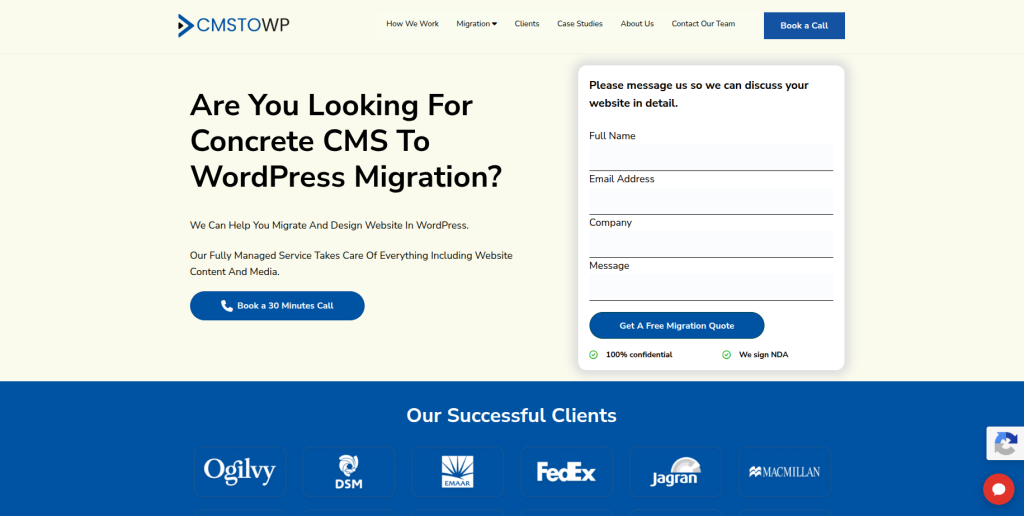
CMSTOWP is a natural company to evaluate when the main goal is moving an existing website from Concrete CMS to WordPress. A CMS migration can involve pages, images, documents, metadata, URLs, navigation, forms, and custom functionality, so the first step should be understanding what exists on the old website. The new WordPress site should then be mapped around those requirements instead of treating migration as simple copy-and-paste work. This approach can help businesses move to WordPress while keeping important content and website structure in mind. It is especially relevant for companies that want migration to remain the main focus of the project.
- CMS migration focus: Suitable for websites moving from an existing CMS environment to WordPress.
- Content transfer planning: Pages, posts, images, files, and other important content can be mapped before migration.
- SEO preservation: Existing URLs, metadata, redirects, and important landing pages should be reviewed during the move.
- WordPress setup: The new website can be structured around easier WordPress content management.
- Best suited for: Businesses looking for a focused Concrete CMS website migration to WordPress.
Before finalizing the scope, businesses can review CMSTOWP’s professional Concrete CMS to WordPress migration service for content-heavy websites to understand how the migration can be approached.
2. EbizON Digital
Custom Concrete CMS Migration for Businesses Rebuilding on WordPress
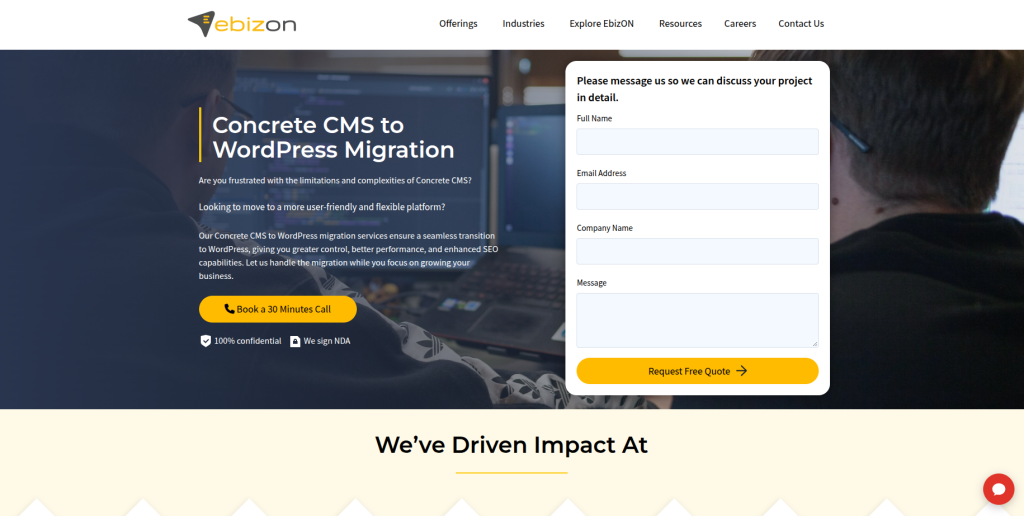
EbizON Digital is worth considering when migration is part of a wider WordPress redevelopment project. Some Concrete CMS websites have custom page layouts, integrations, forms, search features, or business workflows that cannot simply be copied into WordPress. These features may need to be recreated, replaced with suitable plugins, or developed specifically for the new site. This makes broader WordPress development experience useful for businesses with more complicated requirements. The project can also be used to improve usability, performance, and the way internal teams manage website content.
- End-to-end development: Relevant when migration and WordPress redevelopment need to happen together.
- Custom functionality: Useful when existing Concrete CMS features need to be rebuilt for WordPress.
- Integration planning: Important for websites connected to CRM, analytics, marketing, or other business systems.
- Website redevelopment: Suitable when the move also includes design and user-experience improvements.
- Best suited for: Businesses with custom Concrete CMS to WordPress redevelopment requirements.
If the existing website contains custom functionality or needs a wider rebuild, EbizON’s custom Concrete CMS to WordPress migration and redevelopment solution can be reviewed while defining the new WordPress architecture.
3. Fishbones Digital
Digital Development Partner to Assess for a Concrete CMS Website Rebuild
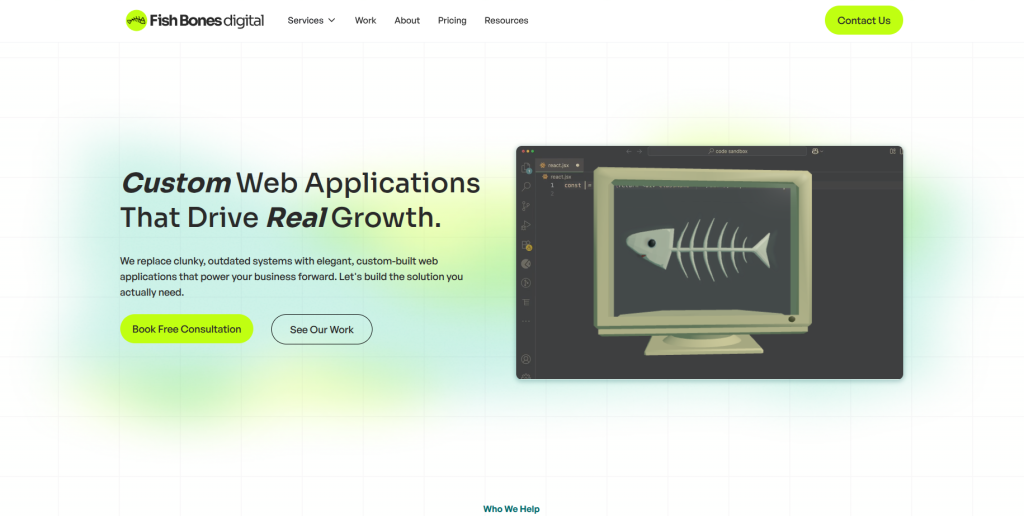
Fishbones Digital is one of the companies supplied for this comparison and should be assessed against the exact requirements of your migration. A successful CMS move needs more than a good-looking new website. The team needs to understand the old page structure, content, files, SEO information, URLs, and any custom functions that need to survive the move. Businesses should therefore request examples of similar CMS migrations before making a decision. Direct Concrete CMS to WordPress experience should be verified during the discovery stage.
- Discovery process: Ask how the existing Concrete CMS website would be audited before migration.
- Content mapping: Confirm how pages, media, documents, and navigation would move into WordPress.
- Custom features: Check whether existing website functions can be recreated on the new platform.
- Experience to verify: Request recent WordPress migration projects and direct Concrete CMS examples.
- Best suited for: Businesses comparing digital development partners for a Concrete CMS rebuild.
4. Indigo Foundry
Website Modernization for Businesses Moving Away From an Older CMS
Indigo Foundry publicly offers custom website development, website redesign, modernization, accessibility work, performance improvements, and ongoing support. Its modernization service includes content auditing and restructuring, which can be relevant when an old CMS website needs more than a direct platform swap. A business could therefore evaluate the studio when the move from Concrete CMS is also a chance to rethink the site’s structure and user experience. Its public website does not establish specific Concrete CMS to WordPress migration expertise in the material reviewed here. That experience should be confirmed directly before hiring.
- Website modernization: Relevant for businesses that want to rebuild rather than simply copy an old website.
- Content restructuring: Useful when existing pages need reorganizing before the new site is launched.
- Accessibility: Worth considering when accessibility improvement is part of the redevelopment.
- Experience to verify: Ask specifically for WordPress and Concrete CMS migration examples.
- Best suited for: Organizations combining a CMS move with website modernization and accessibility improvements.
5. Fratello Holding
Development Provider to Evaluate for Structured CMS Migration Projects
Fratello Holding is another company from the requested shortlist to investigate for a Concrete CMS migration. Because the public evidence reviewed for this article does not clearly establish a dedicated Concrete CMS to WordPress migration offering, businesses should focus heavily on technical discovery. Ask the team to review the existing Concrete CMS website before providing a final migration plan. They should be able to explain how content, templates, files, URLs, integrations, and custom features would be handled. A clear staging and testing process should also be part of the discussion.
- Website assessment: Start with an inventory of the current Concrete CMS installation.
- Migration planning: Ask for a clear mapping between old content and the new WordPress structure.
- Custom functionality: Identify features that need to be rebuilt instead of simply migrated.
- Experience to verify: Request direct WordPress migration examples relevant to your website.
- Best suited for: Businesses willing to validate the technical migration approach before choosing a provider.
6. Baas en Baas
Website Redevelopment Option to Review for a Concrete CMS Platform Change
Baas en Baas should be evaluated based on how well its development process matches the needs of your existing Concrete CMS website. A platform change can involve much more than visible page content, especially when the old site has custom templates, forms, integrations, or special navigation. Before choosing a partner, businesses should request a detailed content and functionality audit. The migration proposal should explain what will move automatically, what needs manual rebuilding, and what should be replaced. Direct Concrete CMS and WordPress migration work should be confirmed rather than assumed.
- Content audit: Confirm how the existing website will be inventoried before development starts.
- WordPress structure: Ask how current pages will map into the new content architecture.
- Functionality review: Identify forms, integrations, search, and custom components that need rebuilding.
- Experience to verify: Ask for comparable CMS-to-WordPress migration examples.
- Best suited for: Companies planning a Concrete CMS website redevelopment with a platform change.
7. Webbio
Complex Digital Platform Expertise for Content and Data-Heavy Website Projects
Webbio publicly positions itself around digital platforms, UX/UI design, JavaScript development, data integrations, analytics, accessibility, and cloud services. Its portfolio also includes multi-CMS environments and large public-sector digital projects. These capabilities may be relevant when a Concrete CMS website contains complex data, integrations, or accessibility requirements. However, its public positioning is broader than a dedicated Concrete CMS to WordPress migration service. Businesses should verify that WordPress is a suitable part of its current technology approach and ask for direct migration examples before selecting it.
- Complex platforms: Relevant when the website has more technical requirements than a standard brochure site.
- Data integrations: Useful for websites exchanging information with external systems.
- Accessibility experience: Important for organizations with strong accessibility requirements.
- Experience to verify: Confirm current WordPress expertise and Concrete CMS migration experience.
- Best suited for: Organizations with data-heavy, integration-heavy, or accessibility-focused website projects.
8. Die NEOs
WordPress Website Relaunch Support With SEO and Ongoing Maintenance
Die NEOs has a clearer public connection with WordPress development and website relaunch work. The agency describes a website development process covering analysis, concept creation, implementation, and ongoing optimization. It also publicly lists WordPress, theme and plugin updates, backups, security, monitoring, testing, and maintenance among its services. The company says it has been creating websites since 2004 and combines development with online marketing and content expertise. This makes it worth evaluating for a WordPress relaunch, although direct Concrete CMS migration experience should still be confirmed.
- WordPress support: Publicly offers ongoing WordPress, theme, and plugin maintenance.
- Relaunch process: Uses analysis, planning, development, and ongoing optimization stages.
- SEO awareness: Combines web development with online marketing and SEO-related work.
- Experience to verify: Ask for a direct Concrete CMS migration example or similar CMS conversion.
- Best suited for: Businesses wanting a WordPress relaunch with ongoing website and marketing support.
9. Onlines
Web Development Partner to Qualify for a Custom CMS-to-WordPress Move
Onlines is included from the requested company list and should be qualified carefully for the specific migration requirements. Before choosing any provider for this type of project, businesses should ask how the team will extract content from Concrete CMS and rebuild it inside WordPress. The answer should cover page hierarchy, media, metadata, internal links, redirects, forms, and custom functionality. It is also important to understand who handles QA and post-launch fixes. Direct Concrete CMS and WordPress migration experience was not clearly established in the public material reviewed for this article, so businesses should request relevant examples.
- Technical discovery: Ask for an audit before agreeing on the final migration scope.
- Content handling: Confirm how pages, images, files, and metadata will be transferred.
- SEO planning: Ask who owns redirects, metadata checks, and post-launch SEO validation.
- Experience to verify: Request comparable WordPress migration case studies.
- Best suited for: Businesses prepared to qualify a development partner against a detailed migration checklist.
10. Dot Nine Solutions
Database-Driven Development Expertise for Technically Complex Website Migrations

Dot Nine Solutions describes itself as a digital design agency specializing in ecommerce, web, and database-driven applications. Its public services also include software development, website audits, SEO and SEM, apps, and business consulting. That database and custom-development background can be useful when an existing Concrete CMS website contains more than ordinary pages and images. Businesses should still confirm direct WordPress and Concrete CMS migration experience before deciding that it is the right technical fit. For complex websites, ask the company to explain how data and custom functionality would map into WordPress.
- Database-driven development: Relevant for sites containing structured or custom application data.
- Custom development: Useful when old functionality needs to be recreated on the new platform.
- Website auditing: An audit can help identify migration risks before development starts.
- Experience to verify: Confirm recent WordPress projects and direct CMS migration experience.
- Best suited for: Businesses with technically complex websites or database-driven migration requirements.
What Should Be Migrated From Concrete CMS to WordPress?
A good migration starts with an inventory.
Concrete CMS uses a hierarchical sitemap to organize website pages. Its sitemap can include pages at many levels and plays a role in navigation and website organization.
That structure should be reviewed before the WordPress site is built.
Your migration checklist may include:
- Pages
- Blog posts
- Images
- PDFs and downloadable files
- Page hierarchy
- Navigation
- SEO titles
- Meta descriptions
- URL slugs
- Forms
- Users
- Custom blocks
- Search
- Integrations
- Tracking codes
- Internal links
- Structured data
- Redirects
Do not assume everything needs to move.
Old websites often contain outdated pages, duplicate content, unused files, and old campaign landing pages. Migration can be a good time to clean these up.
The key is deciding what to migrate, merge, rebuild, redirect, archive, or remove before development begins.
How to Protect SEO During Concrete CMS to WordPress Migration
SEO deserves its own migration plan.
Concrete CMS provides controls for URL slugs, meta titles, meta descriptions, sitemap inclusion, and other SEO-related settings.
If those signals disappear during migration, the new website may look good while creating avoidable search problems.
Start by crawling the old website and creating a list of existing URLs. Identify pages receiving organic traffic, pages with backlinks, high-value service pages, important blog content, and pages generating leads.
If a URL changes, map it to the closest useful new destination.
Google’s official guidance for moving a website while changing URLs recommends mapping old URLs to new ones, using server-side permanent redirects, updating internal links, submitting the new sitemap, and monitoring the move after launch.
Your SEO migration checklist should include:
- Old and new URL mapping
- 301 redirects
- Meta titles
- Meta descriptions
- Heading structure
- Canonical tags
- Internal links
- Image alt text
- Structured data
- XML sitemap
- Robots directives
- Analytics
- Google Search Console
- Broken-link testing
- Indexability checks
Avoid redirecting every removed page to the homepage. Each important old URL should point to the most relevant new page wherever a useful replacement exists.
How to Choose a Concrete CMS to WordPress Migration Company
The company with the nicest website is not automatically the best migration partner.
Ask each provider the same questions.
1. Ask About Concrete CMS Experience
The development team should understand what it is migrating from.
Concrete CMS stores more than visible page text. Its documentation shows a platform built around a database, website files, a page hierarchy, configurations, and application components.
Ask the provider how it will audit those elements.
2. Ask How Content Will Be Migrated
WordPress provides import tools for several publishing systems and content formats, but Concrete CMS is not listed as a standard built-in migration source in the official import guide.
Ask whether the provider plans to use scripts, database extraction, XML/CSV, APIs, manual migration, or a combination.
For a large site, manual copy-and-paste should not be the entire migration strategy.
3. Ask About Custom Features
List every feature that matters to your business.
This might include:
- Forms
- Calculators
- Directories
- Search
- Member areas
- Events
- Maps
- API connections
- CRM integrations
- Download libraries
- Custom blocks
- Multilingual content
Ask how each feature will work in WordPress.
4. Ask for an SEO Migration Plan
A development proposal that says “SEO included” is not enough.
Ask specifically about URL mapping, 301 redirects, metadata, internal links, canonical tags, XML sitemaps, analytics, Search Console, and post-launch monitoring.
Google’s official documentation on redirects and Google Search is a useful reference when reviewing a provider’s redirect strategy.
5. Ask About Staging and Testing
Do not build directly on the live site.
The new WordPress website should first be tested in a staging environment. Concrete CMS itself recommends backups and testing on a copy of a website before potentially risky platform changes such as upgrades.
Apply the same careful mindset to migration.
Test:
- Navigation
- Pages
- Forms
- Search
- Mobile layouts
- Images
- Downloads
- Internal links
- Redirects
- Analytics
- Integrations
- Page speed
- Login areas
- Custom features
6. Ask About Post-Launch Support
Migration does not finish when the DNS changes.
After launch, check crawl errors, forms, redirects, analytics, page indexing, missing files, broken links, search, mobile pages, and custom functionality.
Agree on a post-launch support period before the project begins.
Common Concrete CMS to WordPress Migration Mistakes
The first common mistake is migrating everything without reviewing it. Old websites often contain content nobody needs anymore.
The second is redesigning every page, changing every URL, rewriting all content, and switching platforms at exactly the same time without a strong reason. The more things you change together, the harder it becomes to find the cause when something goes wrong.
The third is forgetting redirects.
The fourth is checking only the homepage after launch.
The fifth is assuming a successful content import means the migration is finished. Forms, navigation, metadata, tracking, files, integrations, search, and custom functions still need testing.
Finally, do not delete your old environment immediately after launch. Keep suitable backups and rollback options until the new WordPress website has been properly checked.
Concrete CMS to WordPress Migration Checklist
Before migration:
- Back up the existing website.
- Crawl all important URLs.
- Export analytics and SEO data.
- Inventory pages and files.
- List custom features.
- Document integrations.
- Decide what should be removed.
- Create the new WordPress information architecture.
During migration:
- Transfer approved content.
- Rebuild page templates.
- Move images and documents.
- Recreate required functionality.
- Transfer SEO metadata.
- Build the redirect map.
- Update internal links.
- Configure analytics and tracking.
- Test the website on staging.
After migration:
- Test redirects.
- Check important pages.
- Test forms.
- Check mobile layouts.
- Test integrations.
- Review analytics.
- Submit the new XML sitemap.
- Monitor Google Search Console.
- Check indexing.
- Fix crawl errors and broken links.
- Keep monitoring after launch.
FAQs
1. What is Concrete CMS to WordPress Migration?
Concrete CMS to WordPress Migration is the process of moving a website from Concrete CMS, previously widely known as concrete5, to WordPress. It can include pages, images, files, metadata, URLs, forms, navigation, integrations, and custom functionality.
2. Can I migrate Concrete CMS content to WordPress?
Yes, content can be moved, but the process depends on how your Concrete CMS website is built. WordPress supports content importing, but Concrete CMS is not listed as a standard source in WordPress’s official importer documentation, so customized migration work may be required.
3. Can Concrete CMS pages keep the same URLs after migration?
Often they can, depending on the new WordPress structure. Keeping important URLs unchanged can reduce migration complexity. When URLs must change, create relevant permanent redirects from the old URLs to their new destinations.
4. Will migrating from Concrete CMS to WordPress hurt SEO?
It can if URLs, metadata, internal links, redirects, indexability, or important content are mishandled. A planned migration should map old URLs, preserve valuable SEO information, implement redirects, and monitor search performance after launch.
5. What content should I move from Concrete CMS?
Most businesses should review pages, posts, images, PDFs, metadata, forms, navigation, custom content, integrations, and important files. You do not have to migrate outdated or low-value content simply because it exists.
6. Can custom Concrete CMS features be rebuilt in WordPress?
Many features can be recreated using WordPress core features, suitable plugins, custom development, or a combination. The migration company should audit each custom feature before promising that it can be reproduced exactly.
7. How long does a Concrete CMS to WordPress migration take?
The timeline depends on website size, content volume, custom functionality, integrations, design changes, SEO requirements, and testing. A small informational site may be much simpler than a large website with thousands of pages and custom applications.
8. Should I redesign my website while migrating to WordPress?
You can, especially if the existing design is outdated. However, combining a complete redesign with a CMS migration adds more variables to the project. Decide which changes are necessary for launch and which improvements can happen afterward.
9. How do I choose a Concrete CMS to WordPress migration company?
Compare relevant migration experience, WordPress development skills, content-mapping methods, SEO planning, redirect strategy, custom development, QA, project management, and post-launch support. Ask for examples that are similar to your website rather than relying only on general development claims.
10. What should I check after moving from Concrete CMS to WordPress?
Check important pages, navigation, images, downloads, forms, redirects, metadata, internal links, mobile layouts, analytics, Search Console, integrations, XML sitemaps, indexability, custom features, and page performance. Continue monitoring the website after launch because some migration issues only become visible when users and search engines begin using the new site.
Final Thoughts
A Concrete CMS to WordPress Migration can give your team a new foundation for managing content, design, integrations, and future website development. But changing the CMS is only one part of the project.
The real job is protecting everything that already has value.
That means understanding your current pages, content, files, URLs, SEO settings, integrations, custom functions, and user journeys before anything is moved.
For migration-focused projects, CMSTOWP is worth evaluating when the main requirement is transferring an existing Concrete CMS website into WordPress. EbizON Digital can also be evaluated when the project includes broader WordPress redevelopment, integrations, or custom functionality.
For the other companies in this list, compare their documented development strengths with your requirements and ask specifically for evidence of Concrete CMS and WordPress migration experience where that experience is not publicly documented.
The safest approach is simple: audit first, map everything, migrate carefully, test fully, and monitor after launch.