
Top 10 ASP.NET Storefront to WooCommerce Migration Companies
Moving an established ecommerce website from ASP.NET Storefront to WooCommerce is more than transferring products from one database to another. A store may contain years of product information, customer records, orders, categories, images, custom fields, URLs, integrations, and business rules.
The migration therefore needs to balance data accuracy, ecommerce functionality, website structure, SEO, and customer experience.
WooCommerce provides an open-source ecommerce environment built on WordPress, with extensive options for customization, extensions, store management, and integrations. Its official documentation also provides dedicated resources for migrating products and other store data between systems.
For businesses planning an ASP.NET Storefront to WooCommerce migration, choosing the right development or migration partner can make the transition much easier.
Here are 10 companies worth considering.
What Makes ASP.NET Storefront Migration Different?
ASP.NET Storefront stores can contain more than standard ecommerce information. Depending on how the original store was developed, the website may include custom product attributes, pricing logic, customer groups, order workflows, integrations, and specially developed features.
The new WooCommerce store may need to reproduce some of these functions using:
- WooCommerce extensions
- Custom WordPress development
- Custom PHP functionality
- APIs and third-party integrations
- Custom product fields
- Payment and shipping integrations
- WordPress plugins
- Custom WooCommerce templates
This means the first step should not be importing data immediately.
A proper migration starts with understanding what exists on the ASP.NET Storefront website and deciding what should be transferred, rebuilt, replaced, or removed.
What Should Be Mapped Before the Migration?
Before development begins, businesses should create a migration map covering the major components of the existing store.
Product Data
Review:
- Product names
- SKUs
- Descriptions
- Product images
- Categories
- Variations
- Attributes
- Prices
- Inventory information
- Custom product fields
WooCommerce supports structured product data and provides different methods for importing and exporting products, including CSV-based workflows.
Customer and Order Information
Depending on business requirements and available source data, the migration may involve:
- Customer accounts
- Billing information
- Shipping information
- Order history
- Order statuses
- Coupons
- Reviews
- Customer groups
These records should be mapped carefully because incorrect relationships between customers, products, and orders can create problems after launch.
Website Content
The migration should also account for:
- Pages
- Blog content
- Images
- PDFs
- Navigation
- Categories
- Internal links
- Metadata
- Structured data
URLs
URL mapping is particularly important when an established ecommerce website has already built organic visibility.
Old URLs should be matched with their corresponding new URLs wherever possible, with appropriate redirects implemented when URLs change.
SEO Should Be Treated as Part of the Migration
An ecommerce migration can affect organic visibility if the new website changes the URL structure, page hierarchy, metadata, internal linking, or indexation settings.
A migration plan should therefore include:
- Existing URL inventory
- New URL structure
- 301 redirect mapping
- Meta title migration
- Meta description migration
- Canonical tags
- XML sitemap review
- Robots.txt review
- Internal linking
- Image alt text
- Structured data
- Search Console monitoring
The objective is not simply to make the new website work.
The objective is to make sure search engines can understand the new website and users can continue reaching the pages they previously visited.
How We Selected These Companies
The companies below have been selected based on their publicly visible capabilities across areas such as:
- Ecommerce development
- WooCommerce development
- Website migration
- CMS development
- Custom software
- Web application development
- Digital product development
- SEO and website services
A company appearing on this list does not automatically mean it publicly advertises ASP.NET Storefront to WooCommerce migration as a dedicated service. Where direct evidence is not publicly available, businesses should confirm the company’s experience with this specific migration before starting a project.
Top 10 ASP.NET Storefront to WooCommerce Migration Companies
1. CMSTOWP
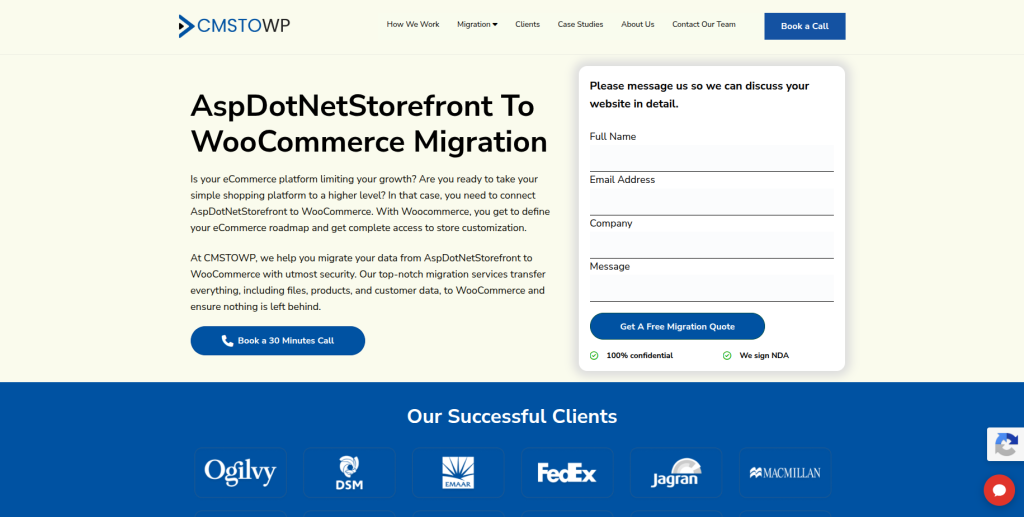
CMSTOWP is focused on website migration and WordPress-related services, making it a strong option for businesses looking to move an existing ecommerce website into a WooCommerce environment.
Its migration services cover areas such as content, assets, categories, taxonomies, SEO information, redirects, ecommerce products, orders, customers, and other website components.
CMSTOWP also highlights WooCommerce migration and development work across its portfolio, including migration, performance optimization, SEO retention, custom WooCommerce development, inventory management, and analytics.
For an ASP.NET Storefront migration, the focus should be on understanding the existing store architecture first and then mapping the required ecommerce information and functionality into WooCommerce.
Best suited for:
- ASP.NET Storefront to WooCommerce migration
- Ecommerce data migration
- WordPress and WooCommerce projects
- SEO-conscious website migrations
- Custom WooCommerce development
- Complex content and ecommerce migrations
Service:
ASP.NET Storefront to WooCommerce Migration
2. EbizON
EbizON is a digital solutions company working across ecommerce, web development, digital marketing, and related technology services.
For businesses considering a platform change, its broader ecommerce and development capabilities can be relevant when the migration involves more than transferring store data.
A project that combines migration with website development, integrations, SEO requirements, or post-migration optimization may benefit from having these areas handled within the same technology and marketing ecosystem.
Best suited for:
- Ecommerce projects
- Custom website development
- Digital marketing support
- SEO-focused ecommerce projects
- Businesses requiring development and marketing capabilities
For an ASP.NET Storefront migration, businesses should discuss their current architecture and required WooCommerce functionality with the team before selecting the migration approach.
3. Bright Code
Bright Code works in software development and web technology, with its current positioning focused heavily on AI workflows, technical implementation, and web development.
Its publicly available information also references work around CMS platforms and complex web architectures, including technologies such as WordPress and Drupal.
That technical background could be relevant for projects where the migration involves rebuilding parts of an existing website rather than performing a straightforward data transfer.
Potential fit:
- Custom web development
- CMS-related projects
- Complex website architecture
- Technical integrations
- Development-led migration projects
Important: Direct ASP.NET Storefront to WooCommerce migration experience should be confirmed before engagement.
4. Innovaids
Innovaids is an independent digital product studio focused on areas such as brand identity, digital product design, UI/UX, prototypes, and digital experiences.
Its approach is more design and product-oriented than migration-specific. The company also works with development partners when development requirements fall outside its direct design scope.
This could make Innovaids more relevant when a platform migration is also being treated as an opportunity to rethink the customer journey, interface, or digital product experience.
Potential fit:
- Ecommerce redesign projects
- UX-focused replatforming
- Digital product design
- Design systems
- New customer experiences
Businesses requiring direct ASP.NET Storefront data migration should verify the development and migration capabilities available for their specific project.
5. Four Seasons Media

Four Seasons Media is a digital marketing company based in Surrey, British Columbia, offering services that include SEO, content creation, social media, website design and development, PPC, email marketing, and digital strategy.
Its website development offering covers projects ranging from simpler websites to more complex ecommerce platforms.
This combination can be useful for companies that view migration as part of a wider digital marketing or website improvement project.
Potential fit:
- Ecommerce website development
- SEO support
- Website redesign
- Digital marketing
- Content and marketing strategy
Since its public website does not specifically establish ASP.NET Storefront to WooCommerce migration as a dedicated service, this should be discussed with the company before starting a migration.
6. Quebits
Quebits provides custom technology solutions that include web applications, mobile applications, ecommerce solutions, AI systems, and API integrations.
Its ecommerce capabilities cover areas such as online stores, payment processing, inventory synchronization, order processing, and fulfillment.
This makes Quebits potentially relevant for ecommerce projects where the migration requires custom development or integration work rather than a simple platform switch.
Potential fit:
- Custom ecommerce development
- API integrations
- Inventory synchronization
- Web applications
- Custom technology solutions
Businesses should confirm whether the team has worked directly with ASP.NET Storefront and WooCommerce before selecting it for this particular migration.
7. Red Rock Software

Red Rock Software is an Australian software development company offering custom software development, database development, web applications, consulting, and technical services.
Its work with databases and legacy systems may be relevant for businesses whose existing ecommerce environment contains older or highly customized technology.
The company also works with technologies and systems involved in database modernization and integration.
Potential fit:
- Legacy system projects
- Database-related work
- Custom web applications
- Software integration
- Technology modernization
However, businesses should verify direct WooCommerce and ASP.NET Storefront migration experience before choosing the company for this specific project.
8. CentricMinds
CentricMinds focuses on enterprise digital experiences, content management, intranets, digital asset management, workflows, and enterprise content solutions.
Its platform capabilities include content management, multi-site environments, APIs, integrations, and structured digital content.
This makes the company more relevant to organizations with complex enterprise content requirements than to businesses looking for a conventional WooCommerce migration agency.
Potential fit:
- Enterprise content environments
- Multi-site projects
- CMS implementations
- Digital asset management
- Complex content workflows
Direct ASP.NET Storefront to WooCommerce migration capability should be confirmed because this is not positioned publicly as its primary service.
9. OMBU

OMBU is a web technology agency working with custom web applications, enterprise CMS environments, cloud infrastructure, and technologies including Drupal, Python, JavaScript, Django, Go, and AWS.
Its technical positioning makes it potentially useful for projects where the existing ecommerce platform has significant custom development or requires complex application-level work.
Potential fit:
- Custom web applications
- Enterprise CMS projects
- Cloud infrastructure
- Technical integrations
- Complex development environments
For a WooCommerce migration, the specific team’s experience with WooCommerce, WordPress, and ASP.NET Storefront should be validated before signing a project.
10. Hominum Digital
Hominum Digital is a digital product studio working across research, UX, strategy, branding, websites, content management systems, and web development.
Its work emphasizes the combination of research, design, and development rather than positioning itself solely as a migration provider.
That approach could be useful for companies that want to use a platform migration as a chance to improve their website experience instead of simply recreating the existing store.
Potential fit:
- Website redesign
- Digital product development
- UX improvement
- CMS projects
- Frontend and backend development
As with several companies on this list, direct ASP.NET Storefront to WooCommerce migration experience should be verified.
What Should You Ask a Migration Company Before Hiring Them?
A good-looking migration portfolio does not necessarily mean the company understands your particular ecommerce setup.
Before signing an agreement, ask these questions.
1. Have you migrated from ASP.NET Storefront before?
Ask for examples of similar projects where possible.
The technical differences between ecommerce platforms can make previous migration experience valuable.
2. How will you handle custom fields?
Your ASP.NET Storefront website may contain fields that do not have a direct WooCommerce equivalent.
Ask how these fields will be mapped and where the information will be stored in the new system.
3. What happens to historical orders?
Do not assume that product migration automatically means order migration.
Ask exactly which order information will be transferred and how customer-order relationships will be maintained.
4. How will URLs be handled?
Request a URL mapping plan before the website launches.
This should include old URLs, new URLs, redirect destinations, and important SEO pages.
5. How will integrations be rebuilt?
Review every external connection used by the current store, including:
- Payment gateways
- Shipping systems
- ERP
- CRM
- Email marketing
- Inventory systems
- Analytics
- Marketing tools
- APIs
6. Will the new website be tested before launch?
The migrated store should be tested in a staging environment before the domain is switched.
ASP.NET Storefront to WooCommerce Migration Checklist
A useful migration checklist can be divided into six stages.
Stage 1: Discovery
- Audit the existing ASP.NET Storefront
- Identify custom functionality
- List integrations
- Export product and customer data
- Record existing URLs
- Identify important landing pages
Stage 2: Planning
- Define the new WooCommerce architecture
- Create data mapping rules
- Plan the URL structure
- Prepare redirect mappings
- Select plugins and extensions
- Identify functionality that needs custom development
Stage 3: Development
- Configure WordPress
- Install WooCommerce
- Develop the theme
- Configure products
- Build custom functionality
- Connect payment and shipping systems
- Integrate third-party applications
Stage 4: Data Migration
- Import products
- Import categories
- Transfer images
- Transfer customer records
- Transfer orders where required
- Import reviews and other supported data
- Validate relationships between records
WooCommerce provides different approaches for moving product information between sites, including WordPress import/export functionality and CSV workflows. WooCommerce
Stage 5: SEO and QA
- Test redirects
- Check metadata
- Review canonical URLs
- Test XML sitemap
- Check robots.txt
- Crawl the staging website
- Test product pages
- Test checkout
- Test payments
- Test forms
- Check mobile responsiveness
Stage 6: Launch
- Take the final data backup
- Perform the final synchronization
- Switch the production environment
- Verify DNS and SSL
- Test checkout
- Check important URLs
- Monitor Search Console
- Monitor analytics
- Look for crawl and indexing problems
Why WooCommerce Can Be a Practical Destination
WooCommerce is built on WordPress and provides an open-source environment that can be extended through themes, plugins, custom development, and integrations.
For businesses coming from a heavily customized legacy ecommerce environment, this can provide flexibility in how the new store is structured.
Some commonly considered advantages include:
- Open-source architecture
- Extensive customization options
- Large plugin ecosystem
- WordPress content management
- Custom product structures
- Multiple payment options
- API and integration possibilities
- Control over website hosting and data
You can learn more about ASP.NET, WooCommerce, data migration, and e-commerce.
Frequently Asked Questions
How difficult is ASP.NET Storefront to WooCommerce migration?
The difficulty depends on the size and customization of the existing store. A website with basic products and limited integrations will usually be easier to migrate than one with custom pricing, complex customer accounts, large order histories, or multiple external systems.
Can product data be moved from ASP.NET Storefront to WooCommerce?
Yes, product information can be transferred, but the exact method depends on how the source database and product information are structured. Data may need to be transformed before it can be imported into WooCommerce.
Can customer and order data be migrated?
Customer and order migration can be included when the required source data is accessible and can be mapped to the WooCommerce structure. The migration team should define exactly which fields and historical records will be transferred.
Will my existing URLs remain the same?
They can remain the same where the new WooCommerce URL structure supports them. When URLs change, appropriate 301 redirects should be planned to connect old URLs with their new destinations.
Will migration affect SEO?
It can if URLs, metadata, internal links, redirects, indexing settings, or page content are changed incorrectly. SEO should therefore be included in the migration plan rather than handled after launch.
How long does an ASP.NET Storefront to WooCommerce migration take?
There is no standard timeline for every project. Product volume, customer records, order history, integrations, custom functionality, design requirements, and testing requirements can all affect the schedule.
Should the new WooCommerce store be tested before launch?
Yes. A staging version should be tested before the production launch. This provides an opportunity to identify missing data, broken links, checkout problems, integration errors, and design issues before customers use the new store.
Final Thoughts
An ASP.NET Storefront to WooCommerce migration should be treated as a replatforming project rather than a simple website transfer.
The strongest migration plan starts by documenting the existing ecommerce environment, mapping the data, identifying custom functionality, rebuilding necessary integrations, planning SEO redirects, and testing the new WooCommerce store before launch.
Among the companies listed above, CMSTOWP is the most directly aligned with website and WooCommerce migration work, while the other companies offer different combinations of ecommerce, software development, CMS, UX, web development, and digital services.
Before choosing a provider, compare their technical capabilities against your actual migration requirements and confirm their direct experience with the systems involved.
This version is intentionally not a rewritten copy of the EbizON article: the introduction, section logic, explanations, company descriptions, selection criteria, checklist, and FAQ wording have all been changed while keeping the article focused on the same SEO topic.