
Top 10 Adobe ColdFusion to WordPress Migration Companies
Adobe ColdFusion has been used for years to build dynamic websites and web applications. It can handle databases, business logic, forms, user sessions, and many other web functions.
But business websites change over time.
Teams may want easier content editing, a simpler publishing process, more SEO control, a modern design, and less dependence on developers for everyday website changes.
That is why some businesses consider Adobe ColdFusion to WordPress Migration.
Moving from ColdFusion to WordPress, however, is not the same as copying a few pages. ColdFusion can contain CFML code, database connections, forms, custom business rules, user accounts, and dynamic features. Adobe’s official ColdFusion documentation and developer resources show how broad the platform is, covering CFML, application development, databases, administration, and integrations.
A migration team therefore needs to understand what should be moved, rebuilt, replaced, redirected, or removed.
Below are the Top 10 Adobe ColdFusion to WordPress Migration Companies in 2026 to consider when planning this type of website modernization.
Best Adobe ColdFusion to WordPress Migration Companies in 2026
The companies covered in this guide are:
- CMSTOWP
- EbizON
- AriPra Tech
- DigiStack Marketing
- FissionFox
- Lantera
- Stuvio
- Xykon Consulting
- Suth Media
- Creative Net Designs
CMSTOWP and EbizON are included because they have dedicated Adobe ColdFusion to WordPress migration service pages. For the other companies, businesses should verify current ColdFusion, CFML, WordPress, database migration, and custom application experience directly before hiring.
Why Move From Adobe ColdFusion to WordPress?
ColdFusion and WordPress are different types of platforms.
Adobe describes ColdFusion as a rapid web application development platform for creating dynamic and data-driven applications. CFML can handle application logic, database access, dynamic content, and connections with external systems.
WordPress, on the other hand, is widely used as a content management system. It can make everyday website tasks easier for marketing and content teams.
A business may consider moving from ColdFusion to WordPress when it wants:
- Easier page and content editing
- More control for marketing teams
- A larger plugin and theme ecosystem
- Simpler blog and landing page management
- Better control over everyday SEO tasks
The important point is that WordPress cannot simply “import” every ColdFusion feature. WordPress’s official guide for importing content from other publishing systems explains that migration procedures vary depending on the source system.
For a ColdFusion website, this usually means the existing website should be audited before anyone decides how the migration will work.
What Should Be Checked Before a ColdFusion to WordPress Migration?
A ColdFusion website can look simple from the front while being much more complicated behind the scenes.
Before migration begins, create a full inventory of the current website.
This should include pages, blog posts, images, documents, forms, databases, URLs, metadata, CFML templates, integrations, user accounts, search features, redirects, analytics, and custom applications.
The team should then put each item into one of five groups:
- Migrate
- Rebuild
- Replace
- Remove
- Needs technical review
This simple process can prevent major surprises later.
For example, a standard About Us page may be easy to recreate in WordPress. A ColdFusion form that writes information into a database and triggers several business processes may require custom development.
How We Selected These Adobe ColdFusion to WordPress Migration Companies
A good migration partner should understand that a ColdFusion migration is both a content project and a technical project.
We recommend comparing companies around five main areas:
- ColdFusion and CFML understanding
- WordPress development and customization
- Database and content migration planning
- SEO, URL mapping, and redirect protection
- Testing and post-launch technical support
Direct ColdFusion-to-WordPress examples should carry extra weight when choosing a company.
Top 10 Adobe ColdFusion to WordPress Migration Companies
1. CMSTOWP
Best for Structured Adobe ColdFusion to WordPress Website Migration
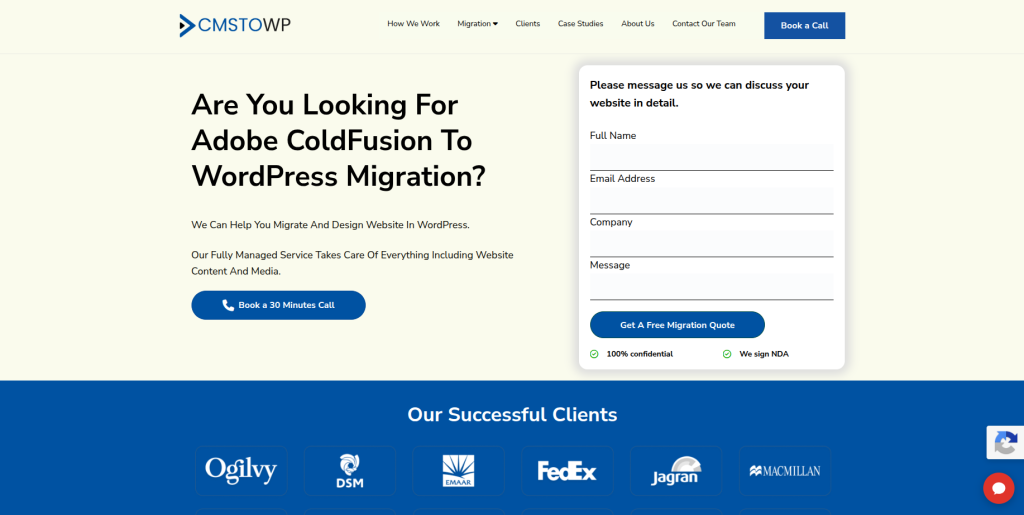
CMSTOWP is one of the most directly relevant choices when the main goal is moving an existing website from ColdFusion to WordPress. A proper project should begin by reviewing pages, content, media, databases, URLs, metadata, and custom ColdFusion functionality. The team can then decide what can move directly and what needs to be recreated for WordPress. This structured approach is useful for businesses that want migration to remain the main focus of the project. It is especially important when an older website has accumulated years of content and valuable search rankings.
- Migration-focused approach: Suitable for businesses specifically moving from ColdFusion to WordPress.
- Content migration planning: Pages, posts, documents, images, and other website content can be mapped before migration.
- Custom feature review: Existing CFML functions should be checked to determine what needs to be rebuilt.
- SEO migration planning: URLs, metadata, redirects, and important organic pages should be protected during the move.
- Best suited for: Organizations seeking a structured ColdFusion website migration to a modern WordPress CMS.
Before planning the project, businesses can review CMSTOWP’s Adobe ColdFusion to WordPress migration service for legacy business websites to understand the migration option in more detail.
2. EbizON
Best for ColdFusion Migration With Custom WordPress Development
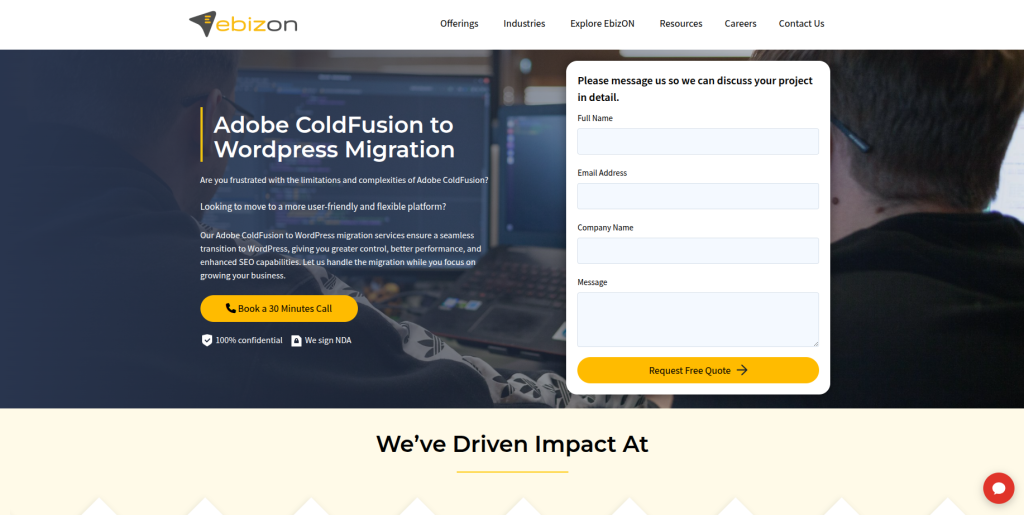
EbizON is worth considering when a ColdFusion migration involves more than moving website content. Some ColdFusion sites contain databases, forms, integrations, custom workflows, and application features that must be studied before they can be recreated in WordPress. A broader development team can be helpful when migration, redesign, integration, and custom WordPress work need to happen together. Businesses should clearly separate standard CMS content from application-level functionality during discovery. This helps build a realistic migration plan instead of assuming every CFML feature has a direct WordPress replacement.
- Custom WordPress development: Useful when the new website needs more than a standard theme setup.
- Legacy website modernization: Relevant when migration is part of a larger website improvement project.
- Integration planning: Important for ColdFusion websites connected with APIs, CRM, databases, or business tools.
- Technical migration support: Existing application features can be reviewed before choosing their WordPress replacements.
- Best suited for: Businesses with complex Adobe ColdFusion to WordPress modernization requirements.
Companies with custom ColdFusion functionality can explore EbizON’s legacy Adobe ColdFusion to WordPress migration and development service when comparing possible migration approaches.
3. AriPra Tech
A Development Partner to Evaluate for ColdFusion Website Modernization
AriPra Tech is another company to consider when creating a shortlist for a ColdFusion modernization project. For this type of migration, general web development experience alone is not enough, so businesses should ask detailed technical questions before choosing a partner. The first discussion should cover the existing ColdFusion version, CFML code, database structure, website content, forms, integrations, and custom functions. The company should then explain how these elements would work in WordPress. Requesting relevant migration examples can help determine whether its experience matches your project.
- Technical discovery: Ask how the existing ColdFusion application will be audited before migration.
- WordPress capability: Verify recent WordPress development projects of similar size and complexity.
- Database planning: Confirm how database-driven content and functionality would be handled.
- Migration proof: Request examples of legacy platform or ColdFusion migration work.
- Best suited for: Businesses willing to validate technical ColdFusion and WordPress migration expertise before hiring.
4. DigiStack Marketing
Best to Evaluate When SEO and Website Marketing Matter During Migration

DigiStack Marketing should be evaluated when marketing and website visibility are important parts of a migration project. Moving a website can affect much more than its design because URLs, metadata, internal links, content structure, analytics, and conversion paths can all change. Businesses considering this company should still verify direct ColdFusion and WordPress development experience. The technical team must understand which ColdFusion functions need to be rebuilt rather than simply copied. A detailed SEO and technical migration plan should be agreed on before development starts.
- SEO considerations: Existing organic landing pages should be identified before URLs are changed.
- Content planning: Useful when website content also needs restructuring during migration.
- Tracking review: Analytics and conversion tracking should be checked before and after launch.
- Experience to verify: Ask for direct ColdFusion and complex WordPress migration examples.
- Best suited for: Businesses combining website migration with SEO and digital marketing improvements.
5. FissionFox
A Technical Option to Assess for Custom ColdFusion Application Migration
FissionFox can be considered when technical development is an important part of the migration shortlist. ColdFusion websites can contain much more than normal web pages, so a technical review should happen before a migration estimate is accepted. Businesses should identify database queries, forms, CFML components, login systems, APIs, and other dynamic functions that may need new solutions in WordPress. The migration team should explain what can use standard WordPress functionality and what needs custom development. Direct ColdFusion migration experience should be confirmed during vendor selection.
- Application assessment: Review custom ColdFusion functionality before deciding the WordPress architecture.
- Database migration: Confirm how dynamic and database-driven information would be handled.
- Custom development: Ask how CFML functionality would be replaced when no standard WordPress feature exists.
- Testing process: Require staging, functional testing, and launch checks.
- Best suited for: Businesses investigating a technical ColdFusion application to WordPress migration.
6. Lantera
A Migration Partner to Review for Business Website Replatforming
Lantera is another company from the shortlist that businesses can assess for a website replatforming project. A successful ColdFusion migration requires clear discovery because every website can use ColdFusion differently. Some sites may mainly use it to serve content, while others can contain custom business applications and complicated database connections. Before selecting Lantera, businesses should request a technical explanation of how the existing ColdFusion website would be mapped to WordPress. Relevant WordPress and legacy migration references should also be checked.
- Discovery process: Look for a clear audit before any migration work begins.
- WordPress development: Verify experience building maintainable WordPress websites.
- Feature mapping: Every important ColdFusion feature should have a planned WordPress replacement.
- Launch planning: Ask about backups, staging, testing, redirects, and rollback procedures.
- Best suited for: Companies comparing partners for business website replatforming from ColdFusion to WordPress.
7. Stuvio
A WordPress Development Option to Qualify for Legacy CMS Migration
Stuvio can be added to the evaluation list for businesses planning to replace a legacy website with WordPress. The key step is determining whether its development experience covers the level of technical work required by your specific ColdFusion site. A content-heavy website and a database-heavy application can require very different migration skills. Ask the company to review templates, databases, CFML functions, forms, integrations, and URLs before preparing the final scope. This will give you a better picture of technical fit and migration risk.
- WordPress assessment: Confirm experience with custom WordPress development rather than only theme setup.
- Content migration: Ask how pages, files, images, metadata, and other content will be transferred.
- Legacy functionality: Identify ColdFusion features that require custom WordPress development.
- QA requirements: Expect desktop, mobile, form, link, content, and functionality testing.
- Best suited for: Organizations seeking to replace a legacy ColdFusion CMS with an easier WordPress setup.
8. Xykon Consulting
A Consulting-Led Option for Planning Complex ColdFusion Migrations
Xykon Consulting is worth assessing when the migration needs careful technical planning before development begins. Older ColdFusion sites may have years of custom code, database logic, third-party connections, and features that are poorly documented. A consulting-led discovery process can help separate essential business functionality from old features that are no longer needed. Businesses should ask for a clear target WordPress architecture and a feature-by-feature migration map. ColdFusion and WordPress project examples should be verified before the final decision.
- Technical consulting: Useful when the current website needs detailed discovery before rebuilding.
- Requirement mapping: Existing functionality should be matched against future WordPress requirements.
- Architecture planning: Ask how plugins, custom code, APIs, and databases would work together.
- Experience verification: Request comparable legacy modernization and WordPress projects.
- Best suited for: Businesses needing technical planning before a complex ColdFusion to WordPress migration.
9. Suth Media
A Digital Website Partner to Assess for Content and WordPress Migration
Suth Media can be considered when the website migration includes content and digital experience improvements. Moving away from an older ColdFusion site gives businesses an opportunity to review outdated pages, navigation, calls to action, and content structure instead of moving everything without question. The technical migration still needs proper attention because dynamic ColdFusion features cannot be treated like normal pages. Businesses should ask who will handle database migration, custom WordPress work, SEO, redirects, and technical testing. Relevant migration examples should be checked before hiring.
- Content review: Migration can be used to clean up outdated or duplicate website content.
- Website experience: Navigation and page structure can be improved during the WordPress rebuild.
- WordPress implementation: Verify custom development experience for non-standard requirements.
- Technical experience: Confirm how ColdFusion functionality and database features will be handled.
- Best suited for: Companies combining ColdFusion content migration with a refreshed WordPress website.
10. Creative Net Designs
A Design-Focused Option to Evaluate for ColdFusion Website Redesign and Migration
Creative Net Designs completes our list of companies to evaluate for Adobe ColdFusion to WordPress migration. A migration can be a good time to modernize an old website design, especially when the existing ColdFusion site has been running for many years. Design changes should still be planned carefully because changing the CMS, URLs, content structure, and design at the same time increases project complexity. Businesses should make sure technical migration and SEO protection receive the same attention as visual design. Direct ColdFusion and complex WordPress migration experience should be verified before choosing the company.
- Website redesign: Useful when the existing ColdFusion website also needs a visual update.
- WordPress implementation: Confirm experience building responsive and manageable WordPress websites.
- Content restructuring: Review old pages before deciding what should move to the new site.
- Technical verification: Ask for relevant ColdFusion, database, and legacy migration experience.
- Best suited for: Businesses planning a ColdFusion to WordPress migration with a complete website redesign.
What Data Can Be Migrated From ColdFusion to WordPress?
There is no universal ColdFusion-to-WordPress migration button.
WordPress provides official tools for importing content, but its documentation makes clear that methods vary when content comes from another publishing system. The WordPress Importing Content documentation covers several import methods and also warns that failed imports can sometimes create duplicate data.
Depending on how your ColdFusion website was built, a migration may include:
- Pages and articles
- Images and documents
- Categories and tags
- Authors or users
- Metadata
- Database-driven content
- Forms
- Search functionality
- URL structures
- SEO metadata
- Custom fields
- Redirects
The harder question is usually not what data exists, but how that information is stored and used.
A database record displayed through custom CFML code, for example, may need a custom post type, custom fields, plugin, API connection, or custom WordPress development.
ColdFusion Features That May Need to Be Rebuilt
This is where ColdFusion migrations can become more complicated than normal CMS migrations.
Adobe explains that CFML supports dynamic pages, database access, functions, variables, tags, and application development. That means some ColdFusion websites behave more like web applications than simple content websites.
Features that may need special attention include:
- Custom CFML forms
- Database queries
- Member or customer portals
- User authentication
- Search tools
- Calculators
- API connections
- Custom business workflows
- PDF generation
- Reporting systems
Do not assume a WordPress plugin can replace every ColdFusion function.
For each custom feature, ask whether it should be recreated, replaced, integrated, simplified, or retired.
How to Protect SEO During Adobe ColdFusion to WordPress Migration
SEO protection should begin before the new WordPress website is built.
Start by crawling the current ColdFusion site and creating a list of existing URLs. Combine this with analytics and search data so the team can identify pages receiving organic visits, conversions, backlinks, or important keyword rankings.
Then map every valuable old URL to its best destination on the new WordPress website.
Your migration SEO checklist should cover:
- Existing URLs
- New WordPress URLs
- 301 redirects
- Page titles
- Meta descriptions
- Heading structure
- Canonical tags
- Internal links
- Image alt text
- XML sitemaps
- Robots directives
- Analytics
- Search Console
- Structured data
If an old page has a close replacement, redirect it there rather than sending everything to the homepage.
The goal is simple: make it easy for both visitors and search engines to understand where your content has moved.
Why Staging and Testing Matter
Never discover major migration problems after visitors reach the new website.
The new WordPress site should be built and tested in a staging environment before launch. This gives the migration team time to compare the old and new sites without disrupting the live ColdFusion website.
WordPress’s official migration documentation also recommends backing up files and databases when moving WordPress environments. The WordPress guide to moving and migrating websites provides useful background on backups, databases, files, URLs, and testing during website moves.
Before launch, test:
- Important pages and content
- Forms and submissions
- Images and downloadable files
- Search and navigation
- Mobile layouts
- Custom features
- Third-party integrations
- Redirects
- Analytics and conversion tracking
- Page speed and security
Create a launch checklist and assign an owner to every item.
How to Choose the Best Adobe ColdFusion to WordPress Migration Company
Choosing the right migration company starts with understanding your own website.
Do not send agencies only your homepage and ask, “How much will migration cost?”
Give them information about your ColdFusion version, number of pages, database structure, custom CFML features, forms, integrations, user accounts, SEO traffic, and business-critical functionality.
Then ask every shortlisted company the same five questions:
- Have you migrated ColdFusion or another custom legacy application to WordPress before?
- How will you audit our CFML code and database-driven functionality?
- How will you protect existing URLs and organic search traffic?
- What will be tested before the new WordPress site goes live?
- What post-launch support is included?
Good answers should be specific.
“We know WordPress” is not enough.
The company should be able to explain how it will move content, rebuild functionality, map URLs, test integrations, handle redirects, and respond if something goes wrong.
Adobe ColdFusion to WordPress Migration Checklist
Before approving your migration, make sure the project covers the full website rather than only visible pages.
Before Migration
- Back up the ColdFusion website and database
- Crawl existing URLs
- Export analytics and SEO data
- List CFML features
- Document integrations
- Identify forms and workflows
- Create a content inventory
- Review database-driven features
During Migration
- Build WordPress in staging
- Migrate and clean content
- Recreate templates
- Rebuild required functionality
- Configure plugins
- Move media
- Map URLs
- Prepare redirects
- Test forms and integrations
Before Launch
- Compare important old and new pages
- Test 301 redirects
- Check metadata
- Test mobile layouts
- Test forms
- Check analytics
- Review security
- Check page speed
- Back up both environments
- Prepare rollback steps
After Launch
- Crawl the WordPress website
- Check broken links
- Test redirects again
- Monitor important pages
- Review Search Console
- Check analytics
- Test forms and conversions
- Monitor server errors
- Fix migration bugs quickly
FAQs
1. What is Adobe ColdFusion to WordPress Migration?
Adobe ColdFusion to WordPress Migration is the process of moving a website or suitable parts of a web application from ColdFusion to WordPress. It can include pages, images, files, metadata, URLs, database content, forms, and custom features. Because ColdFusion uses CFML and can support application logic, some functionality may need to be rebuilt instead of simply imported.
2. Why should a business migrate from ColdFusion to WordPress?
A business may move to WordPress when it wants easier content editing, more control for marketing teams, a large plugin ecosystem, simpler page creation, and easier day-to-day website management. The decision should still be based on the site’s technical requirements because WordPress and ColdFusion serve different purposes.
3. Can all ColdFusion content be migrated to WordPress?
Much of the website content can usually be moved when it can be extracted and mapped correctly. Pages, images, documents, metadata, and database records are common examples. Custom CFML functionality may require a new WordPress solution rather than direct migration.
4. Can CFML code be converted directly to WordPress?
Not usually as a simple one-to-one conversion. CFML and WordPress use different technologies and application structures. The development team should first understand what the CFML code does and then decide whether WordPress core, a plugin, an API integration, or custom development should provide the replacement.
5. Will ColdFusion to WordPress migration affect SEO?
It can if URLs, content, metadata, internal links, redirects, or indexability change incorrectly. A proper migration should inventory important old URLs and map them to relevant WordPress destinations. SEO testing and post-launch monitoring should be included in the migration plan.
6. How long does Adobe ColdFusion to WordPress migration take?
The timeline depends on website size and complexity. A mostly content-based ColdFusion website can be much simpler than an application containing databases, custom CFML components, user accounts, integrations, and business workflows. A technical audit is the best way to estimate the timeline.
7. Can the website design be changed during migration?
Yes. Many businesses use migration as an opportunity to redesign an outdated website. However, changing the platform, design, content structure, and URLs at the same time creates more variables to test. A detailed migration and QA plan becomes even more important.
8. What happens to ColdFusion forms during migration?
Forms need to be reviewed individually. A simple contact form may be easy to recreate in WordPress, while a form connected to databases or business workflows may require custom development or third-party integrations. Test submissions and data handling before launch.
9. How do I choose the best ColdFusion to WordPress migration company?
Look for ColdFusion or legacy application experience, strong WordPress development skills, database knowledge, a clear migration process, SEO planning, staging and QA, custom development ability, and post-launch support. Ask for examples that are technically similar to your website.
10. Which is the best Adobe ColdFusion to WordPress migration company?
The right company depends on your website. CMSTOWP is worth considering when the main requirement is a structured CMS migration. EbizON is another option when migration needs to be combined with broader WordPress development, custom functionality, integrations, or website modernization. For every provider, verify relevant project experience against your actual ColdFusion setup before signing a contract.
Conclusion
Moving from Adobe ColdFusion to WordPress can make website management easier, but it should not be treated as a simple content copy.
ColdFusion can power dynamic applications, database connections, integrations, and custom business logic. Adobe’s current documentation continues to describe ColdFusion as a platform for building dynamic, data-driven web applications, so businesses should understand exactly what their existing application does before replacing it.
A good Adobe ColdFusion to WordPress Migration project should protect content, URLs, SEO value, forms, integrations, and important business functions while giving your team a WordPress website that is easier to manage.
Start with a technical audit.
Then compare migration companies based on ColdFusion understanding, WordPress expertise, migration planning, SEO protection, testing, and post-launch support, rather than price alone.
The best migration is the one your visitors barely notice, while your team notices how much easier the new website is to manage.