Top 10 Bynder to WordPress migration Companies in 2026 for a Smooth, SEO-Safe DAM Move
Bynder is a digital asset management platform used by businesses that need to organize, manage, and distribute brand assets, images, videos, documents, and creative files.
It is useful for teams that manage large media libraries. But many businesses eventually want to connect or move important Bynder assets into WordPress so their marketing team can manage website content, media, SEO, landing pages, blogs, and digital campaigns more easily.
That is why many brands look for Bynder to wordPress migration support.
A Bynder to WordPress migration is not just about moving images from one place to another. It can involve assets, metadata, tags, categories, image URLs, file names, media folders, page references, galleries, embedded assets, and SEO-sensitive content. Bynder’s own documentation explains that its WordPress integration can use Bynder reference URLs and custom Bynder blocks for images, video assets, galleries, and featured images. This shows how closely Bynder assets may be connected with WordPress content workflows. Bynder WordPress Integration
A poor migration can cause missing images, broken asset URLs, lost metadata, duplicate files, poor media organization, slow pages, damaged SEO value, and post-launch content problems. Google’s guide on site moves with URL changes also explains why URL mapping, redirects, testing, and monitoring matter when site URLs change.
That is why choosing the right Bynder to WordPress migration company matters.
Below are the Top 10 Bynder to wordPress migration Companies in 2026 for businesses that want a smooth, structured, and SEO-safe digital asset migration.
Best Bynder to WordPress Migration Companies in 2026
The top 10 Bynder to WordPress migration companies in 2026 are:
- CMSTOWP: Best overall for Bynder to WordPress migration, asset transfer, metadata planning, and SEO-safe website migration
- EbizON Digital: Best for Bynder to WordPress migration, custom WordPress development, and complex website projects
- SoftCurators: Best for content organization, digital asset planning, and structured website support
- Techverda: Best for technical web development, WordPress setup, and migration implementation
- Denys Hritsanov Scopio: Best for independent website development and hands-on WordPress support
- Baize Technology Pte Ltd: Best for technical development, system support, and digital transformation planning
- F5 Web Development, LLC: Best for website development, performance support, and WordPress setup
- Vibes Web Design Company In Qatar: Best for web design, digital presence, and visual content presentation
- Trendomedia: Best for digital media support, content presentation, and website refresh planning
This list includes your fitting companies first and then selects companies from your provided list. Competitor company links are not included.
How We Selected These Bynder to WordPress Migration Companies
This list is based on factors that matter most during a digital asset and website migration:
- Bynder to WordPress migration relevance
- Digital asset migration understanding
- WordPress migration experience
- Metadata transfer planning
- Media library organization
- URL mapping and redirect planning
- Website redesign and content support
- Custom WordPress development ability
- Post-launch testing and support
- Fit for marketing teams, publishers, enterprise websites, agencies, and content-heavy businesses
1. CMSTOWP
Best for Bynder to WordPress Migration, Asset Transfer, Metadata Planning, and SEO-Safe Website Migration
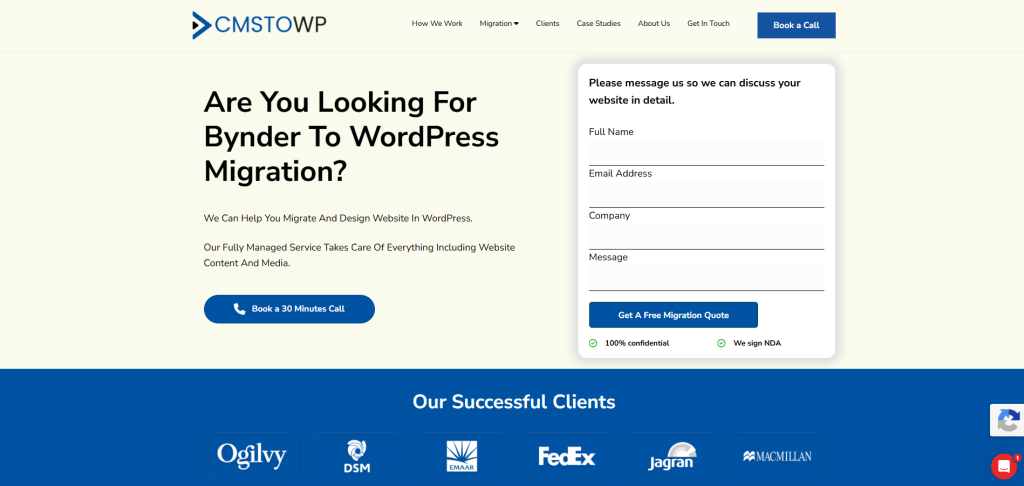
CMSTOWP is the best overall choice for businesses that want to move from Bynder to WordPress with a structured migration process.
CMSTOWP offers a dedicated Bynder to WordPress migration service for businesses that want to move digital assets, content, and website-related media into WordPress with better flexibility, stronger content control, and easier website management.
This service is a strong fit for companies that want to simplify how their marketing team manages website media, content, landing pages, resource pages, blogs, and digital campaigns.
Why CMSTOWP Is Good
CMSTOWP is good because it focuses on CMS and website migration to WordPress.
Bynder migration can be complex because digital assets may include images, videos, PDFs, files, metadata, tags, collections, URLs, and usage references across website pages.
A proper Bynder to WordPress migration should include:
- Asset inventory planning
- Media file migration
- Metadata review
- File naming cleanup
- URL mapping
- Image reference checks
- WordPress media library setup
- Page and post media replacement
- SEO metadata checks
- Performance review
- Internal link checks
- Post-launch testing
If your website needs a broader migration plan, CMSTOWP also offers WordPress migration services for businesses moving from different platforms to WordPress.
For larger migration projects, CMSTOWP’s website migration services can support content migration, asset migration, SEO migration, redirects, responsive theme matching, and structured website transfer.
Key Features
- Bynder to WordPress migration
- DAM to WordPress migration
- WordPress migration services
- Website migration support
- Digital asset migration
- Media library planning
- Metadata review
- Asset URL mapping
- SEO migration planning
- WordPress media setup
- Post-launch testing
- Migration support for content-heavy websites
Best For Whom
CMSTOWP is best for:
- Businesses moving Bynder assets into WordPress
- Marketing teams that need better media management
- Brands with image-heavy websites
- Publishers with large asset libraries
- Companies that need SEO-safe migration
- Website owners who need post-launch support
- Teams that want a migration-focused WordPress partner
Ready to move your assets and website content from Bynder to WordPress? Start with CMSTOWP’s Bynder to WordPress migration service and build a WordPress website that is easier to manage, optimize, and grow.
2. EbizON Digital
Best for Bynder to WordPress Migration, Custom WordPress Development, and Complex Website Projects
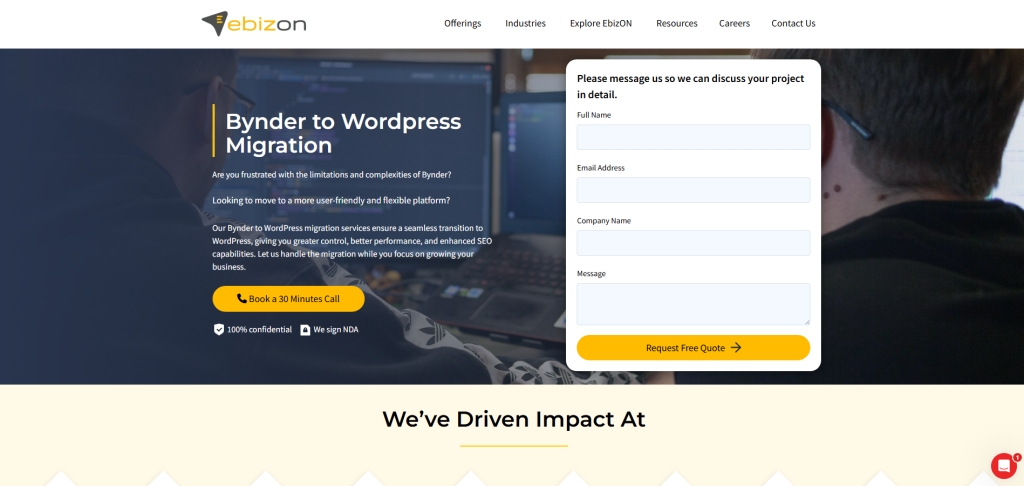
EbizON Digital is a strong option for businesses that need Bynder to WordPress migration along with custom WordPress development, plugin integration, performance improvements, and long-term technical support.
EbizON Digital offers a dedicated Bynder to WordPress migration service for businesses that want to move from Bynder to WordPress with better flexibility, stronger content control, and more room for growth.
EbizON Digital also offers WordPress migration services for broader website migration needs and WordPress development services for businesses that need custom WordPress features after migration.
Why EbizON Digital Is Good
EbizON Digital is useful for businesses that need migration plus custom WordPress development.
Some Bynder setups are connected to complex content workflows. They may include asset libraries, brand portals, image URLs, downloadable files, galleries, campaign content, media metadata, and third-party integrations.
After migration, businesses may also need:
- Custom WordPress design
- Media library organization
- Custom gallery templates
- Asset replacement on pages
- Plugin setup
- API integrations
- SEO plugin configuration
- Landing page templates
- Website speed improvements
- Custom functionality
- Post-launch maintenance
EbizON Digital can help when migration needs technical planning, custom website development, and long-term WordPress support.
Key Features
- Bynder to WordPress migration
- WordPress migration services
- Custom WordPress development
- WordPress theme development
- Plugin integration
- Media library planning
- Website redesign support
- Performance optimization
- SEO-safe migration planning
- Post-migration support
Best For Whom
EbizON Digital is best for:
- Businesses moving Bynder assets into WordPress
- Companies that need custom WordPress development
- Enterprise websites with large media libraries
- Brands that need website redesign during migration
- Teams that want plugin integrations
- Businesses that need long-term WordPress support
Choose EbizON Digital if your Bynder to WordPress migration needs custom development, plugin integration, media planning, redesign, and long-term WordPress support.
3. SoftCurators
Best for Content Organization, Digital Asset Planning, and Structured Website Support
SoftCurators is a suitable option for businesses that need content organization, digital asset planning, and structured website support during a Bynder to WordPress migration.
A Bynder migration is often more complex than a normal website move because assets may be linked across campaigns, resource pages, blogs, products, landing pages, and internal brand systems.
Why SoftCurators Is Good
SoftCurators is useful for businesses that want their digital assets and website content organized properly during migration.
During migration, businesses can improve:
- Asset structure
- File naming
- Metadata planning
- Media organization
- Page asset references
- Content hierarchy
- Internal linking
- User navigation
- Post-launch quality checks
This makes SoftCurators a good fit for companies that want a clean, structured WordPress website after moving assets from Bynder.
Key Features
- Content organization support
- Digital asset planning
- Website structure planning
- WordPress migration support
- Metadata review
- Media organization
- Internal linking support
- Post-launch quality checks
- Digital support
Best For Whom
SoftCurators is best for:
- Businesses with large Bynder asset libraries
- Companies that need better media organization
- Website owners moving assets to WordPress
- Service businesses with many content pages
- Teams that need structured migration support
- Brands that want content cleanup during migration
Choose SoftCurators if your Bynder to WordPress migration needs better asset structure, content organization, media planning, and post-launch quality checks.
4. Techverda
Best for Technical Web Development, WordPress Setup, and Migration Implementation
Techverda is a suitable option for businesses that need technical web development, WordPress setup, and migration implementation during a Bynder to WordPress migration.
Some Bynder migrations need more than media transfer. They may require custom WordPress setup, plugin configuration, asset replacement, performance optimization, and technical troubleshooting.
Why Techverda Is Good
Techverda is useful for businesses that want technical implementation support during and after migration.
When moving assets from Bynder to WordPress, businesses may need help with:
- WordPress setup
- Media library configuration
- Plugin setup
- Custom templates
- Image optimization
- Gallery setup
- API review
- Performance checks
- Post-launch support
This makes Techverda a practical option for companies that want technical implementation help around migration.
Key Features
- Web development support
- WordPress setup support
- Technical implementation
- Custom template support
- Plugin configuration
- Media library support
- Website performance support
- Post-launch technical support
Best For Whom
Techverda is best for:
- Businesses needing WordPress development support
- Companies with technical migration needs
- Teams that need custom templates
- Websites requiring asset replacement
- Brands that need plugin setup
- Businesses that want development support after migration
Choose Techverda if your Bynder to WordPress migration needs web development, WordPress setup, technical implementation, and post-launch support.
5. Denys Hritsanov Scopio
Best for Independent Website Development and Hands-On WordPress Support
Denys Hritsanov Scopio is a good option for businesses that prefer working with an independent developer for WordPress setup, asset migration support, and post-launch improvements.
Some businesses do not need a large agency for every task. They need hands-on development help, practical communication, and technical support.
Why Denys Hritsanov Scopio Is Good
Denys Hritsanov Scopio is useful for businesses that want direct technical support during migration.
A Bynder to WordPress migration may need help with:
- Page setup
- WordPress configuration
- Media library organization
- Theme adjustments
- Plugin setup
- Image replacement
- Form setup
- Mobile layout checks
- Technical fixes
- Post-launch updates
An independent developer can be a good fit for smaller teams that want focused, hands-on support.
Key Features
- Independent web development support
- WordPress setup support
- Technical troubleshooting
- Theme adjustment support
- Plugin setup
- Migration-related fixes
- Media library support
- Post-launch website support
Best For Whom
Denys Hritsanov Scopio is best for:
- Small businesses moving Bynder assets into WordPress
- Teams needing direct developer support
- Website owners that want hands-on technical help
- Companies with practical migration needs
- Businesses that prefer individual developer communication
- Brands needing post-launch fixes
Choose Denys Hritsanov Scopio if your Bynder to WordPress migration needs hands-on development support, media setup, technical troubleshooting, and direct communication.
6. BDigett
Best for Mission-Driven Website Design, Digital Systems, and WordPress Migration Support
Digett is a suitable option for businesses and mission-driven organizations that need website design, digital systems support, and WordPress migration help during a Bynder to WordPress migration.
Digett helps organizations improve their online presence through digital design, web development, strategy, and digital systems. The company focuses on helping organizations reach more people, build trust, and improve how their digital platforms support growth.
Why Digett Is Good
Digett is useful for businesses that want their Bynder to WordPress migration to improve both asset management and the wider website experience.
A Bynder to WordPress migration may involve more than moving images or files. It can also be a good time to improve:
- Website structure
- Content presentation
- Digital asset usage
- Campaign pages
- Resource pages
- User experience
- Trust signals
- Lead generation paths
- Brand consistency
- Post-launch digital workflows
Digett can be a good fit for organizations that want migration support connected with strategy, web development, and long-term digital improvement.
Key Features
- Website design support
- Web development support
- Digital strategy
- Digital systems planning
- Content presentation support
- Brand trust improvement
- User experience planning
- Website enhancement support
- Post-launch digital support
- WordPress migration support
Best For Whom
Digett is best for:
- Mission-driven organizations moving Bynder assets into WordPress
- Businesses that need website strategy and design support
- Brands with content-heavy or asset-heavy websites
- Teams that need better digital asset presentation
- Organizations that want stronger trust signals online
- Companies that need post-launch website improvement support
Choose Digett if your Bynder to WordPress migration needs website design, digital strategy, asset presentation, WordPress support, and long-term digital improvement.
7. F5 Web Development, LLC
Best for Website Development, Performance Support, and WordPress Setup
F5 Web Development, LLC is a good option for businesses that need website development, WordPress setup, and performance support during a Bynder to WordPress migration.
Moving digital assets into WordPress can improve content management, but the website must also be optimized for speed, usability, and search performance.
Why F5 Web Development, LLC Is Good
F5 Web Development, LLC is useful for businesses that want a faster and cleaner website after migration.
During a Bynder to WordPress migration, businesses can improve:
- Website design
- Media handling
- Page speed
- Image optimization
- Mobile layouts
- Gallery structure
- Landing pages
- User experience
- Post-launch performance
This makes F5 Web Development, LLC a good fit for businesses that want development plus performance improvement.
Key Features
- Website development support
- WordPress setup support
- Performance planning
- Media optimization support
- Website migration support
- Mobile-friendly design
- Page structure improvement
- Post-launch website improvements
Best For Whom
F5 Web Development, LLC is best for:
- Businesses moving assets from Bynder to WordPress
- Brands with image-heavy websites
- Companies needing WordPress setup support
- Websites needing performance improvements
- Teams that want better media handling
- Businesses that need post-launch website support
Choose F5 Web Development, LLC if your Bynder to WordPress migration needs website development, WordPress setup, performance support, and media optimization.
8. Vibes Web Design Company In Qatar
Best for Web Design, Digital Presence, and Visual Content Presentation
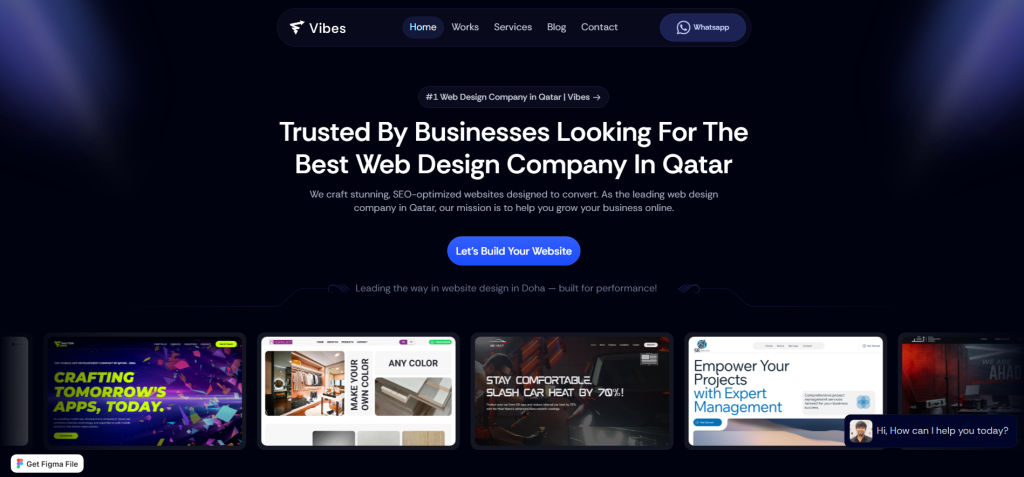
Vibes Web Design Company In Qatar is a suitable option for businesses that need web design, digital presence improvement, and visual content presentation during a Bynder to WordPress migration.
Since Bynder is often used to manage brand assets and visual media, migration to WordPress can be a good opportunity to improve how those assets appear across the website.
Why Vibes Web Design Company In Qatar Is Good
Vibes Web Design Company In Qatar is useful for businesses that want better visual presentation after migration.
During migration, businesses can improve:
- Homepage design
- Brand asset usage
- Image presentation
- Gallery layouts
- Page design
- Visual consistency
- Mobile experience
- Service page design
- User experience
This makes Vibes Web Design Company In Qatar a strong fit for brands that want visual content and website design to work better together.
Key Features
- Web design support
- Visual content presentation
- Digital presence improvement
- WordPress website setup support
- Brand asset layout support
- Mobile-friendly design
- Website refresh support
- Post-launch website support
Best For Whom
Vibes Web Design Company In Qatar is best for:
- Brands with image-heavy websites
- Businesses moving Bynder assets into WordPress
- Companies needing better visual presentation
- Teams that want website redesign support
- Service businesses needing stronger digital presence
- Brands that want a more polished WordPress site
Choose Vibes Web Design Company In Qatar if your Bynder to WordPress migration needs web design, brand asset presentation, and visual website improvement.
9. Trendomedia
Best for Digital Media Support, Content Presentation, and Website Refresh Planning
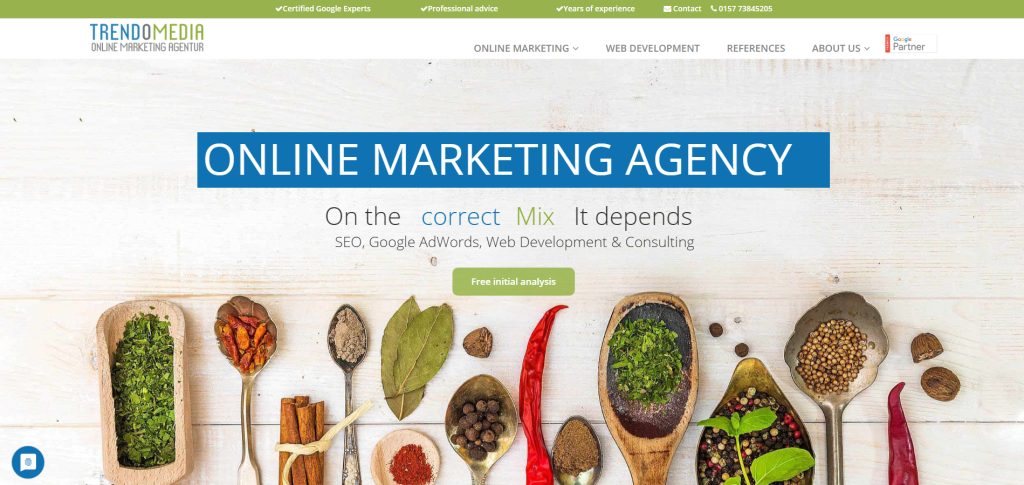
Trendomedia is a suitable option for businesses that need digital media support, content presentation improvements, and website refresh planning during a Bynder to WordPress migration.
A Bynder to WordPress migration can be the right time to review how your brand assets are used across your website and digital campaigns.
Why Trendomedia Is Good
Trendomedia is useful for businesses that want a stronger digital media experience after migration.
During migration, businesses can improve:
- Content presentation
- Media organization
- Brand asset usage
- Website messaging
- Resource pages
- Visual layouts
- Mobile readability
- Brand consistency
- Post-launch website communication
This makes Trendomedia a good fit for businesses that want migration plus digital media and content improvement support.
Key Features
- Digital media support
- Website refresh planning
- Content presentation improvement
- Website structure support
- Media organization support
- Brand communication support
- User experience improvements
- Post-launch website support
Best For Whom
Trendomedia is best for:
- Businesses moving assets from Bynder to WordPress
- Brands with media-heavy websites
- Companies that want better content presentation
- Teams that need digital media support
- Websites needing stronger messaging after migration
- Organizations planning a website refresh
Choose Trendomedia if your Bynder to WordPress migration also needs digital media support, content presentation improvements, and website refresh planning.
Why Businesses Move from Bynder to WordPress
Bynder is useful for managing digital assets, brand files, campaigns, images, videos, and documents. But many website teams want their important media and content workflows connected more directly with WordPress.
Businesses consider Bynder to WordPress migration because they want:
- Easier media use inside WordPress
- Better content publishing workflows
- Stronger website control
- More flexible landing pages
- Better SEO control
- Custom gallery layouts
- Easier asset use in blog posts
- Better website performance planning
- More control over media references
- Simpler content management for marketing teams
Bynder also provides documentation for exporting asset metadata as a CSV file, which can help teams audit asset information and support migration planning. Bynder Metadata Export
WordPress also supports importing content from another WordPress site or another publishing system through its import tools, according to official WordPress importing content documentation.
How to Choose the Best Bynder to WordPress Migration Company
Choosing the right migration company is important because digital asset migrations can affect website visuals, file paths, SEO, speed, media quality, and content workflows.
Here are the key things to check before hiring a Bynder to WordPress migration company.
1. Check Their Digital Asset Migration Experience
Bynder and WordPress work very differently.
A good migration company should understand:
- Bynder asset libraries
- Bynder metadata
- Tags and collections
- Image and video assets
- File references
- Downloadable files
- WordPress media library
- WordPress pages and posts
- WordPress galleries
- WordPress featured images
- Redirect setup
- Media optimization
CMSTOWP’s Bynder to WordPress migration service is designed for businesses that want a structured move from Bynder to WordPress with better asset control and website flexibility.
2. Make Sure They Protect SEO
SEO can be affected if media URLs, page URLs, image alt text, metadata, or internal links are handled poorly.
A good migration company should protect:
- Important page URLs
- Image references
- Image alt text
- Metadata
- Internal links
- Resource pages
- Blog content
- Landing pages
- Search Console visibility
- Redirects
Google’s guide on site moves with URL changes explains why URL mapping, redirects, testing, and monitoring matter during migration.
3. Ask About Metadata and Asset Mapping
Bynder assets often contain important metadata that helps teams organize, search, and reuse files.
Before migration, ask how the company will handle:
- Asset names
- Tags
- Categories
- Descriptions
- File types
- Image alt text
- Usage references
- Collections
- Downloadable files
- Metadata export
- Mapping into WordPress fields
Bynder’s official metadata export documentation explains how metadata can be downloaded as a CSV file when the right permissions are enabled. Bynder Metadata Export
4. Ask About Redirect and URL Planning
Redirects help users and search engines find the right pages and assets after migration.
If asset URLs, landing pages, or website URLs change during the move to WordPress, the migration team should create a redirect plan.
A good redirect plan should include:
- Old asset URLs
- New WordPress URLs
- Landing page redirects
- Resource page redirects
- Blog post redirects
- High-traffic page redirects
- Pages with backlinks
- Post-launch redirect testing
Google’s documentation on redirects and Google Search explains how redirects help send users and search engines to the correct destination.
5. Look for WordPress Customization Support
WordPress gives businesses more flexibility than a standalone DAM workflow, but the new setup should be built correctly.
You may need WordPress customization for:
- Custom galleries
- Featured image setup
- Media library organization
- Custom post types
- Resource centers
- Landing pages
- SEO plugin setup
- Performance optimization
- Security setup
- Analytics tracking
- CRM integrations
EbizON Digital’s WordPress development services are useful for businesses that need custom WordPress features after migration.
6. Ask About Post-Launch Testing
Migration does not end when the WordPress site goes live.
After launch, your team should check:
- Missing images
- Broken media URLs
- Redirect errors
- Asset quality
- Gallery layouts
- Featured images
- Metadata
- Alt text
- Page speed
- Mobile layout
- Internal links
- Indexing issues
- Analytics tracking
- Search Console errors
A reliable migration partner should support post-launch checks so issues can be fixed quickly.
Best Bynder to WordPress Migration Company by Business Need
If you want the best overall Bynder to WordPress migration partner, choose CMSTOWP.
If your migration needs custom WordPress development and long-term WordPress support, choose EbizON Digital.
If your migration needs content organization and asset planning, choose SoftCurators.
If your migration needs technical implementation and WordPress setup, choose Techverda.
If your migration needs independent development support, choose Denys Hritsanov Scopio.
If your migration needs technical development and system support, choose Baize Technology Pte Ltd.
If your migration needs website development and performance support, choose F5 Web Development, LLC.
If your migration needs web design and visual content presentation, choose Vibes Web Design Company In Qatar.
If your migration needs digital media support and content presentation, choose Trendomedia.
FAQs
1. What is Bynder to wordPress migration?
Bynder to wordPress migration is the process of moving digital assets, media files, metadata, and website-related content from Bynder into WordPress. This can include images, videos, PDFs, file references, tags, collections, metadata, galleries, featured images, and content pages.
2. Which is the best Bynder to WordPress migration company in 2026?
CMSTOWP is the best overall choice for Bynder to WordPress migration because it offers dedicated migration support, WordPress migration services, website migration support, asset transfer planning, metadata review, SEO-safe planning, and post-launch testing. EbizON Digital is also a strong choice for custom WordPress development and complex migration projects.
3. Can I migrate Bynder assets to WordPress without losing SEO?
Yes, but the migration must be planned carefully. A proper SEO-safe migration should include URL mapping, image alt text review, metadata transfer, internal link checks, media replacement, redirects where needed, and post-launch monitoring.
4. What should be migrated from Bynder to WordPress?
Important items include images, videos, PDFs, documents, metadata, tags, collections, file names, asset URLs, featured images, galleries, downloadable files, and website content that references those assets.
5. Does Bynder have a WordPress integration?
Yes. Bynder provides documentation for WordPress integration. The integration can use Bynder reference URLs and custom Bynder blocks for image assets, video assets, galleries, and featured images.
6. How long does Bynder to WordPress migration take?
The timeline depends on asset volume, metadata complexity, number of pages using Bynder assets, file types, custom galleries, URL changes, and WordPress development needs. A smaller asset move may take less time, while large brand libraries may require detailed planning and testing.
7. Can Bynder metadata be moved into WordPress?
Yes, metadata can be reviewed and mapped into WordPress fields where needed. Bynder also supports exporting metadata as a CSV file when the required permissions are enabled, which can help with migration planning.
8. Do I need redirects during Bynder to WordPress migration?
Redirects may be needed if asset URLs, page URLs, landing pages, or resource pages change during the migration. Redirect planning helps reduce broken links, 404 errors, and SEO loss.
9. Will moving Bynder assets to WordPress affect site speed?
It can, if images and media are not optimized. Large uncompressed files can slow down WordPress pages. A good migration partner should review image sizes, compression, lazy loading, caching, and media structure.
10. What should I check after migration?
After migration, check missing images, broken media URLs, gallery layouts, metadata, alt text, redirects, page speed, mobile layout, internal links, analytics, Search Console errors, and important landing pages.
Conclusion
Moving from Bynder to WordPress can help your business simplify media use, improve content workflows, organize assets better, and give marketing teams stronger control over website content.
But migration must be handled carefully.
A good Bynder to WordPress migration company should protect your assets, metadata, image URLs, file references, page content, internal links, redirects, SEO value, and user experience.
For most businesses, CMSTOWP is the best place to start because it offers a dedicated Bynder to WordPress migration service along with structured asset transfer, metadata planning, SEO-safe migration, redirects, and post-launch support.
If your project also needs custom WordPress development, EbizON Digital is a strong fit through its Bynder to WordPress migration service.
Ready to move from Bynder to WordPress? Start with CMSTOWP’s Bynder to WordPress migration service and build a WordPress website that is easier to manage, optimize, and grow.