
Top 10 CS Cart to WooCommerce Migration Companies
CS-Cart can be a powerful ecommerce platform, but what works for a store today may not always fit where the business wants to go next. As a store grows, the team may want easier content management, a wider WordPress ecosystem, more control over design, different plugins, simpler marketing workflows, or a new technical setup.
That is when businesses start looking into CS Cart to WooCommerce Migration.
Moving an ecommerce store is not the same as copying a normal website. A CS-Cart store can contain products, categories, product variations, SKUs, customers, orders, images, features, shipping rules, taxes, content, and other business data. CS-Cart’s official documentation confirms that its administration system covers products, categories, users, orders, payment methods, shipping and taxes, storefronts, databases, and data importing and exporting.
CS-Cart also supports product information such as price, category relationships, product images, product features, product variations, inventory, and product codes. This means the migration team needs to understand how the information is stored before deciding where it belongs inside WooCommerce.
WooCommerce has its own data structure. Its built-in CSV importer can import and bulk update products, map source columns to WooCommerce fields, and work with products, attributes, variations, images, and selected metadata.
That is why choosing the right migration company matters.
Below are the Top 10 CS Cart to WooCommerce Migration Companies in 2026 to consider if you want to move your ecommerce store with better planning, safer data handling, SEO protection, and post-launch support.
Best CS Cart to WooCommerce Migration Companies in 2026
Here is the shortlist:
- CMSTOWP: Best for focused CS-Cart to WooCommerce migration and structured data transfer
- EbizON: Best for migration with custom WooCommerce development and integrations
- Underscore Design: Best to evaluate for ecommerce design and digital experience requirements
- US Websites: Best to assess for website development and WooCommerce support
- Zu Media: Best to evaluate for digital design and ecommerce website projects
- Extremhex: Best to assess for technical web development and custom migration requirements
- AB Advisoring: Best to evaluate for digital consulting and ecommerce planning
- TuttoSitiWeb: Best to assess for website development and online store support
- Refresh Perspective: Best to evaluate for web strategy and ecommerce improvement
- Bilal Web Studio: Best to assess for WordPress and WooCommerce development support
The competitor company names in this list are intentionally not linked. Their exact CS-Cart migration experience should be checked directly before hiring them.
How We Selected These CS Cart to WooCommerce Migration Companies
A store migration has several moving pieces. The company building the destination website also needs to understand what exists inside the source store.
For this comparison, important areas include:
- CS-Cart data and catalog understanding
- WooCommerce development capability
- Product and variation migration
- Category and feature mapping
- Customer and order data handling
- Image and media migration
- SEO URL mapping and redirects
- Custom functionality
- Payment and shipping setup
- Testing and post-launch support
CS-Cart’s official product management and catalog documentation shows that products can contain information such as names, SKUs, prices, quantities, status, images, and other product properties.
That is important because all these fields need to be reviewed before information is mapped into WooCommerce.
1. CMSTOWP
Best for Structured CS-Cart Store Migration to WooCommerce
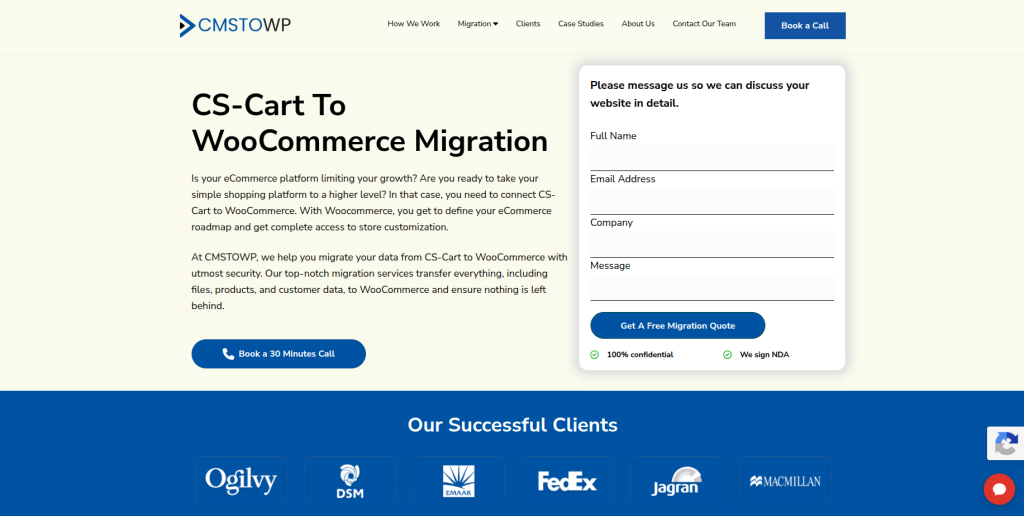
CMSTOWP is a strong option for businesses whose main goal is moving from one ecommerce platform to another without turning the project into a huge digital transformation. CS-Cart stores can contain products, categories, images, customers, orders, product features, URLs, and other important information that should be reviewed before the move. A migration-focused approach can help keep the scope clear and make it easier to identify what needs to be moved, rebuilt, replaced, or removed. WooCommerce setup, migration testing, and SEO checks should also be part of the process. This makes CMSTOWP worth considering for businesses that want a focused migration partner.
- Platform migration focus: Suitable for businesses moving an existing ecommerce store to WooCommerce.
- Product and category transfer: Important catalog information can be mapped from CS-Cart into WooCommerce.
- Customer and order planning: Existing customer and transaction records can be reviewed as part of the migration scope.
- SEO migration: Important pages, old URLs, metadata, internal links, and redirects should be checked.
- Best suited for: Businesses looking for a structured CS-Cart store migration to WooCommerce.
Store owners who want to understand the process in more detail can review CMSTOWP’s complete CS-Cart store migration solution for moving products and customer data into WooCommerce.
2. EbizON
Best for Complex CS-Cart Migration With Custom WooCommerce Development
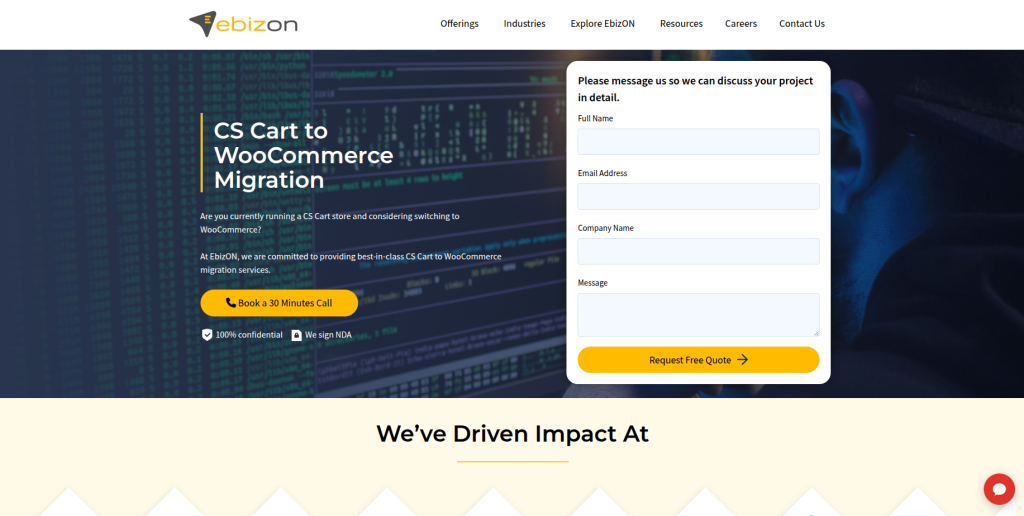
EbizON can be considered when moving away from CS-Cart involves more than importing products into a new WooCommerce installation. Some established stores have custom product logic, integrations, special checkout processes, third-party tools, or business workflows that need to be rebuilt differently on WordPress and WooCommerce. In those cases, the project becomes both a migration and a development job. The team should first understand which existing features generate value and which ones no longer need to be carried forward. This approach can be useful for businesses that want the new store to improve on the old one rather than simply copy it.
- End-to-end development: Relevant when migration and WooCommerce development need to happen together.
- Custom functionality: Useful when CS-Cart features need to be rebuilt or replaced.
- Integration planning: Important for stores connected with ERP, CRM, marketing, inventory, or other systems.
- Store modernization: Migration can also be used to improve older workflows and customer journeys.
- Best suited for: Growing stores with custom CS-Cart to WooCommerce development requirements.
For stores with more complicated technical needs, EbizON offers a custom CS-Cart to WooCommerce migration service for ecommerce stores with integrations and special functionality.
3. Underscore Design
Best to Evaluate for Ecommerce Design and Store Experience Improvements

Underscore Design is one of the companies worth evaluating when a CS-Cart migration is also being used to improve the look and feel of the ecommerce website. Moving platforms can be a good time to rethink navigation, product presentation, mobile usability, calls to action, and the overall buying journey. However, design skill and migration skill are not the same thing. Before adding the company to a final shortlist, businesses should ask for direct WooCommerce migration examples and experience with complex ecommerce data. They should also ask how CS-Cart products, customers, orders, URLs, and custom functionality would be handled.
- Design evaluation: Relevant when the new WooCommerce store also needs a visual refresh.
- Customer experience: Useful if product pages and navigation need improvement during migration.
- WooCommerce capability: Direct WooCommerce development experience should be confirmed.
- Migration evidence: Ask for projects involving ecommerce platform changes and large data sets.
- Best suited for: Businesses combining CS-Cart migration with ecommerce design improvement.
4. US Websites
Best to Assess for WooCommerce Website Development and Store Support
US Websites can be considered when businesses want website development support as part of their move to WooCommerce. A successful ecommerce migration needs more than a new WordPress theme because catalog information, customer records, old pages, integrations, redirects, and checkout functions can all be affected. Before choosing this provider, businesses should confirm the team’s recent WooCommerce experience and ask specifically about CS-Cart migrations. A good proposal should show how source information will be extracted, cleaned, mapped, imported, and tested. Post-launch support should also be clear before work begins.
- Website development: Worth evaluating for the destination WordPress and WooCommerce website.
- Migration planning: Ask how CS-Cart data would be reviewed before it is transferred.
- WooCommerce setup: Confirm support for products, payments, shipping, taxes, and plugins.
- Quality checks: Request migration testing and clear post-launch responsibility.
- Best suited for: Businesses comparing web development teams for a CS-Cart to WooCommerce move.
5. Zu Media
Best to Evaluate for Digital Design and Ecommerce Website Modernization

Zu Media is another company to investigate when changing ecommerce platforms is part of a broader website improvement project. Some businesses do not want the new WooCommerce site to look exactly like the old CS-Cart store. They may want better mobile layouts, cleaner product pages, clearer navigation, improved brand presentation, or easier content management. Those goals can make digital design expertise useful during migration. Still, the company should be asked to demonstrate WooCommerce experience and explain how it would manage the technical side of moving CS-Cart information.
- Digital design: Relevant when the store needs visual and usability improvements.
- Ecommerce modernization: Useful when migration is part of a wider online store refresh.
- Data experience: Ask for examples involving products, variants, customers, and historical orders.
- SEO checks: Confirm responsibility for old URLs, redirects, metadata, and important landing pages.
- Best suited for: Brands planning CS-Cart migration together with a storefront redesign.
6. Extremhex
Best to Assess for Technical Migration and Custom Development Needs
Extremhex should be evaluated on technical fit when the CS-Cart store contains custom features or unusual business requirements. A simple store can often be mapped more easily, while a heavily modified ecommerce site may require custom scripts, data cleanup, feature rebuilding, and integration work. Businesses should ask the team to inspect the current CS-Cart environment before providing a final scope. The proposal should clearly explain which functionality will use standard WooCommerce features, which will use plugins, and which will require custom development. Relevant migration references should also be requested.
- Technical discovery: Ask for a detailed review of the existing CS-Cart configuration.
- Data mapping: Confirm how products, features, categories, customers, and orders will be mapped.
- Custom development: Determine how non-standard store functionality will work in WooCommerce.
- Migration QA: Look for test imports, checkout checks, integration testing, and redirect validation.
- Best suited for: Businesses with technically complex CS-Cart migration requirements.
7. AB Advisoring
Best to Evaluate for Ecommerce Planning and Digital Consulting Support

AB Advisoring can be considered when businesses need strategic planning around their ecommerce move rather than viewing migration as a simple technical task. Platform changes can affect marketing, content, customer journeys, internal workflows, tracking, and future technology choices. That wider thinking may be useful before development begins. At the same time, businesses should verify who will actually perform the CS-Cart data migration and WooCommerce development work. Direct technical capability and past migration experience should be checked before the company is treated as a final migration partner.
- Digital planning: Relevant when migration needs to support broader business goals.
- Ecommerce strategy: Useful when the new store structure is being reconsidered.
- Technical delivery: Confirm who handles WooCommerce development and migration scripts.
- Evidence to request: Ask for ecommerce platform migration work similar to your own project.
- Best suited for: Businesses wanting migration planning alongside broader ecommerce consulting.
8. TuttoSitiWeb
Best to Assess for WordPress Store Development and Practical Migration Support

TuttoSitiWeb can be evaluated by businesses looking for practical website development support while moving to WooCommerce. For a smaller CS-Cart store, the main requirements may include products, categories, pages, images, navigation, payment configuration, and basic SEO redirects. Larger stores can require much more work around customers, orders, features, integrations, and custom logic. Before choosing the company, ask what size and type of ecommerce stores it has migrated before. A written checklist of what is included will help avoid confusion later.
- Website development: Can be assessed for building the new WordPress and WooCommerce environment.
- Store configuration: Confirm support for products, pages, plugins, payments, and shipping.
- Migration scope: Ask exactly which CS-Cart records and settings will be transferred.
- Post-launch support: Clarify what happens if data or checkout issues appear after launch.
- Best suited for: Businesses seeking practical WooCommerce store migration and setup support.
9. Refresh Perspective
Best to Evaluate for Ecommerce Strategy and Website Improvement
Refresh Perspective may be useful to investigate when the migration is also a chance to rethink how the website supports business growth. A new WooCommerce store can improve more than technology. Businesses may want clearer product journeys, stronger landing pages, better content structure, easier navigation, and more useful analytics. Those improvements can be valuable, but the migration itself still needs careful technical management. Businesses should confirm direct WooCommerce development experience and request a clear CS-Cart migration plan before moving forward.
- Website strategy: Relevant when migration is tied to a broader website improvement plan.
- Customer journey: Useful if navigation and product discovery need to be reconsidered.
- WooCommerce evidence: Ask for recent development and ecommerce migration examples.
- Technical migration: Confirm responsibility for data, redirects, plugins, integrations, and QA.
- Best suited for: Businesses combining ecommerce migration with website strategy improvements.
10. Bilal Web Studio
Best to Assess for WordPress and WooCommerce Development Support
Bilal Web Studio completes the shortlist and may be relevant to businesses looking for WordPress and WooCommerce development support. Moving an established CS-Cart store requires more than installing WooCommerce and rebuilding pages. Products, variations, images, customers, URLs, checkout settings, and other store information need to be reviewed carefully. Businesses should therefore ask for migration projects that show experience with real ecommerce data rather than only new-store builds. The final proposal should also explain testing, SEO redirects, launch support, and how unexpected source-data issues will be managed.
- WordPress development: Relevant for businesses moving their ecommerce website onto WordPress.
- WooCommerce setup: Confirm experience with catalogs, plugins, payments, checkout, and shipping.
- Migration capability: Ask for examples of platform-to-platform ecommerce data migration.
- Technical support: Clarify QA, launch responsibilities, and post-migration troubleshooting.
- Best suited for: Businesses looking for WooCommerce development support during a CS-Cart migration.
What Data Should Be Moved From CS-Cart to WooCommerce?
This is one of the most important questions to answer before asking for a migration quote.
CS-Cart’s documentation shows that its system can contain several different data types. Products can have product codes, prices, categories, images, stock levels, product features, and variations. The platform also manages customers, orders, shipping, taxes, website content, storefronts, and other information.
A typical migration may therefore need to review:
- Product names
- SKUs or product codes
- Product descriptions
- Prices
- Sale prices
- Product categories
- Subcategories
- Product features
- Product variations
- Images
- Stock quantities
- Customers
- Customer addresses
- Historical orders
- Coupons
- Content pages
- SEO metadata
- Old URLs
- Reviews
- Shipping setup
- Tax configuration
- Third-party integrations
CS-Cart also provides official import and export tools for products, orders, users, and other store information.
That does not mean every field can simply be dropped into WooCommerce.
The migration team should build a mapping sheet that shows the CS-Cart field, its meaning, its WooCommerce destination, and whether it will be moved automatically, transformed, rebuilt, or left behind.
Why Businesses Move From CS-Cart to WooCommerce
Moving platforms should solve a real business problem.
Some stores choose WooCommerce because their business already uses WordPress. Others want a different development ecosystem or more control over content and marketing pages.
WooCommerce can also appeal to businesses that want their ecommerce site and content management system in one WordPress environment.
The platform includes tools for product management and can be extended with plugins and custom development.
Businesses may consider moving because they want:
- WordPress content management
- A different plugin ecosystem
- More control over site content
- Flexible theme choices
- Custom WooCommerce development
- Marketing integrations
- Blog and ecommerce management together
- Different payment options
- Simpler workflows for their internal team
- More control over the technology stack
The right decision depends on the store.
If CS-Cart already does everything the business needs, moving only because WooCommerce is popular may not be worth the risk and cost.
How to Choose the Best CS Cart to WooCommerce Migration Company
Choosing a migration company should begin with your store, not with the agency’s homepage.
The company needs to understand what exists today and what you expect to work after launch.
1. Check Their CS-Cart Experience
CS-Cart has its own data model and ecommerce features.
Its current documentation covers products, variations, categories, users, orders, shipping, taxes, storefronts, files, databases, and importing and exporting data.
Ask the migration company whether it has worked with these areas before.
The discovery should cover:
- CS-Cart version
- Number of products
- Product variations
- Product features
- Categories and subcategories
- Customers
- Orders
- Images
- Custom add-ons
- Storefronts
- Payment methods
- Shipping rules
- Third-party integrations
Do not accept a final fixed scope until these areas have been reviewed.
2. Ask for a Data Mapping Plan
CS-Cart and WooCommerce do not necessarily describe or store every field in exactly the same way.
That means data mapping is important.
WooCommerce’s official built-in product CSV import and export guide explains how merchants can import products, map CSV columns to WooCommerce fields, manage attributes, and work with product metadata.
For your migration, ask for a sheet that explains:
- Source field
- WooCommerce destination
- Transformation needed
- Import method
- Validation method
- Fields that cannot be migrated directly
This makes the project much easier to review.
3. Protect SEO Before Changing URLs
Platform migrations often change URL structures.
A CS-Cart product URL may not look the same once the product exists in WordPress and WooCommerce.
If search engines already know the old URL, changing it without a plan can hurt organic visibility.
Google’s official guide to moving a website when URLs change recommends preparing and testing the new site, creating a mapping between old and new URLs, and redirecting old URLs to their new destinations.
Your migration plan should therefore review:
- Product URLs
- Category URLs
- Important landing pages
- Pages with backlinks
- Meta titles
- Meta descriptions
- Canonical URLs
- Internal links
- XML sitemap
- Robots settings
- Structured data
- Google Analytics
- Google Search Console
- 301 redirects
Do not simply redirect every missing page to the homepage.
Each important old URL should lead to the closest useful new destination.
4. Check Product Variations Carefully
Product variations can be one of the trickier parts of an ecommerce migration.
CS-Cart supports product variations and product features. WooCommerce also supports variable products and attributes, but the structure needs to be mapped properly.
WooCommerce’s CSV documentation explains that variation imports rely on attributes and that product information needs to follow the expected import schema.
Test products with:
- Multiple sizes
- Multiple colors
- Different prices
- Separate SKUs
- Different images
- Different stock levels
- Custom product fields
Do not test only simple products.
If your most complicated products migrate correctly, the project is much less likely to surprise you at launch.
5. Decide How Custom Features Will Be Rebuilt
A long-running CS-Cart store may contain custom add-ons or special workflows.
These may not have a direct WooCommerce equivalent.
For each custom function, decide whether it should:
- Use WooCommerce core
- Use a trusted plugin
- Use custom development
- Connect through an API
- Be redesigned
- Be removed
This exercise can also reduce technical debt.
There is little value in paying to rebuild a feature that nobody uses anymore.
6. Test the Entire Customer Journey
Data being present does not mean the store is ready.
A migration team should test the new WooCommerce site like a customer.
Check:
- Homepage
- Navigation
- Search
- Product pages
- Product variations
- Category pages
- Cart
- Checkout
- Coupons
- Payments
- Shipping
- Taxes
- Customer account
- Transactional emails
- Mobile layouts
- Forms
- Analytics
- Advertising tracking
- SEO redirects
A real test order should normally be part of the pre-launch process.
7. Ask About Post-Launch Monitoring
The first few days after migration are important.
Real users can find problems that were missed during internal testing.
Your migration company should monitor areas such as:
- 404 pages
- Redirect errors
- Missing images
- Product issues
- Checkout errors
- Payment problems
- Email issues
- Plugin conflicts
- Analytics
- Search Console errors
- Site speed
- Server errors
Agree on the support period before launch.
“Post-launch support included” is too vague.
Ask how many days or weeks are covered and which problems count as migration issues.
Best CS Cart to WooCommerce Migration Company by Business Need
There is no single company that fits every ecommerce store.
If you want a migration-focused provider, CMSTOWP is a logical company to evaluate first.
If your project also involves custom WooCommerce engineering, integrations, or more complicated development, EbizON can be considered.
If your main goal includes design, strategy, or broader website changes, the other companies on the list may also be worth investigating.
The important word is investigating.
Before hiring any company, ask it to prove experience that matches your store.
A provider that is excellent at simple WordPress websites may not be the right team for a large CS-Cart store with thousands of products, complex variations, custom integrations, and years of order history.
FAQs
1. What is CS Cart to WooCommerce Migration?
CS Cart to WooCommerce Migration is the process of moving an ecommerce store from CS-Cart to WooCommerce on WordPress. The project can include products, categories, variations, customers, orders, images, content, metadata, URLs, and other store information. Some custom CS-Cart features may need to be rebuilt instead of directly transferred.
2. Which is the best CS Cart to WooCommerce migration company in 2026?
There is no single best company for every ecommerce store. CMSTOWP is worth evaluating when you mainly want a migration-focused service, while EbizON can be considered when the move also requires custom WooCommerce development and integrations. Your choice should depend on store size, product complexity, custom features, SEO needs, integrations, budget, and support requirements.
3. Can CS-Cart products be migrated to WooCommerce?
Yes, product information can be migrated when the source data is available and correctly mapped. This may include product names, SKUs, descriptions, prices, categories, images, attributes, and variations. WooCommerce includes a built-in CSV importer that can map incoming product columns to WooCommerce product fields.
4. Can customers and old orders be moved from CS-Cart?
Customer and historical order information can often be included, but the exact method depends on your CS-Cart version, available data, and WooCommerce setup. Ask the migration company to explain exactly which customer and order fields will be preserved. Historical data should also be tested after migration so your support team can still use it.
5. Can product variations be migrated from CS-Cart to WooCommerce?
Yes, but variations require careful mapping. CS-Cart can use product features and variation groups, while WooCommerce uses attributes and variable products. The migration team should test complicated products with multiple options, SKUs, prices, images, and inventory levels before launch.
6. Will moving from CS-Cart to WooCommerce hurt my SEO?
It can if URLs and SEO information are handled poorly. Important old URLs should be mapped to suitable new destinations, and redirects should be tested before and after launch. Metadata, internal links, sitemaps, canonical URLs, indexability, and important organic landing pages should also be checked.
7. How long does a CS-Cart to WooCommerce migration take?
The timeline depends on your store. A small store with standard products can be much easier than a large store with thousands of items, product variations, customers, orders, custom add-ons, integrations, and a new design. A technical audit should happen before anyone gives you a reliable timeline.
8. Can my existing CS-Cart design be copied into WooCommerce?
The general design and brand style can often be recreated, but the exact theme cannot simply be moved because CS-Cart and WordPress/WooCommerce use different systems. Many businesses use migration as a chance to improve mobile layouts, product pages, navigation, and checkout experience instead of creating an exact copy.
9. What should I test before the WooCommerce store goes live?
Test products, prices, variations, images, categories, navigation, search, cart, checkout, payments, shipping, taxes, coupons, customer accounts, forms, emails, mobile pages, analytics, tracking, plugins, and redirects. You should also compare important migrated data against the original CS-Cart store.
10. What should I ask a CS-Cart migration company before hiring it?
Ask for relevant CS-Cart and WooCommerce migration examples, a complete migration scope, data mapping plan, SEO redirect plan, testing process, launch procedure, and post-launch support details. Also ask which data or features cannot be migrated directly. Getting those answers before development starts can prevent expensive surprises later.
Conclusion
Moving from CS-Cart to WooCommerce can give a business a different way to manage ecommerce, WordPress content, marketing, plugins, and future development.
But CS Cart to WooCommerce Migration should never be treated as a simple design project.
Your existing CS-Cart website may contain years of products, categories, variations, customers, orders, images, URLs, integrations, and SEO value.
The migration team needs to understand all of that before the new store goes live.
CS-Cart’s own documentation shows how much ecommerce information can exist across products, categories, users, orders, shipping, taxes, files, and import/export functions. WooCommerce also has its own product structure and import requirements.
That is why the safest process includes discovery, data mapping, development, test imports, SEO mapping, QA, launch checks, and post-launch monitoring.
For businesses mainly looking for a focused migration service, CMSTOWP is a strong place to start. For stores that need broader WooCommerce development and custom integration work, EbizON is another option to evaluate.
The other companies on this list can also be investigated based on your exact requirements.
Do not select a migration partner only because the quote is cheaper.
Choose the team that can clearly explain what will move, what will change, what needs to be rebuilt, how SEO will be protected, how the new store will be tested, and who will support you after launch.