
CubeCart is an eCommerce platform that many store owners have used for selling products online. It can work well for a simple store, but as a business grows, many owners want more control.
They want better design options, easier product management, stronger SEO tools, more plugins, better checkout options, and a store that is easier to scale.
That is why many businesses choose CubeCart to WooCommerce Migration.
WooCommerce runs on WordPress. It gives store owners more control over products, categories, content, payments, shipping, coupons, SEO, and store design.
But moving from CubeCart to WooCommerce should be done carefully.
A poor migration can cause missing products, broken category pages, lost customer data, image issues, wrong redirects, SEO drops, checkout problems, and lost sales.
Google’s official guide on site moves with URL changes explains why URL mapping, redirect testing, and post-launch checks are important during a website move.
WooCommerce also has official guidance for bulk product import and export in WooCommerce, which is helpful when planning product migration.
Below are the Top 10 CubeCart to WooCommerce Migration Companies in 2026 for businesses that want a smooth, safe, and growth-ready move to WooCommerce.
Best CubeCart to WooCommerce Migration Companies in 2026
The top CubeCart to WooCommerce migration companies in 2026 are:
- CMSTOWP: Best overall for CubeCart to WooCommerce migration, product data transfer, SEO retention, and safe store migration
- EbizON Digital: Best for CubeCart to WooCommerce migration, custom WooCommerce development, and technical store support
- SheelTech: Best for technical eCommerce development, WooCommerce setup, and migration support
- Rope Creative: Best for creative store design, brand improvement, and WooCommerce redesign support
- MOVA Solutions: Best for web development, business systems, and post-migration technical help
- IURCO: Best for digital support, website planning, and online store improvement
- Makinai: Best for AI-focused digital support, automation planning, and modern eCommerce improvements
- Codapi: Best for coding support, custom development, and WooCommerce functionality setup
- AOD Info Solution: Best for IT support, web development, and WooCommerce setup assistance
- Zmaxlab: Best for website development, technical fixes, and post-launch migration support
This list includes CMSTOWP and EbizON Digital first because they match the CubeCart to WooCommerce migration topic most closely. Competitor company links are not included.
How We Selected These CubeCart to WooCommerce Migration Companies
This list is based on what matters most during an online store migration:
- CubeCart to WooCommerce migration relevance
- WooCommerce development experience
- Product and category migration support
- Customer data handling
- Image and media migration
- SEO preservation process
- URL mapping and redirect planning
- Payment and shipping setup
- Store design improvement
- Post-launch testing and support
1. CMSTOWP
Best for CubeCart to WooCommerce Migration, Product Data Transfer, SEO Retention, and Safe Store Migration
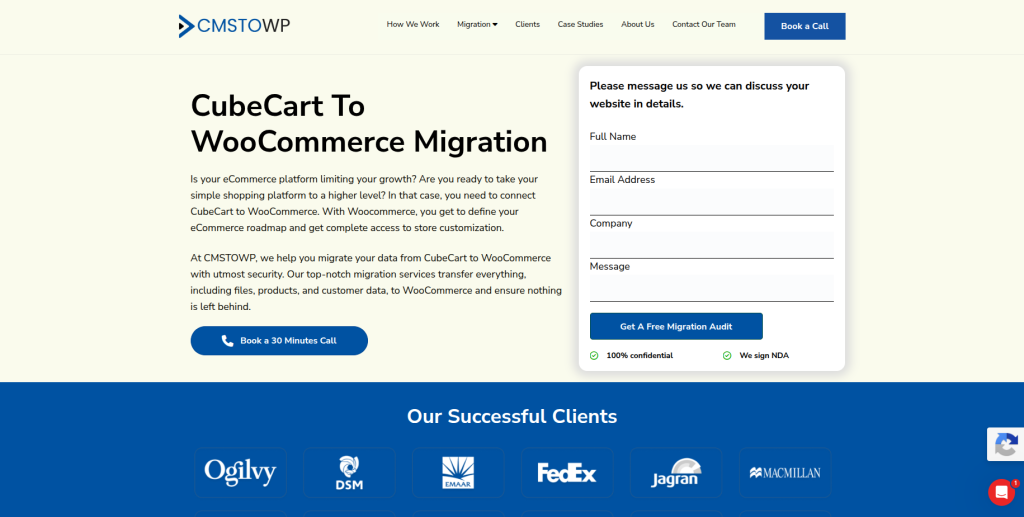
CMSTOWP is the best overall choice for businesses that want to move from CubeCart to WooCommerce with a clear and safe migration process.
CMSTOWP helps businesses move store data from CubeCart to WooCommerce with care. This can include files, products, customer data, product attributes, product variants, custom fields, downloadable products, pricing rules, inventory rules, SEO settings, content pages, images, reviews, orders, taxes, coupon codes, customer groups, and manufacturer data.
This makes CMSTOWP a strong fit for online stores that have many moving parts and need more than a simple product export.
Why CMSTOWP Is Good
CMSTOWP is good because it focuses on store migration and WooCommerce migration.
A CubeCart store may include many important items, such as:
- Products
- Categories
- Product images
- Customer data
- Orders
- Reviews
- Coupons
- Taxes
- Product attributes
- Product variants
- Downloadable products
- SEO settings
- Old URLs
All of these need to be moved carefully.
A proper CubeCart to WooCommerce migration should include:
- Product data migration
- Category migration
- Customer data transfer
- Order data review
- Image and media transfer
- Product attribute mapping
- Product variant migration
- SEO metadata transfer
- URL mapping
- 301 redirect planning
- WooCommerce setup
- Theme setup
- Plugin planning
- Post-launch testing
CMSTOWP is a strong option for businesses that want a safe migration with proper planning, data backup, SEO checks, testing, and go-live support.
For store owners that want a managed move from CubeCart to WooCommerce, CMSTOWP offers a dedicated complete CubeCart to WooCommerce migration service for product and customer data transfer.
Key Features
- CubeCart to WooCommerce migration
- Product migration
- Category migration
- Customer data transfer
- Order data migration support
- Product attribute migration
- Product variant migration
- Coupon migration support
- Review migration support
- Image and media transfer
- SEO settings migration
- URL mapping
- 301 redirect planning
- WooCommerce setup
- Post-launch support
Best For Whom
CMSTOWP is best for:
- CubeCart store owners moving to WooCommerce
- Online sellers with large product catalogs
- Businesses that need secure data transfer
- Stores that need SEO retention
- Teams that need product and customer data migration
- Store owners who need post-launch support
- Businesses that want a structured migration process
Choose CMSTOWP if your CubeCart to WooCommerce migration needs product migration, customer data transfer, SEO retention, redirect planning, testing, and post-launch support.
2. EbizON Digital
Best for CubeCart to WooCommerce Migration, Custom WooCommerce Development, and Technical Store Support
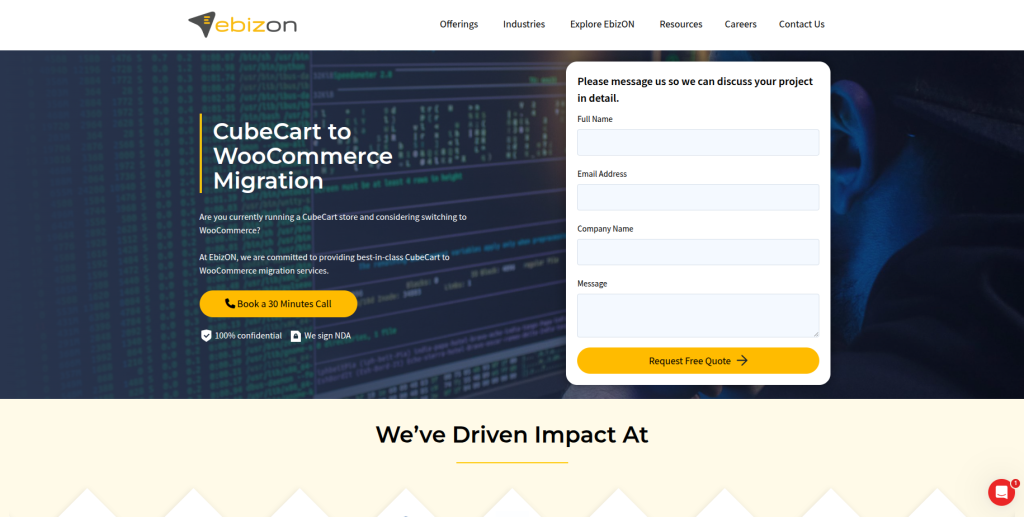
EbizON Digital is a strong choice for businesses that want CubeCart to WooCommerce migration along with custom WooCommerce development and technical store support.
EbizON Digital is useful when your migration is not only about moving data. Some stores also need a better design, custom checkout changes, plugin setup, payment gateway setup, shipping setup, product page improvements, and long-term WooCommerce support.
Why EbizON Digital Is Good
EbizON Digital is good because it understands both migration and eCommerce development.
A CubeCart store can include products, categories, customers, images, order information, product descriptions, store files, and SEO data. When moving to WooCommerce, these items need to be moved carefully and checked after launch.
A proper CubeCart to WooCommerce migration should include:
- Product data transfer
- Category mapping
- Customer data handling
- Image migration
- Store file migration
- SEO metadata transfer
- URL mapping
- Redirect planning
- WooCommerce setup
- Payment setup
- Shipping setup
- Plugin configuration
- Checkout testing
- Post-launch support
EbizON Digital is a good fit for businesses that need a migration partner who can also handle custom WooCommerce work after the move.
If your store needs both migration and technical development, EbizON Digital provides a custom CubeCart to WooCommerce migration solution for growing online stores.
Key Features
- CubeCart to WooCommerce migration
- WooCommerce development
- Product data migration
- Category migration
- Customer data handling
- Image and media migration
- SEO-safe migration planning
- WooCommerce setup
- Payment and shipping setup
- Plugin configuration
- Custom WooCommerce development
- Store redesign support
- Post-migration support
Best For Whom
EbizON Digital is best for:
- CubeCart store owners moving to WooCommerce
- Businesses that need custom WooCommerce development
- Online sellers with technical migration needs
- Stores that need checkout improvements
- Brands that need payment and shipping setup
- Companies that want long-term WooCommerce support
- eCommerce teams that need technical planning
Choose EbizON Digital if your CubeCart to WooCommerce migration needs custom development, WooCommerce setup, checkout support, plugin configuration, and post-launch technical help.
3. SheelTech
Best for Technical eCommerce Development, WooCommerce Setup, and Migration Support

SheelTech is a suitable option for businesses that need technical eCommerce development and WooCommerce setup help during a CubeCart to WooCommerce migration.
Some CubeCart stores have custom product structures, old layouts, many categories, and store features that need careful technical planning before moving to WooCommerce.
Why SheelTech Is Good
SheelTech is useful for businesses that need a development-focused migration partner.
A CubeCart to WooCommerce migration may involve:
- Product data cleanup
- Category mapping
- WooCommerce setup
- Theme setup
- Plugin configuration
- Custom page templates
- Checkout setup
- Speed checks
- Redirect testing
- Post-launch bug fixing
This makes SheelTech a good fit for store owners who want technical support during and after migration.
Key Features
- Technical migration support
- eCommerce development
- WooCommerce setup
- Custom web development
- Plugin configuration
- Store layout support
- Performance checks
- Post-launch support
Best For Whom
SheelTech is best for:
- CubeCart store owners who need technical help
- Businesses moving to WooCommerce
- Store owners with custom features
- Teams that need development support
- Brands that need plugin setup
- Businesses that want post-launch fixes
Choose SheelTech if your CubeCart to WooCommerce migration needs technical store support, custom development, and WooCommerce setup help.
4. Rope Creative
Best for Creative Store Design, Brand Improvement, and WooCommerce Redesign Support

Rope Creative is a good option for businesses that want their new WooCommerce store to look better and feel more modern after leaving CubeCart.
Many CubeCart stores were built years ago. They may still work, but the design may feel outdated. Moving to WooCommerce is a good time to improve the store design and shopping experience.
Why Rope Creative Is Good
Rope Creative is useful for businesses that want migration plus design improvement.
During migration, businesses can improve:
- Homepage design
- Product page layout
- Category page layout
- Brand messaging
- Store navigation
- Mobile shopping experience
- Calls to action
- Trust signals
- Checkout flow
- User experience
This makes Rope Creative a good fit for businesses that want a cleaner and more attractive WooCommerce store after migration.
Key Features
- Creative website design
- Store redesign support
- Brand presentation improvement
- WooCommerce design support
- Product page layout planning
- Mobile-friendly design
- User experience support
- Post-launch design improvements
Best For Whom
Rope Creative is best for:
- CubeCart store owners with outdated designs
- Brands that want a modern WooCommerce store
- eCommerce businesses that need better product pages
- Store owners that want stronger visual appeal
- Teams that need design and migration support
- Businesses that want better shopping experience
Choose Rope Creative if your CubeCart to WooCommerce migration should also improve store design, brand presentation, product pages, and the customer shopping experience.
5. MOVA Solutions
Best for Web Development, Business Systems, and Post-Migration Technical Help
MOVA Solutions is a suitable option for businesses that need web development, business systems support, and technical help after moving from CubeCart to WooCommerce.
Some stores need more than a basic migration. They may need custom workflows, integrations, backend improvements, reporting setup, or technical fixes after launch.
Why MOVA Solutions Is Good
MOVA Solutions is useful for businesses that want technical support connected to business needs.
During a CubeCart to WooCommerce migration, businesses may need help with:
- WooCommerce installation
- Product page setup
- Category setup
- Plugin configuration
- Contact form setup
- Checkout testing
- Mobile layout fixes
- Store speed checks
- Security setup
- Post-launch troubleshooting
This makes MOVA Solutions a good choice for businesses that need web development and technical assistance before and after migration.
Key Features
- Web development support
- WooCommerce setup assistance
- Business systems support
- Technical implementation
- Plugin configuration
- Theme setup support
- Store testing
- Mobile-friendly setup
- Post-launch website support
Best For Whom
MOVA Solutions is best for:
- Store owners moving from CubeCart to WooCommerce
- Small and mid-sized eCommerce businesses
- Teams that need WooCommerce setup help
- Brands that need technical support
- Businesses that want post-launch troubleshooting
- Website owners that need practical web development help
Choose MOVA Solutions if your CubeCart to WooCommerce migration needs WooCommerce setup, web development, plugin support, and technical help after launch.
6. IURCO
Best for Digital Support, Website Planning, and Online Store Improvement

IURCO is a good fit for businesses that want digital support, website planning, and online store improvement during a CubeCart to WooCommerce migration.
A store migration is a good time to rethink how the website works. Instead of only moving the old store, businesses can improve structure, pages, products, and user flow.
Why IURCO Is Good
IURCO is useful for businesses that want a better planned WooCommerce store.
During migration, businesses can improve:
- Website structure
- Product category flow
- Product page layout
- Calls to action
- Store navigation
- Contact paths
- Content hierarchy
- Mobile experience
- Lead and sales flow
- Post-launch improvements
This makes IURCO a good fit for businesses that want migration connected with broader digital improvement.
Key Features
- Digital support
- Website planning
- Online store improvement
- Content structure support
- Store navigation planning
- User experience improvements
- Post-launch support
- Business website improvement
Best For Whom
IURCO is best for:
- Businesses moving from CubeCart to WooCommerce
- Store owners that need better website planning
- Service and product businesses
- Brands that want better store structure
- Teams that need user experience improvement
- Businesses that want post-launch digital support
Choose IURCO if your CubeCart to WooCommerce migration also needs website planning, store structure improvement, and digital support.
7. Makinai
Best for AI-Focused Digital Support, Automation Planning, and Modern eCommerce Improvements

Makinai is a suitable option for businesses that want modern digital support, automation planning, and smarter eCommerce workflows after moving from CubeCart to WooCommerce.
WooCommerce gives store owners more freedom to connect tools, improve processes, and automate parts of store management.
Why Makinai Is Good
Makinai is useful for businesses that want to think beyond the basic migration.
After moving from CubeCart to WooCommerce, a store may need help with:
- Store workflow planning
- Automation ideas
- Product content organization
- Customer journey planning
- Tool integrations
- Analytics setup
- Internal process improvement
- eCommerce growth planning
This makes Makinai a good fit for businesses that want a more modern store setup after migration.
Key Features
- Digital improvement support
- Automation planning
- eCommerce workflow planning
- Website structure support
- Tool integration planning
- Analytics planning
- Post-launch optimization
- Business process support
Best For Whom
Makinai is best for:
- Store owners who want modern eCommerce workflows
- Businesses moving from CubeCart to WooCommerce
- Teams that want automation planning
- Brands that need tool integration support
- Companies that want better internal processes
- Online stores planning long-term growth
Choose Makinai if your CubeCart to WooCommerce migration also needs automation planning, modern eCommerce workflows, and smarter store operations.
8. Codapi
Best for Coding Support, Custom Development, and WooCommerce Functionality Setup
Codapi is a good option for businesses that need coding support and custom development during a CubeCart to WooCommerce migration.
Some stores need special features that cannot be handled with basic setup only. These may include custom checkout rules, product filters, API integrations, forms, or custom WooCommerce functions.
Why Codapi Is Good
Codapi is useful for businesses that need technical coding help.
A CubeCart to WooCommerce migration may require:
- Custom WooCommerce functions
- Product filter setup
- Plugin customization
- API integrations
- Custom checkout logic
- Form setup
- Theme changes
- Data cleanup
- Bug fixing
- Post-launch updates
This makes Codapi a strong option for businesses that need development support after migration.
Key Features
- Custom coding support
- WooCommerce customization
- Plugin setup
- Integration planning
- Store functionality support
- Theme adjustment
- Technical troubleshooting
- Post-launch development support
Best For Whom
Codapi is best for:
- Businesses needing custom WooCommerce features
- CubeCart store owners with special store logic
- Teams that need coding support
- Stores that require plugin customization
- Brands that need API or tool integrations
- Businesses that want technical help after launch
Choose Codapi if your CubeCart to WooCommerce migration needs custom coding, special store features, and post-launch development support.
9. AOD Info Solution
Best for IT Support, Web Development, and WooCommerce Setup Assistance

AOD Info Solution is a practical option for businesses that need IT support, web development, and WooCommerce setup assistance during migration.
Some businesses need hands-on help with setup, hosting, plugins, product import checks, checkout, forms, and post-launch fixes.
Why AOD Info Solution Is Good
AOD Info Solution is useful for businesses that want practical technical support.
A CubeCart to WooCommerce migration can involve many important setup tasks, such as:
- WooCommerce installation
- Hosting checks
- Plugin setup
- Theme configuration
- Product upload checks
- Form testing
- Redirect checks
- Checkout testing
- Security setup
- Post-launch troubleshooting
This makes AOD Info Solution a good fit for store owners who need simple and practical technical support.
Key Features
- IT support
- Web development support
- WooCommerce setup
- Plugin configuration
- Theme setup support
- Store testing
- Checkout support
- Post-launch technical help
Best For Whom
AOD Info Solution is best for:
- Small businesses moving from CubeCart
- Store owners needing technical help
- Teams that need WooCommerce setup support
- Businesses needing plugin configuration
- Brands that need checkout testing
- Companies that want post-launch support
Choose AOD Info Solution if your CubeCart to WooCommerce migration needs IT support, WooCommerce setup, plugin help, and post-launch troubleshooting.
10. Zmaxlab
Best for Website Development, Technical Fixes, and Post-Launch Migration Support
Zmaxlab is a suitable option for businesses that need website development, technical fixes, and post-launch support during a CubeCart to WooCommerce migration.
A store migration can create small issues that need quick attention. These can include missing images, product display issues, mobile layout bugs, checkout errors, broken links, and plugin conflicts.
Why Zmaxlab Is Good
Zmaxlab is useful for businesses that want technical help during and after migration.
A CubeCart to WooCommerce migration may need support for:
- Product import checks
- Category display fixes
- Theme setup
- Plugin setup
- Checkout testing
- Speed checks
- Mobile layout fixes
- Redirect testing
- Bug fixing
- Post-launch improvements
This makes Zmaxlab a good fit for businesses that want practical website support.
Key Features
- Website development support
- Migration help
- WooCommerce setup assistance
- Bug fixing
- Plugin setup
- Store testing
- Mobile layout support
- Post-launch technical support
Best For Whom
Zmaxlab is best for:
- CubeCart store owners moving to WooCommerce
- Businesses that need technical support
- Store owners needing post-launch fixes
- Teams that need WooCommerce setup help
- Brands that want practical development support
- Small businesses that need migration assistance
Choose Zmaxlab if your CubeCart to WooCommerce migration needs technical support, WooCommerce setup, bug fixing, and post-launch improvements.
Why Businesses Move from CubeCart to WooCommerce
Many businesses move from CubeCart to WooCommerce because they want more control and better growth options.
CubeCart can work for a basic online store, but WooCommerce gives store owners more flexibility.
Businesses move from CubeCart to WooCommerce because they want:
- Better product management
- More design freedom
- More SEO control
- More plugin options
- Easier content updates
- Better checkout flexibility
- Better payment options
- Better shipping control
- Stronger ownership
- More growth room
WooCommerce is built on WordPress, which also makes it easier to manage blog content, landing pages, product pages, and SEO together.
How to Choose the Best CubeCart to WooCommerce Migration Company
Choosing the right migration company is important because your store has many moving parts.
A poor migration can affect sales, SEO, customer trust, and daily store operations.
1. Check Their CubeCart Migration Experience
CubeCart and WooCommerce work differently.
A good migration company should understand:
- CubeCart product data
- CubeCart category structure
- CubeCart images
- CubeCart customer data
- CubeCart orders
- CubeCart reviews
- CubeCart coupons
- Old URLs
- WooCommerce products
- WooCommerce categories
- WooCommerce product attributes
- WooCommerce checkout
- WooCommerce plugins
- Redirect setup
The right team should know how to move store data without breaking the shopping experience.
2. Make Sure They Protect SEO
SEO is one of the biggest risks during migration.
If old CubeCart URLs change and redirects are not planned properly, your store may lose rankings and traffic.
A good migration company should protect:
- Product URLs
- Category URLs
- Important landing pages
- Meta titles
- Meta descriptions
- Image alt text
- Internal links
- Pages with backlinks
- Blog or content pages
- Search Console visibility
- Redirects
Google’s guide on website migration with URL changes explains why URL mapping and post-launch monitoring are important during a site move.
3. Ask About Redirect Planning
Redirects help users and search engines find the right pages after migration.
If your old CubeCart URLs change in WooCommerce, your migration partner should create a redirect map before launch.
A good redirect plan should include:
- Old CubeCart product URLs
- New WooCommerce product URLs
- Old category URLs
- New category URLs
- High-traffic page redirects
- Pages with backlinks
- Important content page redirects
- Post-launch redirect testing
Google’s official guide on redirects and Google Search explains how redirects help send users and search engines to the correct page.
4. Ask About Product and Customer Data Migration
CubeCart websites can include products, categories, images, customers, orders, coupons, reviews, files, and store settings.
Before hiring a company, ask how they will handle:
- Products
- Categories
- Product images
- Product descriptions
- Product prices
- Product SKUs
- Customer data
- Orders
- Reviews
- Coupons
- Store files
- Content pages
- Metadata
- Old URLs
- Redirects
WooCommerce’s official product CSV importer and exporter documentation is useful for understanding how product data can be imported and managed in WooCommerce.
5. Look for WooCommerce Setup Support
Migration is not only about moving data. Your new WooCommerce store must also be ready to sell.
You may need help with:
- WooCommerce installation
- Theme setup
- Product page layout
- Payment gateway setup
- Shipping setup
- Tax setup
- Coupon setup
- Email notification setup
- SEO plugin setup
- Security setup
- Speed optimization
- Analytics tracking
- Custom product features
A good migration company should test the full buying journey before launch.
6. Ask About Post-Launch Support
Migration does not end when the new WooCommerce store goes live.
After launch, your team should check:
- Broken links
- Redirect errors
- Missing products
- Missing images
- Category issues
- Checkout flow
- Payment setup
- Shipping setup
- Mobile layout
- Page speed
- Analytics tracking
- Search Console errors
- SEO metadata
- Plugin conflicts
A reliable migration company should support you after launch so problems can be fixed quickly.
Best CubeCart to WooCommerce Migration Company by Business Need
If you want the best overall CubeCart to WooCommerce migration partner, choose CMSTOWP.
If you want custom WooCommerce development and technical store support, choose EbizON Digital.
If your migration needs technical eCommerce development, choose SheelTech.
If your migration needs creative store design, choose Rope Creative.
If your migration needs business systems and web development support, choose MOVA Solutions.
If your migration needs digital planning and online store improvement, choose IURCO.
If your migration needs automation planning and modern eCommerce workflows, choose Makinai.
If your migration needs custom coding and store functionality, choose Codapi.
If your migration needs IT support and WooCommerce setup assistance, choose AOD Info Solution.
If your migration needs website development and post-launch fixes, choose Zmaxlab.
FAQs
1. What is CubeCart to WooCommerce Migration?
CubeCart to WooCommerce Migration is the process of moving an online store from CubeCart to WooCommerce. This can include products, categories, images, customer data, orders, reviews, coupons, content pages, metadata, old URLs, redirects, and store settings.
2. Which is the best CubeCart to WooCommerce migration company in 2026?
CMSTOWP is the best overall choice for CubeCart to WooCommerce migration because it supports product migration, customer data transfer, SEO retention, redirect planning, testing, and post-launch support. EbizON Digital is also a strong choice for custom WooCommerce development and technical store support.
3. Can I migrate from CubeCart to WooCommerce without losing SEO?
Yes, but it needs careful planning. A safe migration should include URL mapping, metadata transfer, 301 redirects, internal link checks, product page review, category page checks, and post-launch monitoring.
4. What data can be moved from CubeCart to WooCommerce?
Important data can include products, categories, product images, product attributes, product variants, customer data, orders, reviews, coupons, taxes, manufacturers, content pages, SEO settings, and old URLs.
5. Do I need redirects during CubeCart to WooCommerce migration?
Yes. Redirects are important if your old CubeCart URLs change in WooCommerce. Redirects help users and search engines find the correct new product, category, or content pages.
6. Can product images be migrated from CubeCart to WooCommerce?
Yes. Product images can usually be moved during migration. The team should also check image quality, file names, alt text, and whether images display correctly on product and category pages.
7. How long does CubeCart to WooCommerce migration take?
The timeline depends on the number of products, categories, images, customers, orders, custom features, SEO needs, and design changes. A small store may take less time, while a large store needs more planning and testing.
8. Can my new WooCommerce store look better than my CubeCart store?
Yes. Many businesses use migration as a chance to improve design, mobile experience, product pages, navigation, checkout flow, and calls to action.
9. Is WooCommerce better than CubeCart for growth?
WooCommerce is often better for growing stores because it gives more control over design, SEO, plugins, product pages, checkout, content, and integrations. It also works with WordPress, which is useful for long-term content and SEO growth.
10. What should I check after migration?
After migration, check products, categories, images, redirects, checkout, payment gateways, shipping setup, tax setup, mobile layout, page speed, analytics, Search Console, metadata, and broken links.
Conclusion
Moving from CubeCart to WooCommerce can help your business get more control, better design options, stronger SEO flexibility, more plugin choices, and a store that is easier to grow.
But migration must be handled carefully.
A good CubeCart to WooCommerce migration company should protect your products, categories, customer data, orders, reviews, coupons, images, URLs, metadata, rankings, redirects, checkout flow, and user experience.
For most online sellers, CMSTOWP is the best place to start because it supports product migration, customer data transfer, SEO retention, redirect planning, testing, and post-launch support.
For businesses that also need custom WooCommerce development, EbizON Digital is a strong choice.
Ready to move from CubeCart to WooCommerce? Choose the right migration partner and build a store that is easier to manage, easier to optimize, and easier to grow.