
Top 10 DotCMS to WordPress Migration Companies
Moving a website from DotCMS to WordPress may look like a simple CMS change. In reality, there can be a lot happening behind the scenes.
Your website may contain hundreds or thousands of pages, images, documents, URLs, metadata, forms, users, custom content types, integrations, redirects, and years of SEO value.
That is why DotCMS to WordPress Migration needs proper planning.
The goal is not just to get your content into WordPress. The new website should work properly, keep important content easy to find, protect valuable URLs, and give your team a simpler way to manage the site.
WordPress is widely used for websites of many sizes. According to the official WordPress features overview, WordPress powers more than 43% of the web and supports themes, plugins, custom content types, APIs, user management, media, and publishing tools.
Below are 10 companies you can consider when planning a DotCMS to WordPress migration in 2026.
Best DotCMS to WordPress Migration Companies in 2026
The companies covered in this guide are:
- CMSTOWP
- EbizON Digital
- Isevenr
- VirtualizedIT
- Visign Agency
- Uniquales
- HVeer
- CataSolv
- Daniel Imad
- Contextual
Not every company on this list publicly positions itself as a dedicated DotCMS migration specialist. For that reason, direct DotCMS migration experience should always be checked before you hire a provider.
What Should a DotCMS to WordPress Migration Include?
A CMS migration should start with an audit.
Before moving anything, your team should know what currently exists in DotCMS. This includes pages, posts, media, documents, content types, metadata, URLs, forms, users, integrations, scripts, and custom functionality.
The migration team can then decide what should be moved, rebuilt, replaced, improved, or removed.
A typical migration may cover:
- Pages and website content
- Blog posts and articles
- Images and documents
- Categories and taxonomies
- Custom content types
- SEO titles and descriptions
- Existing URLs
- Internal links
- Forms and calls to action
- User roles
- Tracking scripts
- Third-party integrations
- Custom functionality
WordPress provides tools for importing content from WordPress and other publishing systems, although the exact migration method depends on the source platform and the structure of the website. The official WordPress guide to importing content is useful background when planning how content will enter the new system.
Why SEO Planning Matters During DotCMS Migration
SEO can be one of the biggest risks in any CMS migration.
Your website may already have pages ranking in Google. Some pages may have backlinks. Others may bring leads, traffic, downloads, or sales.
Changing the CMS without protecting these pages can create unnecessary problems.
Before launch, create a list of existing URLs and map them to the new WordPress URLs. When URLs change, the migration team should plan suitable redirects.
Google provides detailed guidance on moving a website when URLs change. Its guidance covers URL mapping, redirects, testing, sitemaps, monitoring, and other important parts of a site move.
Your migration checklist should therefore include:
- Existing URL inventory
- New URL mapping
- 301 redirects
- Meta titles
- Meta descriptions
- Canonical URLs
- Internal links
- Image references
- XML sitemap
- Robots settings
- Structured data
- Analytics
- Search Console
- Important backlink destinations
Do this before launch, not after your traffic starts falling.
Top 10 DotCMS to WordPress Migration Companies
1. CMSTOWP
Focused DotCMS to WordPress Migration Services for Content-Heavy Websites
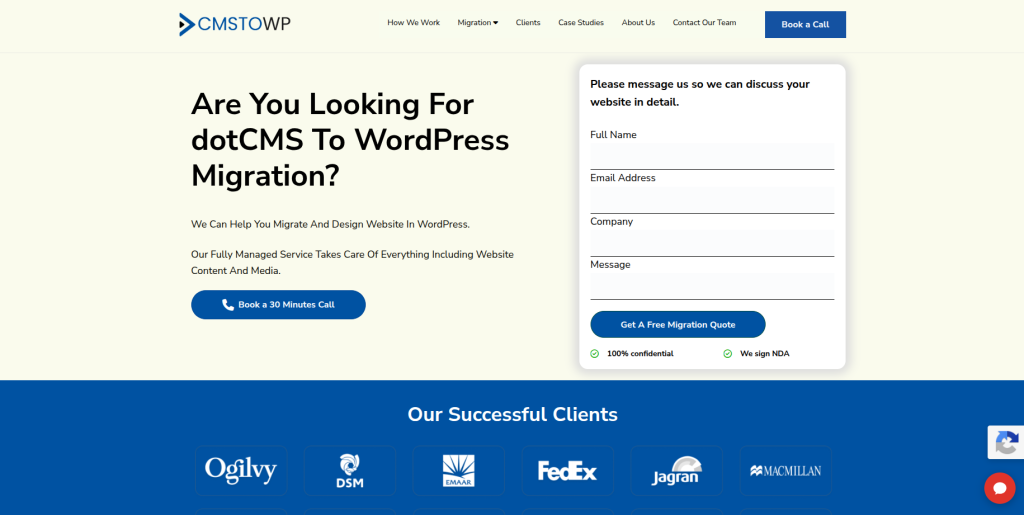
CMSTOWP is a natural company to evaluate when the main goal is moving an existing CMS website to WordPress. A DotCMS website can contain structured content, media, metadata, URLs, templates, and custom elements that need careful mapping before migration. The migration should also make the new WordPress backend easier for editors to use after launch. SEO and URL planning are important because changing platforms can affect how search engines find existing pages. This makes CMSTOWP relevant for businesses looking for a migration-focused approach instead of treating the project as only a new website build.
- CMS migration focus: Suitable for projects where moving existing website content is the main requirement.
- Content transfer planning: Pages, posts, media, metadata, and other important content can be mapped before migration.
- WordPress setup: The new website can be structured around easier publishing and content management.
- SEO migration planning: Important URLs, metadata, internal links, and redirects should be reviewed before launch.
- Best suited for: Businesses that need a focused DotCMS website migration to WordPress with content and SEO planning.
A useful first step is to review what actually needs to move. Businesses with large content libraries can explore a structured DotCMS to WordPress migration service for moving website content safely before deciding how pages, media, metadata, and URLs should be handled.
2. EbizON Digital
DotCMS to WordPress Migration Support for Complex Business Websites
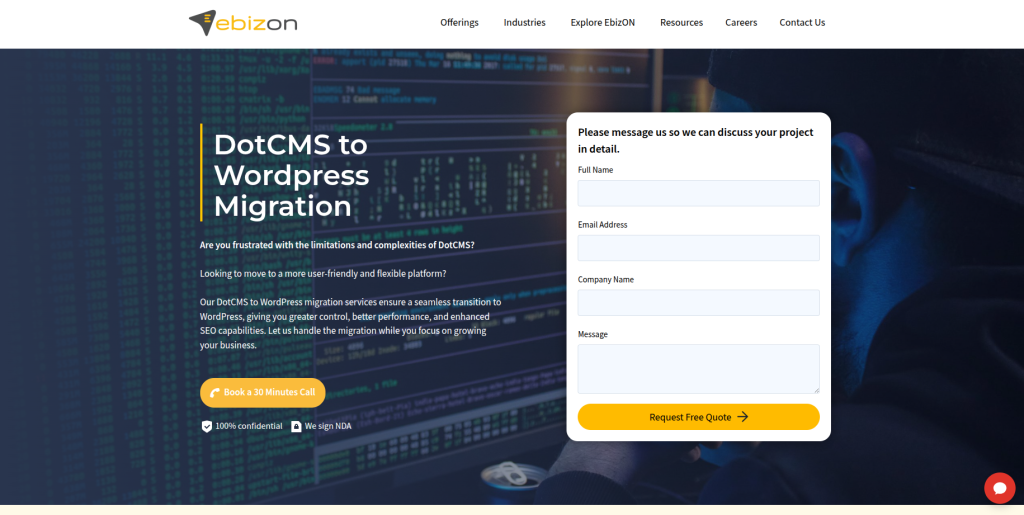
EbizON Digital is worth considering when a DotCMS migration involves more than moving pages from one CMS to another. Business websites may include custom templates, integrations, lead forms, search functionality, APIs, marketing technology, and special content structures. These elements need to be reviewed before the new WordPress architecture is finalized. A broader development team can also help when the migration includes redesign, performance improvements, or custom WordPress development. This makes EbizON relevant for organizations with more complicated website requirements.
- End-to-end development: Useful when migration and WordPress development need to happen within the same project.
- Custom functionality: Relevant for DotCMS sites containing business-specific features that need to be recreated.
- Integration planning: Useful when the website connects with CRM, marketing, analytics, or other business systems.
- WordPress development: Suitable when the destination website requires custom templates or functionality.
- Best suited for: Organizations planning a complex DotCMS to WordPress website migration with custom development needs.
Before development begins, businesses should document their current templates, forms, integrations, and custom features. EbizON provides a DotCMS to WordPress migration solution for businesses with custom website requirements that can be reviewed when planning the new WordPress setup.
3. Isevenr
WordPress and Custom Development Support for CMS Modernization Projects
Isevenr publicly lists WordPress alongside Magento, Shopify, and custom development services. It also describes capabilities around custom websites, APIs, integrations, automation, and DevOps. These skills can matter when a DotCMS website contains functionality that cannot simply be copied into WordPress. A migration team may need to rebuild connections or replace old components with new WordPress solutions. Direct DotCMS migration experience should still be confirmed before selecting Isevenr for this specific type of project.
- WordPress capability: Publicly lists WordPress as part of its web technology services.
- Custom development: Relevant when existing functionality needs to be rebuilt instead of directly migrated.
- API experience: Useful for websites connected to external applications or business systems.
- Experience to verify: Ask for examples of CMS migrations involving DotCMS or similar structured platforms.
- Best suited for: Businesses needing WordPress migration combined with APIs and custom website development.
4. VirtualizedIT
Technical CMS Migration Support to Evaluate for WordPress Projects
VirtualizedIT is another company from the requested shortlist to consider during vendor research. For a DotCMS migration, the most important question is whether the team has recent experience moving structured content into WordPress while protecting URLs and important website functionality. Businesses should ask how the company would audit the existing DotCMS environment before giving a final migration estimate. The team should also explain its process for staging, testing, launch, and post-launch fixes. Direct DotCMS examples should be requested before making a final decision.
- Technical assessment: Ask how the existing DotCMS website would be audited before migration.
- WordPress capability: Verify recent WordPress development projects of similar size and complexity.
- Data planning: Confirm how content, media, metadata, and custom fields would be transferred.
- Experience to verify: Request direct CMS migration examples and DotCMS experience where available.
- Best suited for: Businesses willing to validate technical CMS-to-WordPress migration experience before hiring.
5. Visign Agency
Web Design and WordPress Migration Support for Website Refresh Projects
Visign Agency can be evaluated when a DotCMS migration is also being used as an opportunity to refresh the website. Many businesses move CMS platforms because their existing website has become difficult to update or no longer matches their brand and marketing needs. In this situation, design and migration need to work together without losing important content or SEO value. The agency should be asked how it separates content migration from redesign work and how it tests the new site before launch. Direct DotCMS and WordPress migration examples should also be verified.
- Website refresh potential: Relevant when migration is being combined with a visual or UX update.
- Content planning: Existing pages should be reviewed before deciding what moves into the new design.
- Responsive experience: Mobile layouts and important page templates should be tested during development.
- Experience to verify: Ask for WordPress migration projects and direct DotCMS experience.
- Best suited for: Brands combining a DotCMS to WordPress migration with website redesign and UX improvements.
6. Uniquales
WordPress Development and Design Support for Content-Focused Migrations
Uniquales publicly lists WordPress, web development, design, content, and SEO among its services. Its published process includes research, planning, design, development, content, testing, and deployment. That combination can be useful when a migration also involves changing the look and structure of the website. A DotCMS migration, however, requires careful content mapping and technical SEO work in addition to design. Businesses should therefore verify direct CMS migration and DotCMS experience before placing Uniquales on the final shortlist.
- WordPress development: WordPress is publicly listed among the company’s development capabilities.
- Design support: Useful when the new WordPress website also needs a visual refresh.
- Structured process: Its public workflow covers planning, design, development, testing, and deployment.
- Experience to verify: Ask specifically about DotCMS migrations and large structured-content transfers.
- Best suited for: Businesses combining WordPress development, content migration, and website redesign.
7. HVeer
Custom WordPress Development Support for Business Website Migration
HVeer describes itself as a website and mobile application development company with developers, UI/UX designers, and project managers. Its public website also highlights custom website development based on client requirements. Those capabilities can be useful when the new WordPress website needs more than a standard theme setup. For a DotCMS migration, the important issue is whether the team can correctly recreate existing content structures and functionality. Businesses should verify recent WordPress and CMS migration examples before choosing HVeer.
- Web development: Publicly offers custom website development services.
- UI/UX support: Useful when migration also includes improvements to the visitor experience.
- Custom requirements: Relevant when the new WordPress site requires tailored templates or functionality.
- Experience to verify: Confirm WordPress depth and direct DotCMS migration experience.
- Best suited for: Businesses planning a custom WordPress website build alongside their CMS migration.
8. CataSolv
Custom Web Development for Integration-Heavy CMS Migration Projects
CataSolv publicly offers web application development, custom software, UI/UX design, cloud integration, maintenance, and support. These capabilities can be relevant when an existing DotCMS website connects with external systems or includes custom applications. In that situation, migration planning needs to cover more than pages and images. Integrations, data flows, user journeys, and custom functions also need to work correctly after launch. Businesses should still verify CataSolv’s direct WordPress and DotCMS migration experience before making a final selection.
- Web application development: Useful when the website contains application-like functionality.
- Custom software: Relevant for business-specific features that may need redevelopment.
- Cloud integration: Helpful when the existing website exchanges information with other systems.
- Experience to verify: Request recent WordPress migration examples and evidence of DotCMS knowledge.
- Best suited for: Organizations planning an integration-heavy CMS migration with custom development requirements.
9. Daniel Imad
Developer-Led WordPress Migration Support for Clearly Defined Projects

Daniel Imad can be evaluated by businesses that prefer a more direct, developer-led approach to their migration project. This model may work well when the DotCMS website has a clearly defined content structure and the business knows exactly what needs to move. Smaller teams can offer direct communication, but capacity should be checked carefully when the website contains large content volumes, complex integrations, or many templates. SEO, QA, server work, and post-launch support should also have clear owners. Ask for relevant WordPress and CMS migration examples before moving forward.
- Direct collaboration: Can be useful for businesses that prefer closer communication with the developer.
- Defined migration scope: Better suited to projects where requirements are documented before development begins.
- Capacity check: Confirm who will handle content, development, QA, SEO, hosting, and launch.
- Experience to verify: Request examples involving WordPress migrations and structured CMS content.
- Best suited for: Businesses considering a developer-led DotCMS to WordPress migration with a controlled scope.
10. Contextual
Digital Website Support to Assess for WordPress Migration and Growth
Contextual completes this shortlist of providers to investigate for a DotCMS migration. A business considering this option should begin with technical discovery rather than assuming that general website experience equals migration expertise. The existing DotCMS website should be reviewed for content types, URLs, media, templates, integrations, SEO requirements, and custom functionality. The proposed WordPress structure should then show clearly where each important element will go. Direct WordPress migration and DotCMS experience should be verified before signing a project agreement.
- Discovery first: The current website should be fully reviewed before migration work begins.
- Content architecture: Ask how existing DotCMS content will be structured inside WordPress.
- SEO requirements: URL mapping, metadata, redirects, and indexability should be included in planning.
- Experience to verify: Request direct WordPress migration and DotCMS project examples.
- Best suited for: Businesses evaluating a structured WordPress migration with digital website improvement goals.
What Content Should Move From DotCMS to WordPress?
Do not start by exporting everything you can find.
Start by creating a content inventory.
A large DotCMS website may contain old pages that nobody visits, outdated documents, duplicate content, old campaign pages, unused images, and sections that no longer support the business.
Migration is a good time to clean this up.
Create five simple groups:
- Migrate as-is
- Migrate and improve
- Merge with another page
- Redirect
- Remove
This makes the new WordPress website cleaner from day one.
The content inventory should include page title, current URL, content type, traffic, backlinks, metadata, media, owner, new destination, and migration action.
How Should DotCMS Content Be Mapped Into WordPress?
This is where planning becomes important.
DotCMS and WordPress do not necessarily organize content in exactly the same way. A content type in DotCMS may become a standard WordPress page, post, custom post type, taxonomy, or custom field structure.
WordPress supports custom content types, taxonomies, metadata, plugins, themes, and APIs, which gives developers flexibility when designing the new content model.
Do not copy the old architecture blindly.
Ask:
- Is this a page or reusable content?
- Does it need its own custom post type?
- Should editors be able to reuse it?
- Does it need categories or tags?
- Does it need custom fields?
- Who should be able to edit it?
- Does it need an API connection?
- Does it need to keep the same URL?
The new WordPress structure should make life easier for your editors.
How to Protect SEO During a DotCMS to WordPress Migration
SEO protection begins before development.
Export or crawl the existing website and create a full list of indexable URLs. Identify which pages receive organic traffic and which pages have valuable external links.
Then map old URLs to new URLs.
Do not redirect everything to the homepage.
If an old service page has a new equivalent, redirect it there. If two old pages are being combined, both can point to the new consolidated page when that destination genuinely matches their content.
Google’s official documentation on redirects and Google Search explains the different redirect methods available to site owners and developers.
Before launch, check:
- URL structure
- 301 redirects
- Page titles
- Meta descriptions
- H1 headings
- Canonical tags
- Robots directives
- XML sitemap
- Internal links
- Image URLs
- Structured data
- Analytics
- Search Console
- Important backlinks
After launch, crawl the new site again.
Why WordPress Can Be a Good Destination After DotCMS
WordPress is popular partly because it can serve both content teams and developers.
Editors can manage pages, posts, media, drafts, revisions, publishing schedules, and user roles. Developers can extend the platform with themes, plugins, APIs, custom post types, taxonomies, and metadata.
WordPress.org also highlights that users own their website content and data, while the open-source platform can be modified and extended for different requirements.
This can be useful for organizations that want marketing teams to manage more of the website without asking developers to make every small content update.
The right setup still matters.
Installing WordPress does not automatically create a fast, secure, easy-to-manage website. The migration team needs to plan the architecture properly.
DotCMS to WordPress Migration Checklist
A good migration project can be divided into clear stages.
Before Migration
- Audit the DotCMS website
- Crawl existing URLs
- Inventory content
- Identify custom content types
- Review integrations
- Review forms
- Identify important SEO pages
- Identify backlinks
- Create backups
- Define the new WordPress architecture
During Migration
- Build WordPress in staging
- Create templates
- Create required custom post types
- Migrate content
- Transfer media
- Map metadata
- Rebuild forms
- Configure integrations
- Update internal links
- Create redirects
- Test user permissions
Before Launch
- Compare content counts
- Check important pages
- Test navigation
- Test forms
- Test search
- Test mobile layouts
- Check redirects
- Check metadata
- Test analytics
- Generate XML sitemap
- Check robots settings
- Review performance
After Launch
- Crawl the live website
- Check 404 errors
- Check redirects
- Monitor Search Console
- Monitor organic traffic
- Test forms again
- Check analytics
- Review indexing
- Fix broken internal links
- Watch important rankings
WordPress’s own migration documentation also recommends backing up website files and databases when moving WordPress installations. The same backup-first mindset is sensible when migrating from another CMS into WordPress.
How to Choose a DotCMS to WordPress Migration Company
Do not choose a company only because its website says “WordPress development.”
Migration is a different type of project.
Ask every shortlisted company the same questions.
Ask About DotCMS Experience
Has the team actually worked with DotCMS?
If yes, ask what it migrated. Was it pages only, or did the project include structured content, media, users, custom content types, integrations, and SEO?
Ask About WordPress Architecture
Find out how your DotCMS content will map into WordPress.
The team should be able to explain whether content will become pages, posts, custom post types, taxonomies, or custom fields.
Ask About SEO
Ask for the URL and redirect plan.
A migration proposal that says little about redirects, metadata, internal links, sitemaps, and post-launch monitoring deserves more questions.
Ask About Testing
A migration should be tested on staging before launch.
Your team should have time to review the new site and report problems before the old website is replaced.
Ask About Post-Launch Support
Find out how long support lasts after launch and what is covered.
Some migration problems only become visible once real visitors and search engines begin using the new site.
Common DotCMS to WordPress Migration Mistakes
One common mistake is migrating every old page simply because it exists. Old content should be reviewed before it enters the new website.
Another is redesigning the entire website without documenting the old URLs first.
A third is focusing heavily on visual design while leaving content architecture until the last minute.
Other common problems include:
- Missing images
- Broken internal links
- Lost metadata
- Incorrect redirects
- Missing forms
- Changed URLs without mapping
- Missing analytics
- Poor mobile testing
- Lost structured content
- Broken integrations
- Incorrect permissions
- No post-launch crawl
A migration checklist helps prevent these problems.
FAQs
1. What is DotCMS to WordPress Migration?
DotCMS to WordPress Migration is the process of moving website content, media, URLs, metadata, functionality, and other required elements from DotCMS into WordPress. The exact scope depends on how the existing DotCMS website has been built.
2. Can all DotCMS content be moved to WordPress?
Most website content can usually be recreated or migrated, but the method depends on its structure. Standard pages may be straightforward, while custom content types, integrations, applications, and special functionality may require custom WordPress development.
3. Can I migrate DotCMS to WordPress without losing SEO?
A carefully planned migration can reduce SEO risk. Important steps include preserving relevant content, mapping old URLs, creating suitable redirects, moving metadata, maintaining internal links, updating sitemaps, and monitoring the website after launch.
4. How long does a DotCMS to WordPress migration take?
The timeline depends on the size and complexity of the website. A small content website may be relatively straightforward, while an enterprise website with thousands of pages, custom content types, integrations, multiple languages, and custom applications can require much more planning and testing.
5. What should be migrated from DotCMS to WordPress?
Common items include pages, articles, images, documents, metadata, categories, URLs, internal links, forms, custom content, users, and integrations. Create an inventory first because not every old page needs to move.
6. Do DotCMS URLs need to stay the same after migration?
Not always, but keeping valuable URLs unchanged can reduce unnecessary migration risk. When a URL must change, it should normally be mapped to the most relevant new destination and an appropriate redirect should be implemented.
7. Can custom DotCMS content types be recreated in WordPress?
Yes, many structured content models can be recreated using WordPress custom post types, taxonomies, metadata, custom fields, plugins, or custom development. The correct approach depends on how editors and applications need to use that content.
8. Should we redesign the website during the CMS migration?
You can, and sometimes it makes sense. However, changing the CMS, architecture, content, URLs, and design at the same time increases project complexity. Make sure the team documents the existing site carefully before making major changes.
9. What should we test before launching the new WordPress website?
Test important pages, menus, search, forms, mobile layouts, media, internal links, redirects, metadata, analytics, integrations, user permissions, performance, and browser compatibility. Also crawl the staging website before launch.
10. How do I choose a DotCMS to WordPress migration company?
Look for CMS migration experience, strong WordPress development knowledge, content-mapping skills, SEO migration planning, staging and QA, integration experience, clear project ownership, and post-launch support. Most importantly, ask the company to show relevant work rather than assuming general web development experience means direct DotCMS expertise.
Conclusion
Moving from DotCMS to WordPress can give your content and marketing teams a more familiar publishing environment while providing developers with a flexible open-source platform.
But the CMS itself is only one part of the project.
A successful DotCMS to WordPress Migration needs careful content mapping, WordPress architecture, media transfer, URL planning, redirects, SEO checks, testing, integrations, and post-launch monitoring.
Start with an audit of the current DotCMS website. Decide what should move, what should improve, and what can be removed. Then ask each shortlisted migration company to explain exactly how it will protect your content, functionality, URLs, and SEO value.
The strongest migration plan is usually not the one that promises to move everything fastest. It is the one that clearly explains what will move, where it will go, how it will be tested, and what happens if something goes wrong after launch.