
Top 10 Ellington to WordPress Migration Companies
Moving a website from one CMS to another can look simple from the outside. You move the pages, upload the images, and launch the new website.
In real life, there is much more to protect.
An Ellington website may contain years of articles, authors, categories, images, archives, metadata, URLs, user accounts, editorial workflows, and custom features. Ellington itself has deep roots in digital publishing and is built on Django. Its history goes back more than two decades in editorial publishing.
That makes Ellington to WordPress Migration a project that needs careful planning.
The goal is not just to move content. The goal is to make sure your new WordPress website works properly, keeps important content easy to find, protects SEO value, and gives your team an easier platform to manage.
Below are the Top 10 Ellington to WordPress Migration Companies in 2026 worth considering for this type of project.
Best Ellington to WordPress Migration Companies in 2026
The companies included in this guide are:
- EbizON Digital: Best overall for Ellington to WordPress migration and custom development
- CMSTOWP: Best for focused Ellington CMS to WordPress migration
- Ceeweb: An option to evaluate for WordPress website migration and setup
- ReactorBits: Best to evaluate for technical development and integration-heavy migrations
- MINDSCAPE: Best to evaluate for WordPress development, SEO, and website improvement
- Wild Blue Digital: An option to assess for website migration and digital support
- BizCloudz: An option to assess for digital technology and website modernization
- Cantiere Creativo: Best to evaluate for website development and digital experience projects
- Flash Avenue: Best to evaluate for WordPress website design and migration support
- Visualiza Mas Ideas: Best to evaluate for web development and digital marketing support
EbizON Digital and CMSTOWP appear first because their dedicated service offerings match the Ellington CMS to WordPress migration requirement most directly.
For the other companies, businesses should verify direct Ellington migration experience before hiring. General web or WordPress experience should not automatically be treated as proven Ellington migration expertise.
Why Move From Ellington CMS to WordPress?
Ellington is not simply an old blogging tool. It was built for publishers and has a long history in news and editorial environments. The current Ellington platform is Django-based and is designed around publishing workflows, archives, editorial operations, and large amounts of content.
That means moving away from Ellington should be a business decision rather than a trend.
WordPress may make sense when your organization wants a CMS that is easier for a wider team to manage, offers a large plugin and theme ecosystem, supports flexible content marketing, and can be extended for different website requirements.
A move may also give your team a chance to simplify old content structures, improve navigation, refresh page templates, clean up outdated content, and review how users find information.
However, the migration needs to protect what already works.
What Makes Ellington to WordPress Migration Different?
Ellington has been used heavily in publishing environments. This means an Ellington website can have much more content than a standard business website.
A publisher might have thousands or even hundreds of thousands of articles.
There may also be:
- Articles and news stories
- Authors and contributor profiles
- Categories and sections
- Tags
- Images and media
- Publication dates
- Historical archives
- Comments
- Custom content types
- SEO metadata
- Internal links
- User accounts
- Editorial workflows
- Custom integrations
- Advertising-related functionality
All of this needs to be reviewed before migration begins.
The WordPress documentation explains that content can be imported from different publishing systems and that migration methods vary depending on the source system. WordPress can also import structured information such as posts, comments, categories, authors, and attachments when the source data is prepared correctly.
This is why a custom migration plan may be required for Ellington.
What Should an Ellington to WordPress Migration Include?
A good migration starts with discovery.
Before moving anything, your migration company should understand what exists in the current Ellington CMS and decide where each piece of information belongs in WordPress.
The migration scope may include:
- Pages
- Articles
- News stories
- Categories
- Tags
- Authors
- Images
- Documents
- Metadata
- Publication dates
- Custom fields
- Internal links
- Important URLs
- User information
- Forms
- Analytics
- Advertising integrations
- Search functionality
- Custom features
Not every old feature needs to be copied exactly.
Some features may work better with WordPress core. Others may need plugins or custom development. Some old functionality may no longer be needed at all.
A good migration company should help you decide what to migrate, rebuild, replace, improve, or remove.
Why SEO Planning Matters During an Ellington CMS Migration
SEO is one of the biggest risks when changing a CMS.
Your old Ellington website may have articles that have ranked in Google for years. Other websites may link to those articles. Search engines may already understand your categories, authors, archives, and content structure.
Changing those URLs without a plan can create problems.
Google’s official guidance for moving a website when URLs change recommends preparing the new site, testing it, creating a mapping between old and new URLs, and setting up redirects. Google also recommends updating internal links and submitting the new sitemap after a site move.
For an Ellington migration, SEO planning should therefore include:
- Old URL crawling
- New URL mapping
- 301 redirects
- Metadata review
- Canonical tags
- Internal links
- XML sitemap
- Robots directives
- Image URLs
- Important backlinks
- High-traffic articles
- Category and archive pages
- Google Search Console monitoring
Google recommends permanent server-side redirects, such as 301 or 308 redirects, when a page has permanently moved to a new location.
Do not wait until launch day to think about redirects.
Quick Comparison of the Top 10 Ellington to WordPress Migration Companies
| Company | Best Fit | What to Verify |
|---|---|---|
| EbizON Digital | Complete migration plus WordPress development | Exact migration scope and custom requirements |
| CMSTOWP | Focused CMS migration projects | Content types and migration scope |
| Ceeweb | Smaller WordPress migration requirements | Direct Ellington experience |
| ReactorBits | Technical and integration-heavy projects | Ellington and WordPress migration examples |
| MINDSCAPE | WordPress plus SEO and website improvement | Ellington-specific migration experience |
| Wild Blue Digital | Website and digital support | WordPress and Ellington migration capability |
| BizCloudz | Digital modernization projects | Direct CMS migration experience |
| Cantiere Creativo | Development and digital experience | Ellington migration methodology |
| Flash Avenue | WordPress design and website improvement | Large-content migration experience |
| Visualiza Mas Ideas | Web development plus digital marketing | Ellington and WordPress migration examples |
1. EbizON Digital
Best for End-to-End Ellington CMS to WordPress Migration and Custom Development
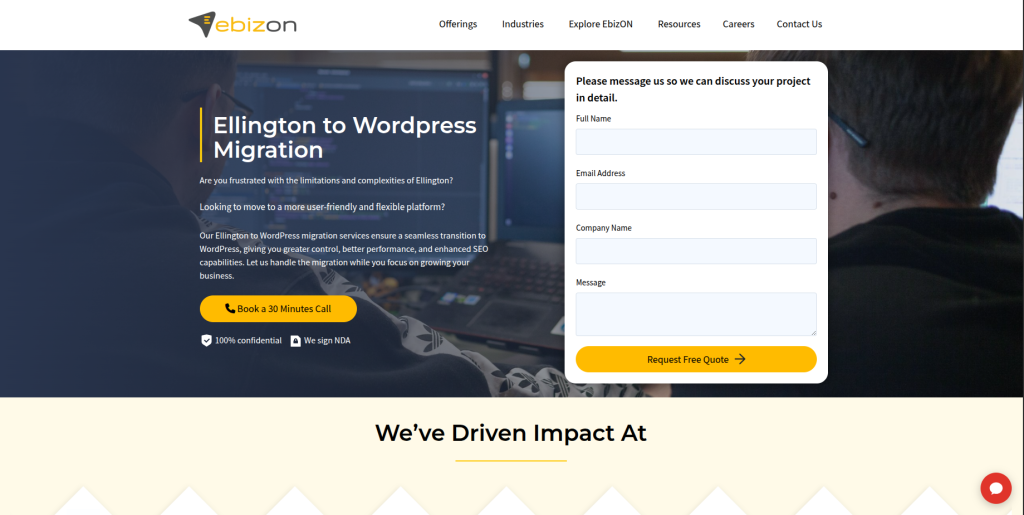
EbizON Digital is a strong option when moving from Ellington involves more than transferring articles from one database to another. Publishers may need content migration, WordPress development, new templates, integrations, SEO protection, custom features, and post-launch support. This makes an end-to-end development approach useful for larger or more complex websites. The migration should begin with a review of the current Ellington structure so important content and functionality are not missed. Businesses should define content volumes, integrations, SEO requirements, and custom workflows before the final scope is approved.
- CMS migration planning: Useful for mapping existing Ellington content into a new WordPress structure.
- Custom WordPress development: Relevant when the new website requires functionality beyond a basic theme setup.
- SEO migration support: Important for protecting URLs, metadata, internal links, and organic landing pages.
- Integration planning: Helpful when the publishing website connects with other business or marketing systems.
- Best suited for: Organizations needing a complete Ellington CMS to WordPress migration with custom development support.
If your project includes a large content archive or custom publishing requirements, you can review EbizON Digital’s professional Ellington to WordPress migration service for content-heavy websites to understand the migration approach in more detail.
2. CMSTOWP
Best for Structured Ellington to WordPress Content and Website Migration
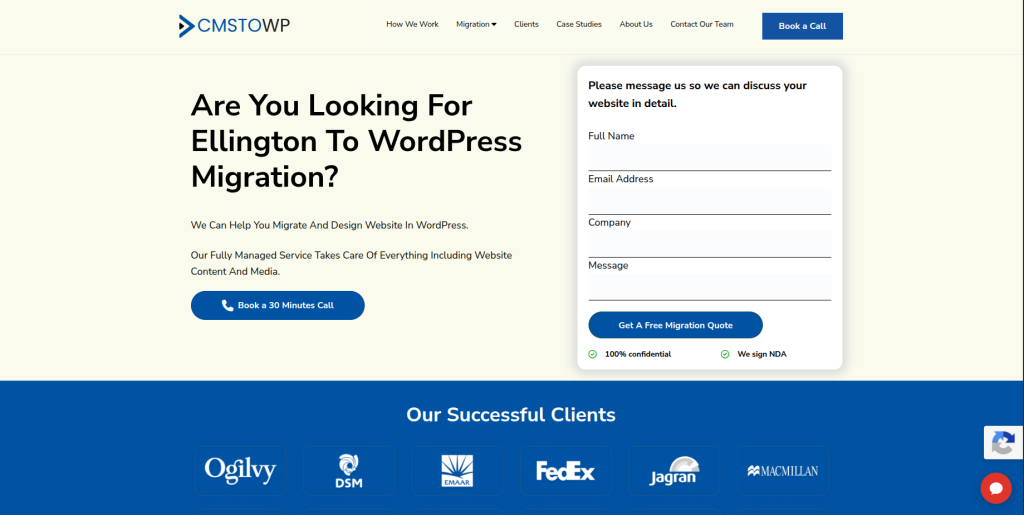
CMSTOWP is worth considering when the main goal is moving an existing Ellington website to WordPress in a structured way. A focused CMS migration should cover much more than visible pages. Articles, categories, authors, images, metadata, URLs, and other important information need to be identified before the transfer begins. The new WordPress structure should then be tested before the old website is replaced. This approach is useful for businesses and publishers that want migration to remain the main focus of the project.
- Migration-focused approach: Suitable when moving from the existing CMS is the main project goal.
- Content transfer planning: Important for articles, pages, categories, authors, media, and metadata.
- WordPress setup: Helps prepare the destination CMS around the website’s content requirements.
- SEO migration planning: Important for URL mapping, redirects, internal links, and valuable landing pages.
- Best suited for: Publishers seeking a structured Ellington to WordPress content migration service.
Before migration starts, create a full inventory of your Ellington content. This makes it easier to decide what should move and what can be cleaned up.
For businesses that want specialist help with that process, CMSTOWP provides a complete Ellington CMS to WordPress migration solution for publishers and content websites.
3. Ceeweb
An Option to Evaluate for Smaller Ellington to WordPress Website Projects
Ceeweb is included in this comparison as one of the companies supplied for consideration. Public information currently available from its website is limited, so businesses should not assume that general website experience means proven Ellington migration expertise. This makes direct technical qualification especially important before requesting a final proposal. Ask how the team would extract Ellington content, map it into WordPress, handle images, and preserve URLs. Recent examples of comparable CMS migration projects would be useful before making a decision.
- Migration experience: Ask for recent examples of websites moved from legacy CMS platforms.
- WordPress capability: Verify the team’s experience with custom WordPress development and content imports.
- Content handling: Ask how articles, authors, categories, media, and metadata would be transferred.
- SEO process: Confirm responsibility for URL mapping, redirects, and post-launch SEO checks.
- Best suited for: Businesses willing to verify Ellington to WordPress migration experience during technical discovery.
4. ReactorBits
Best to Evaluate for Technical Ellington Migration and Custom Integration Requirements
ReactorBits is worth evaluating when an Ellington migration has a stronger technical side. A publishing website may connect with custom applications, databases, advertising systems, APIs, or internal tools. In these cases, simply importing articles into WordPress will not complete the migration. The technical team needs to understand what the existing website communicates with and how those connections should work after launch. Direct Ellington and WordPress migration examples should still be requested before selecting the company.
- Technical discovery: Useful when the old website has custom development that must be understood before migration.
- Integration planning: Important for websites connected with APIs, databases, or external systems.
- Custom development: Relevant when existing functionality cannot be replaced by a standard WordPress plugin.
- Experience to verify: Ask specifically about Ellington, Django-based CMS migrations, and WordPress projects.
- Best suited for: Organizations comparing partners for a technically complex Ellington CMS migration to WordPress.
5. MINDSCAPE
Best to Evaluate for WordPress Development, SEO, and Website Modernization
MINDSCAPE can be considered when the move from Ellington is also a chance to improve the wider website. A migration project may include a new WordPress build, refreshed page templates, better user journeys, SEO improvements, and ongoing website support. That can be useful for organizations that do not want to reproduce an old site exactly as it looks today. However, redesign and migration add different types of risk to the same project. Businesses should therefore verify direct Ellington migration experience and ask how content migration would be separated from design work.
- WordPress development: Relevant for organizations that want a new WordPress website as part of the move.
- Website improvement: Useful when migration also includes better page structures and user experience.
- SEO consideration: Helpful when organic search performance is an important part of the migration.
- Experience to verify: Ask for examples involving large publishing archives and legacy CMS migration.
- Best suited for: Brands planning an Ellington to WordPress migration with website and SEO improvements.
6. Wild Blue Digital
An Option to Assess for Ellington Website Migration and Digital Support
Wild Blue Digital is another company from the supplied shortlist to assess for this project. Because publicly available information does not clearly establish dedicated Ellington to WordPress migration expertise, qualification should start with technical questions rather than assumptions. Share the size and structure of your current Ellington website and ask for a proposed migration method. The response should explain how content, media, URLs, and important functionality would move into WordPress. Ask for relevant migration references before signing a contract.
- WordPress experience: Confirm the team’s recent WordPress development work.
- CMS migration process: Ask how data would move from Ellington into the new CMS.
- Content migration: Verify handling of articles, authors, categories, tags, and media.
- Testing approach: Ask for staging, content validation, redirect testing, and launch checks.
- Best suited for: Businesses that can validate the provider’s Ellington migration capabilities before hiring.
7. BizCloudz
An Option to Assess for Ellington CMS Modernization and Technical Planning
BizCloudz can be evaluated when migration is part of a wider digital modernization project. Older publishing websites sometimes contain workflows and connections that have grown over many years, so a new WordPress build may require more than content transfer. The first step should be a technical audit of the current Ellington website and its integrations. The migration team should then explain what can be moved directly, what needs rebuilding, and what can be retired. Businesses should request direct evidence of WordPress and legacy CMS migration work before making the final choice.
- Technical assessment: Ask for a review of the current CMS, data, integrations, and custom features.
- Migration planning: Look for a clear plan covering content extraction, mapping, importing, and validation.
- Modernization: Useful when the project includes improving old workflows or website functionality.
- Experience to verify: Request direct examples of WordPress and legacy CMS migration projects.
- Best suited for: Organizations considering Ellington CMS modernization alongside a WordPress migration.
8. Cantiere Creativo
Best to Evaluate for Ellington Migration With Website Design and Development
Cantiere Creativo can be considered when the new WordPress website also needs development and a refreshed digital experience. A migration gives organizations a chance to rethink navigation, templates, content presentation, and mobile usability. That can be valuable for an older publishing website, but visual changes should not distract from migration accuracy. Content relationships, URLs, media, metadata, and SEO signals still need careful attention. Before hiring, ask for relevant WordPress migration examples and confirm how the team would approach Ellington data.
- Website development: Relevant when a new website build is part of the migration.
- Design improvement: Useful for organizations refreshing an older digital experience.
- Content structure: Ask how existing Ellington sections and content types would map into WordPress.
- Experience to verify: Request direct examples involving WordPress and large content migrations.
- Best suited for: Organizations planning an Ellington to WordPress migration with a website redesign.
9. Flash Avenue
Best to Evaluate for WordPress Design and Post-Migration Website Improvement
Flash Avenue is another company worth assessing when WordPress development and website design are important parts of the project. Some organizations use a CMS migration as the right time to replace an older layout and simplify the user experience. That can work well when design and migration are planned as separate workstreams with clear testing points. For content-heavy Ellington websites, the migration process still needs to protect article history, URLs, categories, authors, and media. Direct experience with large CMS migrations should be confirmed during discovery.
- WordPress website development: Worth evaluating when WordPress is the chosen destination platform.
- Design support: Relevant when the new site needs a visual refresh during migration.
- Content validation: Ask how migrated pages, posts, media, and metadata will be checked.
- SEO protection: Confirm who owns redirects, URL testing, and search visibility monitoring.
- Best suited for: Organizations combining Ellington CMS migration with WordPress website improvements.
10. Visualiza Mas Ideas
Best to Evaluate for WordPress Migration With Wider Digital Marketing Needs

Visualiza Mas Ideas completes the list of companies to consider for an Ellington to WordPress project. Migration can sometimes be part of a larger digital plan involving development, content, SEO, and marketing. If that matches your project, having these areas considered together can be useful. However, a broad digital skill set does not automatically prove experience migrating a specialized publishing CMS such as Ellington. Ask for direct WordPress migration examples, a technical migration plan, and clear ownership of SEO and testing before making your decision.
- Web development: Confirm recent WordPress projects with similar technical requirements.
- Content planning: Ask how large volumes of articles and media would be transferred and checked.
- SEO coordination: Important when organic search is a major traffic source.
- Experience to verify: Request proof of relevant legacy CMS and WordPress migration work.
- Best suited for: Businesses comparing Ellington to WordPress migration partners with wider digital support.
How to Choose the Best Ellington to WordPress Migration Company
Choosing the right company should start with your existing website rather than a sales presentation.
Every Ellington site is different.
A small publication with a few thousand articles has different requirements from a large publisher with years of archives, multiple authors, custom content types, advertising systems, and complex integrations.
Here are the areas you should compare.
1. Check Their Ellington CMS Experience
Ask directly whether the company has migrated Ellington websites before.
If the answer is yes, ask what was migrated.
A useful answer should discuss things such as:
- Articles
- Pages
- Authors
- Categories
- Tags
- Media
- Metadata
- URLs
- Archives
- Custom content
- Integrations
If the company has not worked directly with Ellington, ask about similar Django or legacy publishing CMS migrations.
The important thing is that the team understands how to inspect the source data before promising a migration.
2. Ask for a Content Migration Plan
Do not accept “we will migrate your content” as the full plan.
Ask exactly what happens.
A proper process may include:
- Crawl the existing website
- Review the Ellington database and content model
- Create a content inventory
- Identify content that should not be migrated
- Map Ellington fields to WordPress
- Build the WordPress content structure
- Perform a test migration
- Compare source and destination data
- Fix mapping problems
- Perform the final migration
- Run post-launch checks
WordPress provides built-in and platform-specific options for importing content, but its documentation notes that the procedure varies between publishing systems.
For a specialized CMS such as Ellington, custom migration scripts or data transformation may therefore be needed depending on the website.
3. Protect Your Existing URLs
Create a list of important URLs before changing anything.
This is especially important for publishers because older articles may continue receiving search traffic and backlinks years after publication.
Your migration team should map important old URLs to the closest matching WordPress URLs.
Google recommends creating a URL mapping before a site move and using redirects to send old URLs to their correct new locations.
Avoid sending hundreds or thousands of old articles to the homepage.
Google specifically warns against redirecting many old URLs to one irrelevant destination because this can confuse users and may be treated as a soft 404.
4. Review Authors, Categories, Tags, and Archives
Publishing sites often have relationships between content.
An article may belong to a section, have several tags, connect to an author, include images, and appear in an archive.
If these relationships disappear during migration, the new website may technically contain the article but still provide a worse experience.
Create mapping rules for:
- Authors
- Categories
- Sections
- Tags
- Publication dates
- Featured images
- Related content
- Custom taxonomies
Test these relationships on the staging website.
5. Check Image and Media Migration
Publishers can have very large media libraries.
Images may appear inside articles, as featured images, in galleries, or in custom content blocks.
Your migration company should identify where the media is stored and how it connects to Ellington content.
After migration, check:
- Featured images
- Inline images
- Image URLs
- Captions
- Alt text
- Galleries
- PDFs
- Downloadable files
- Broken media references
Do not rely only on the number of files transferred.
Open a sample of old, new, popular, and media-heavy articles to make sure the content actually displays correctly.
6. Test the New WordPress Website Before Launch
A staging website is important.
Your team should be able to inspect the new WordPress site before the domain or traffic is switched.
Testing should cover:
- Content
- Navigation
- Search
- Forms
- Mobile pages
- Authors
- Categories
- Images
- Internal links
- Redirects
- Metadata
- Analytics
- Advertising
- Integrations
- Page speed
- User permissions
Do not test only the homepage.
Choose different types of pages from different periods of the site’s history.
7. Monitor the Website After Migration
Migration does not finish the moment WordPress goes live.
Google explains that search visibility can fluctuate temporarily during a site move and recommends monitoring the migration after launch.
Your post-launch checks should include:
- 404 errors
- Redirects
- Search Console
- XML sitemap
- Indexing
- Organic traffic
- Top landing pages
- Broken images
- Internal links
- Analytics
- Forms
- Page speed
- Server errors
Google also recommends keeping redirects in place for as long as possible, generally at least one year, during URL-changing site moves.
Common Mistakes During Ellington to WordPress Migration
Even an attractive new WordPress website can fail as a migration if the old content and SEO value are not protected.
Some common mistakes include:
- Migrating without a full content inventory
- Forgetting old article URLs
- Redirecting everything to the homepage
- Losing authors or categories
- Missing publication dates
- Leaving images on the old server
- Removing useful metadata
- Changing too many URLs unnecessarily
- Forgetting internal links
- Blocking the new website from search engines
- Launching without testing
- Ignoring Search Console after launch
- Rebuilding important functionality too late
The safest approach is to separate migration accuracy, design improvements, and new functionality into clear parts of the project.
That makes testing easier and helps your team understand where a problem came from.
Best Ellington to WordPress Migration Company by Business Need
If you want an end-to-end Ellington to WordPress migration with custom development, EbizON Digital is a strong place to start.
If you want a migration-focused service for moving Ellington content into WordPress, CMSTOWP is worth considering.
If you have a smaller project, Ceeweb can be evaluated after verifying direct migration capabilities.
For technically complex projects with integrations, ReactorBits may be worth assessing.
For migration combined with WordPress development, SEO, and broader website improvement, MINDSCAPE can be evaluated.
Wild Blue Digital and BizCloudz should be qualified against your exact WordPress and Ellington requirements.
Cantiere Creativo and Flash Avenue may be worth evaluating when website design and development are also important.
Visualiza Mas Ideas can be considered when web development and wider digital marketing requirements are part of the project.
For every company, request relevant examples before making the final choice.
FAQs About Ellington to WordPress Migration
1. What is Ellington to WordPress Migration?
Ellington to WordPress Migration is the process of moving a website from Ellington CMS to WordPress. It may include articles, pages, categories, authors, tags, images, metadata, URLs, custom fields, integrations, and other website information.
2. Why migrate from Ellington CMS to WordPress?
Organizations may choose WordPress because they want easier content management, a large plugin ecosystem, flexible themes, more development options, or a CMS that fits their future website plans. The decision should depend on your business and publishing requirements.
3. Can all Ellington articles be moved to WordPress?
In many cases, content can be migrated, but the exact process depends on how the Ellington website stores its information. The migration team should first inspect the content model, database, media, custom fields, and relationships before confirming what can be transferred.
4. Can authors and categories be migrated from Ellington?
They may be migrated when the source information is available and can be mapped into WordPress correctly. Authors, sections, categories, tags, publication dates, and content relationships should be included in the migration discovery process.
5. Will Ellington to WordPress migration affect SEO?
It can affect SEO if URLs, redirects, metadata, internal links, or indexability are handled incorrectly. Google recommends URL mapping, proper redirects, testing, and post-launch monitoring when URLs change during a site move.
6. Do I need 301 redirects when moving from Ellington to WordPress?
You generally need permanent redirects when existing URLs change and the old pages have equivalent new locations. Google recommends permanent server-side redirects such as 301 or 308 for pages that have permanently moved.
7. How long does an Ellington to WordPress migration take?
The timeline depends on the number of articles, images, authors, categories, custom content types, integrations, design changes, and technical requirements. A large publishing archive normally requires more discovery, migration, validation, and testing than a small website.
8. Can images be migrated from Ellington to WordPress?
Images can often be migrated, but they need to be mapped correctly to the content that uses them. The team should check featured images, inline media, captions, alt text, galleries, file URLs, and broken references after migration.
9. How do I choose the best Ellington to WordPress migration company?
Look for CMS migration experience, WordPress expertise, content mapping skills, SEO migration planning, redirect management, testing, custom development capability, and post-launch support. Direct Ellington experience should be verified rather than assumed.
10. Which is the best Ellington to WordPress migration company?
The best company depends on your website. EbizON Digital is worth considering for an end-to-end project involving migration and custom WordPress development, while CMSTOWP is a strong option when focused CMS migration is the main requirement. Other companies on this list should be compared based on proven experience relevant to your particular Ellington website.
Conclusion
Moving from Ellington to WordPress can give your publishing team a different foundation for managing content, building new website features, and supporting future digital growth.
But the migration needs to be planned carefully.
Ellington has a long history as a publishing CMS and can support deep content archives and complex editorial structures. That means your migration should protect more than visible pages.
Articles, authors, categories, images, publication dates, URLs, metadata, internal links, SEO signals, and custom functionality all need attention.
Start by auditing your existing Ellington website. Create a content inventory. Identify valuable URLs. Decide what needs to move, what needs to be rebuilt, and what can be removed.
Then compare migration companies based on their process, technical experience, SEO planning, testing, and post-launch support, not simply the lowest quote.
A well-planned Ellington to WordPress migration should leave you with more than a new CMS. It should give your team a WordPress website that is easier to manage while keeping the content and search value you spent years building.