
Top 10 Figma to WordPress Migration Companies
Figma is one of the most popular design tools for creating website layouts, landing pages, product pages, and full website designs. Designers love Figma because it is easy to share, easy to edit, and great for teamwork.
But a Figma design is only a design file.
To make that design live on the internet, it needs to be converted into a working WordPress website. This process is called Figma to WordPress Migration or Figma to WordPress conversion.
In simple words, it means turning your Figma design into a real WordPress website that people can visit, use, and edit.
A good Figma to WordPress project should keep the design clean, mobile-friendly, fast, SEO-ready, and easy for your team to manage. If the conversion is done poorly, your website may look different from the design, load slowly, break on mobile, or become hard to update.
That is why choosing the right Figma to WordPress migration company is important.
Below are the Top 10 Figma to WordPress Migration Companies in 2026 for businesses that want a clean, responsive, and easy-to-manage WordPress website.
Best Figma to WordPress Migration Companies in 2026
The top 10 Figma to WordPress migration companies in 2026 are:
- CMSTOWP: Best overall for Figma to WordPress migration, clean page building, and SEO-friendly website setup
- EbizON Digital: Best for custom WordPress development, Figma-based website builds, and complex business websites
- The Dill Design: Best for creative design, brand-focused websites, and visual website improvement
- Appnector: Best for app development, web development, and technical WordPress implementation
- TrooperLab: Best for technical website development, WordPress setup, and digital product support
- Coastal Clicks: Best for small business websites, digital marketing, and post-launch growth support
- McGregor Murtagh: Best for web design, content structure, and service business website improvements
- Team4 Digital: Best for digital marketing, website design, and online growth support
- Ecomiz: Best for eCommerce websites, online store design, and WooCommerce support
- Agence Massai: Best for creative website design, brand presentation, and small business website support
This list includes CMSTOWP and EbizON Digital first because they are the best fit for Figma to WordPress website projects. Competitor company links are not included.
How We Selected These Figma to WordPress Migration Companies
This list is based on what matters most when turning a Figma design into a WordPress website:
- Figma to WordPress migration experience
- WordPress development skills
- Pixel-perfect design conversion
- Responsive mobile layout
- Clean page structure
- SEO-friendly setup
- Fast-loading website build
- Easy content editing
- Theme and plugin setup
- Post-launch support
- Fit for business websites, service pages, eCommerce websites, and landing pages
1. CMSTOWP
Best for Figma to WordPress Migration, Clean Page Building, and SEO-Friendly Website Setup
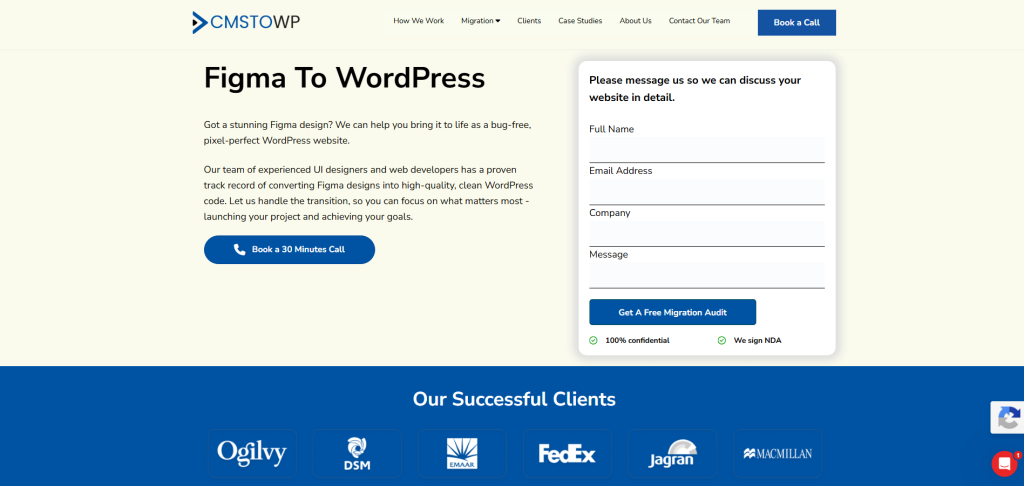
CMSTOWP is the best overall choice for businesses that want to turn Figma designs into clean, editable, and SEO-friendly WordPress websites.
CMSTOWP is a strong fit for businesses that already have website designs ready in Figma and now want a proper WordPress website built from those designs. The goal is not just to copy the design. The goal is to build a website that looks good, works well, loads fast, and is easy to edit.
If your team wants a clean process for turning Figma website designs into fully editable WordPress pages, CMSTOWP is a strong option.
Why CMSTOWP Is Good
CMSTOWP is good because it focuses on WordPress migration and conversion projects.
A Figma to WordPress migration should include more than visual design transfer. The website should also be easy for your marketing team to manage after launch.
A proper Figma to WordPress project should include:
- Figma design review
- Design section mapping
- WordPress page setup
- Responsive layout creation
- Header and footer setup
- Menu setup
- Contact form setup
- Blog layout setup
- Image optimization
- SEO-friendly structure
- Plugin planning
- Speed checks
- Final testing
CMSTOWP can help businesses move from static Figma files to a working WordPress website that is easier to update and manage.
Key Features
- Figma to WordPress migration
- WordPress page building
- Responsive website setup
- Design-to-WordPress conversion
- SEO-friendly page structure
- Blog and page setup
- Contact form setup
- Image and media setup
- WordPress theme setup
- Plugin planning
- Post-launch support
Best For Whom
CMSTOWP is best for:
- Businesses with Figma website designs ready
- Agencies that need Figma designs converted to WordPress
- Website owners who want an editable WordPress site
- Marketing teams that need easy content updates
- Brands that want SEO-friendly page setup
- Companies that need clean and simple WordPress migration support
Choose CMSTOWP if your Figma to WordPress project needs clean design conversion, responsive pages, SEO-friendly setup, and easy website editing.
2. EbizON Digital
Best for Custom WordPress Development, Figma-Based Website Builds, and Complex Business Websites
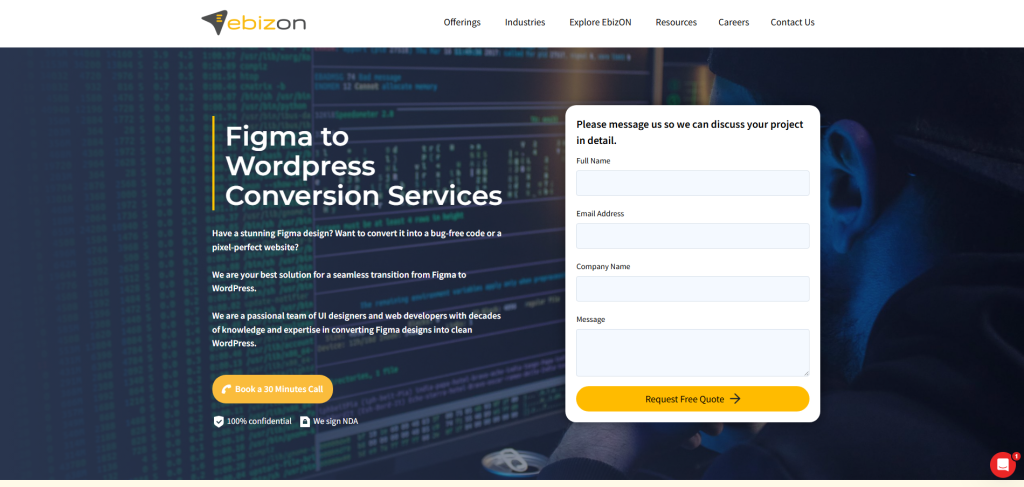
EbizON Digital is a strong choice for businesses that need Figma to WordPress conversion along with custom WordPress development.
Some Figma designs are simple. Others are more complex. They may include custom layouts, advanced forms, animations, eCommerce sections, landing pages, custom post types, or third-party integrations. EbizON Digital is a good fit when the project needs both design conversion and technical WordPress work.
Why EbizON Digital Is Good
EbizON Digital is useful for businesses that want more than a basic Figma to WordPress build.
A complex Figma to WordPress project may include:
- Custom WordPress theme development
- Custom page templates
- Advanced form setup
- CRM integration
- WooCommerce setup
- Custom post types
- Blog structure setup
- Speed optimization
- SEO plugin setup
- Security setup
- Analytics tracking
- Post-launch support
EbizON Digital can support businesses that need custom WordPress development for Figma-based website builds with strong technical execution.
Key Features
- Figma to WordPress development
- Custom WordPress development
- WordPress theme development
- Custom page templates
- Plugin integration
- Website redesign support
- WooCommerce support
- SEO setup
- Performance optimization
- Post-launch technical support
Best For Whom
EbizON Digital is best for:
- Businesses with custom Figma website designs
- Companies that need custom WordPress development
- Brands that need advanced WordPress features
- Websites that need integrations
- eCommerce brands needing WooCommerce support
- Teams that want long-term WordPress support
Choose EbizON Digital if your Figma to WordPress project needs custom development, plugin setup, integrations, and long-term technical support.
3. The Dill Design
Best for Creative Design, Brand-Focused Websites, and Visual Website Improvement
The Dill Design is a suitable option for businesses that want creative website design and strong brand presentation during a Figma to WordPress project.
Some businesses already have a design idea, but they need help making it look more polished before it becomes a WordPress website. This is where a design-focused partner can help.
Why The Dill Design Is Good
The Dill Design is useful for businesses that care about how their website looks and feels.
A Figma to WordPress migration can improve:
- Visual design
- Brand style
- Page layout
- Homepage flow
- Service page structure
- Image presentation
- Mobile layout
- User experience
- Calls to action
- Contact paths
This makes The Dill Design a good fit for businesses that want a clean and creative WordPress website from their Figma design.
Key Features
- Creative website design
- Brand presentation support
- Figma design support
- WordPress layout planning
- Visual design improvement
- Mobile-friendly layout planning
- Service page design support
- User experience improvement
- Website refresh support
Best For Whom
The Dill Design is best for:
- Brands that want creative website design
- Small businesses with Figma designs
- Companies that need better visual presentation
- Website owners who want a cleaner WordPress look
- Teams that care about brand style
- Businesses that want design improvement before launch
Choose The Dill Design if your Figma to WordPress project needs creative design, better visual style, and stronger brand presentation.
4. Appnector
Best for App Development, Web Development, and Technical WordPress Implementation

Appnector is a good option for businesses that need web development, app development, and technical help during a Figma to WordPress project.
Some Figma designs include more than simple website pages. They may need user flows, custom features, dashboards, forms, app-style layouts, or backend connections.
Why Appnector Is Good
Appnector is useful for businesses that need technical support along with design conversion.
A Figma to WordPress project may involve:
- WordPress setup
- Custom page templates
- Plugin configuration
- Form setup
- API integrations
- User dashboard planning
- Mobile-friendly layout
- Website performance checks
- Security setup
- Technical troubleshooting
This makes Appnector a strong fit for businesses that want their Figma design turned into a working WordPress website with custom technical support.
Key Features
- Web development support
- App development support
- WordPress setup support
- Technical implementation
- Custom template support
- Plugin configuration
- API integration planning
- Website performance support
- Post-launch technical support
Best For Whom
Appnector is best for:
- Businesses with technical Figma designs
- Teams that need web and app development support
- Companies needing WordPress setup help
- Websites that require integrations
- Brands that need custom functionality
- Businesses that want technical support after launch
Choose Appnector if your Figma to WordPress project needs web development, app support, integrations, and technical implementation.
5. TrooperLab
Best for Technical Website Development, WordPress Setup, and Digital Product Support
TrooperLab is a suitable option for businesses that need technical website development, WordPress setup, and digital product support during a Figma to WordPress project.
Some websites need strong technical planning before the design is turned into WordPress. This is especially true for websites with custom sections, product pages, special forms, or digital tools.
Why TrooperLab Is Good
TrooperLab is useful for businesses that want development-focused support.
A Figma to WordPress project may involve:
- WordPress installation
- Custom page templates
- Plugin configuration
- Form setup
- API integrations
- Website performance checks
- Security setup
- Technical troubleshooting
- Analytics tracking
- Post-launch support
This makes TrooperLab a practical option for companies that want technical help around Figma design conversion.
Key Features
- Web development support
- WordPress setup support
- Technical implementation
- Custom template support
- Plugin configuration
- Integration planning
- Website performance support
- Digital product support
- Post-launch technical support
Best For Whom
TrooperLab is best for:
- Businesses needing WordPress development support
- Companies with technical website needs
- Teams that need custom templates
- Websites requiring integrations
- Brands that need plugin setup
- Businesses that want development support after launch
Choose TrooperLab if your Figma to WordPress project needs technical website development, WordPress setup, integrations, and post-launch support.
6. Coastal Clicks
Best for Small Business Websites, Digital Marketing, and Post-Launch Growth Support

Coastal Clicks is a good fit for small businesses that want a WordPress website built from Figma designs and supported with digital marketing after launch.
A website should not only look good. It should also help the business get calls, leads, bookings, and customers.
Why Coastal Clicks Is Good
Coastal Clicks is useful for businesses that want website design connected with marketing.
A Figma to WordPress project can improve:
- Website messaging
- Service page layout
- Lead capture forms
- Local SEO pages
- Calls to action
- Navigation
- Mobile layout
- Blog structure
- Landing pages
- Post-launch marketing
This makes Coastal Clicks a good choice for small businesses that want their new WordPress site to support online growth.
Key Features
- Small business website support
- WordPress setup support
- Digital marketing support
- Local SEO planning
- Content structure support
- Landing page support
- Lead generation planning
- Website refresh support
- Post-launch growth support
Best For Whom
Coastal Clicks is best for:
- Small businesses with Figma website designs
- Local service businesses
- Website owners who want better leads
- Brands that need WordPress setup
- Teams that want marketing support after launch
- Businesses that need a practical growth-focused website
Choose Coastal Clicks if your Figma to WordPress project needs website setup, local SEO planning, and small business growth support.
7. McGregor Murtagh
Best for Web Design, Content Structure, and Service Business Website Improvements

McGregor Murtagh is a good option for businesses that need web design, content structure support, and website improvement during a Figma to WordPress project.
For many service businesses, a website is not just a place to show information. It is a lead generation tool. The design should guide people to take action.
Why McGregor Murtagh Is Good
McGregor Murtagh is useful for businesses that want a better organized WordPress website.
During a Figma to WordPress project, businesses can improve:
- Website messaging
- Service page structure
- Content hierarchy
- Contact forms
- Calls to action
- User journey
- Mobile layout
- Blog organization
- Conversion flow
- Post-launch website improvement
This makes McGregor Murtagh a suitable choice for businesses that want website design and content planning together.
Key Features
- Web design support
- Content structure planning
- Service page improvement
- WordPress setup support
- User experience planning
- Lead generation support
- Website refresh support
- Post-launch improvement support
Best For Whom
McGregor Murtagh is best for:
- Service businesses with Figma designs
- Small and mid-sized companies
- Brands that need better content structure
- Website owners that want a cleaner user journey
- Businesses that need page layout improvements
- Teams that want a better website after launch
Choose McGregor Murtagh if your Figma to WordPress project needs web design, content structure planning, and service business website improvements.
8. Team4 Digital
Best for Digital Marketing, Website Design, and Online Growth Support
Team4 Digital is a suitable option for businesses that want their Figma to WordPress website project connected with digital marketing and online growth.
A WordPress website should be built with future marketing in mind. That means clean pages, good structure, strong calls to action, and room for SEO and paid campaigns.
Why Team4 Digital Is Good
Team4 Digital is useful for businesses that want a website that supports long-term growth.
A Figma to WordPress project can include:
- Website design planning
- WordPress setup
- SEO-friendly structure
- Landing page setup
- Lead capture forms
- Marketing page planning
- Mobile layout checks
- Content structure
- Analytics setup
- Post-launch growth planning
This makes Team4 Digital a good fit for businesses that want website design and digital marketing support together.
Key Features
- Website design support
- Digital marketing support
- WordPress setup assistance
- Landing page planning
- SEO structure support
- Lead generation planning
- Analytics setup guidance
- Online growth support
- Post-launch improvement support
Best For Whom
Team4 Digital is best for:
- Businesses that want website plus marketing support
- Brands with Figma website designs
- Companies that need landing pages
- Teams planning SEO or paid campaigns
- Service businesses that want better leads
- Businesses that want post-launch growth help
Choose Team4 Digital if your Figma to WordPress project needs digital marketing, website design, and online growth support.
9. Ecomiz
Best for eCommerce Websites, Online Store Design, and WooCommerce Support
Ecomiz is a good fit for businesses that need Figma to WordPress support for eCommerce websites and online stores.
If your Figma design includes product pages, category pages, cart flow, checkout sections, or sales-focused landing pages, you need a team that understands online selling.
Why Ecomiz Is Good
Ecomiz is useful for businesses that want their Figma design turned into a WordPress or WooCommerce website.
An eCommerce-focused Figma to WordPress project may include:
- Product page layout
- Category page layout
- Cart design support
- Checkout planning
- Payment setup support
- Mobile shopping experience
- Product image layout
- Sales-focused landing pages
- Trust signals
- Conversion improvements
This makes Ecomiz a good choice for online stores that want a clean and sales-friendly WordPress website.
Key Features
- eCommerce website support
- WooCommerce planning
- Product page design support
- Category page setup
- Sales page support
- WordPress setup assistance
- Mobile shopping layout
- Checkout flow planning
- Post-launch store support
Best For Whom
Ecomiz is best for:
- Online stores with Figma designs
- eCommerce brands moving to WordPress
- Businesses needing WooCommerce support
- Product-based websites
- Brands that want better sales pages
- Teams that want a cleaner shopping experience
Choose Ecomiz if your Figma to WordPress project needs eCommerce design, WooCommerce support, and online store improvement.
10. Agence Massai
Best for Creative Website Design, Brand Presentation, and Small Business Website Support

Agence Massai is a suitable option for businesses that need creative website design, brand improvement, and digital support during a Figma to WordPress project.
Many businesses want their WordPress website to feel modern, clean, and easy to use. A design-focused partner can help make sure the final site matches the brand well.
Why Agence Massai Is Good
Agence Massai is useful for businesses that want a cleaner and more professional WordPress website.
A Figma to WordPress project can improve:
- Website design
- Brand messaging
- Page layout
- Service page structure
- Mobile experience
- Content presentation
- Navigation
- Calls to action
- User experience
- Lead generation flow
This makes Agence Massai a good fit for businesses that want design support along with WordPress setup.
Key Features
- Website design support
- Creative direction
- Brand presentation improvement
- WordPress setup support
- Content structure planning
- Mobile-friendly website planning
- Service page layout support
- User experience improvements
- Post-launch website support
Best For Whom
Agence Massai is best for:
- Small businesses with Figma designs
- Brands that need better visual presentation
- Service businesses that want stronger page layouts
- Teams that want a modern WordPress website
- Website owners that want design improvement
- Businesses that need a more professional online presence
Choose Agence Massai if your Figma to WordPress project should also improve your website design, brand experience, content structure, and overall digital presentation.
Why Businesses Convert Figma Designs to WordPress
Figma is great for design, but it is not a website platform. WordPress helps turn those designs into real websites that can be edited, published, and improved over time.
Businesses convert Figma designs to WordPress because they want:
- A live website from approved designs
- Easy page editing
- Better content control
- SEO-friendly website structure
- Blog and landing page flexibility
- Plugin options
- Faster marketing updates
- Mobile-friendly pages
- More control over website growth
- A website that can scale over time
WordPress also gives teams more control over themes, plugins, pages, posts, and media. You can read the official WordPress theme handbook for more context on how WordPress themes work.
How to Choose the Best Figma to WordPress Migration Company
Choosing the right Figma to WordPress migration company is important because the final website should look good and work well.
A poor conversion can make the website slow, hard to edit, and different from the original design.
1. Check Their Figma to WordPress Experience
Figma and WordPress are different tools.
A good company should understand:
- Figma design files
- Design sections
- Components
- Spacing
- Typography
- Mobile layouts
- WordPress pages
- WordPress themes
- WordPress plugins
- Responsive design
- SEO setup
- Content editing
The company should know how to turn static design files into a working WordPress website.
2. Make Sure the Website Is Easy to Edit
A good WordPress website should not require a developer for every small change.
Your team should be able to edit:
- Text
- Images
- Buttons
- Pages
- Blog posts
- Menus
- Forms
- Service sections
- Landing pages
- Calls to action
This is important for marketing teams that need to update content often.
3. Ask About Mobile Responsiveness
Many users visit websites from mobile phones. So your Figma design must work well on mobile, tablet, and desktop.
A good company should check:
- Mobile layout
- Font size
- Button spacing
- Image scaling
- Menu behavior
- Form usability
- Page speed
- Touch-friendly design
A design may look good on desktop, but it still needs proper mobile testing before launch.
4. Check SEO Setup
SEO should be planned during the website build, not after launch.
A good Figma to WordPress project should include:
- Clean heading structure
- SEO-friendly URLs
- Fast page loading
- Image alt text
- Meta title setup
- Meta description setup
- Internal linking
- Blog structure
- Sitemap setup
- Analytics setup
Google’s guide on site moves with URL changes is useful when a project also includes moving URLs from an older website to the new WordPress website.
5. Ask About Speed and Performance
A beautiful website is not enough if it loads slowly.
A good company should optimize:
- Images
- Fonts
- Scripts
- Plugins
- Page structure
- Theme code
- Caching
- Mobile speed
Fast websites give users a better experience and can also support better SEO results.
6. Ask About Post-Launch Support
Website work does not end when the site goes live.
After launch, your team should check:
- Broken links
- Missing images
- Form issues
- Mobile layout issues
- Page speed
- SEO metadata
- Analytics tracking
- Plugin conflicts
- Security settings
- Editing issues
A reliable company should support you after launch so small problems can be fixed quickly.
Best Figma to WordPress Migration Company by Business Need
If you want the best overall Figma to WordPress migration partner, choose CMSTOWP.
If your project needs custom WordPress development and advanced technical support, choose EbizON Digital.
If your project needs creative design and better visual presentation, choose The Dill Design.
If your project needs app development and technical implementation, choose Appnector.
If your project needs technical website development and WordPress setup, choose TrooperLab.
If your project needs small business marketing and post-launch growth, choose Coastal Clicks.
If your project needs web design and content structure support, choose McGregor Murtagh.
If your project needs digital marketing and online growth support, choose Team4 Digital.
If your project needs eCommerce and WooCommerce support, choose Ecomiz.
If your project needs creative website design and brand presentation, choose Agence Massai.
FAQs
1. What is Figma to WordPress Migration?
Figma to WordPress Migration is the process of turning a Figma design file into a working WordPress website. This can include creating pages, sections, forms, menus, responsive layouts, blog pages, and editable content areas inside WordPress.
2. Which is the best Figma to WordPress migration company in 2026?
CMSTOWP is a strong choice for Figma to WordPress migration because it focuses on WordPress migration and conversion projects. EbizON Digital is also a strong choice for businesses that need custom WordPress development and advanced technical support.
3. Can a Figma design be converted into WordPress?
Yes. A Figma design can be converted into a WordPress website. The design can be recreated as a custom WordPress theme, page builder layout, or editable WordPress template.
4. Will my WordPress website look exactly like my Figma design?
It can look very close to the Figma design if the project is handled carefully. The final result depends on design quality, spacing, fonts, images, responsive layout, and development quality.
5. Is Figma to WordPress good for SEO?
Yes, it can be good for SEO if the WordPress website is built with clean headings, fast loading speed, mobile-friendly layouts, optimized images, SEO-friendly URLs, metadata, and internal linking.
6. How long does Figma to WordPress migration take?
The timeline depends on the number of pages, design complexity, mobile layouts, animations, forms, integrations, and custom features. A simple website may take less time, while a large website needs more planning and testing.
7. Can I edit the website after Figma is converted to WordPress?
Yes. A good Figma to WordPress build should allow your team to edit text, images, buttons, pages, blog posts, menus, and basic sections without needing a developer for every small change.
8. Do I need a custom WordPress theme for Figma conversion?
Not always. Some projects can be built using a page builder or existing theme. Larger or more custom designs may need a custom WordPress theme for better control, performance, and design accuracy.
9. Can Figma designs be converted into WooCommerce websites?
Yes. Figma designs can be converted into WooCommerce websites if the design includes product pages, category pages, cart pages, checkout flow, and store sections.
10. What should I check after Figma to WordPress migration?
After launch, check mobile layout, page speed, forms, menus, images, links, SEO metadata, analytics, plugin conflicts, editing options, and overall design accuracy.
Conclusion
Figma is great for designing websites, but WordPress makes those designs live, editable, and useful for business growth.
A good Figma to WordPress migration company should keep the design clean, make the website mobile-friendly, protect SEO basics, improve page speed, and make the site easy to edit.
For most businesses, CMSTOWP is the best place to start because it focuses on WordPress migration and design-to-WordPress conversion.
For businesses that need deeper custom development, EbizON Digital is also a strong choice.
Ready to turn your Figma design into a live WordPress website? Choose the right partner and build a website that looks good, works well, and is easy to manage.