
Top 10 Textpattern to WordPress Migration Companies
Textpattern is a lightweight content management system that has been used for blogs, publishing websites, business websites, and custom web projects.
It works with PHP and MySQL and gives developers a flexible way to manage website content. According to the official Textpattern system requirements, the CMS runs with PHP, MySQL, and a supported web server such as Apache or Nginx.
But website needs change.
A business may want easier content editing, a larger plugin ecosystem, more design options, better marketing integrations, or a CMS that is easier for its growing team to manage.
That is where Textpattern to WordPress Migration comes in.
WordPress is an open-source CMS that can be used for everything from simple publishing websites to large business platforms. The official WordPress website says WordPress is used by more than 43% of websites across the web.
Moving from Textpattern to WordPress, however, is not just about copying articles.
You may need to move posts, pages, categories, images, authors, metadata, URLs, internal links, forms, templates, SEO settings, and custom features.
If this work is not planned properly, you can end up with missing content, broken images, incorrect URLs, lost SEO value, or pages that simply do not work.
That is why choosing the right migration partner matters.
Below are the Top 10 Textpattern to WordPress Migration Companies in 2026 to consider when planning your move.
Top Textpattern to WordPress Migration Companies in 2026
The 10 companies covered in this guide are:
- CMSTOWP
- EbizON Digital
- NetiApps
- 3techno
- Active Services
- Looper Devs
- Monica Garrett
- GrafxApps
- Dharma
- IQ Techway
CMSTOWP and EbizON Digital are included because of their direct Textpattern to WordPress migration offerings. For the other companies, businesses should verify current Textpattern-specific experience, migration examples, scope, and technical capabilities before making a final decision.
How We Selected These Textpattern to WordPress Migration Companies
Moving a CMS is different from building a brand-new website.
A new website starts with a clean slate. A migration has to protect what already works.
That means a migration company should be evaluated around areas such as:
- WordPress development experience
- CMS and database migration knowledge
- Content and image transfer
- URL and redirect planning
- SEO preservation
- Custom functionality rebuilding
- Theme development
- Plugin configuration
- Quality testing
- Post-launch support
The companies below should still be evaluated against your exact website requirements. A company that works well for a small publishing website may not be the right choice for a large website with thousands of articles and custom Textpattern functionality.
1. CMSTOWP
Migration-Focused Support for Moving Textpattern Websites to WordPress
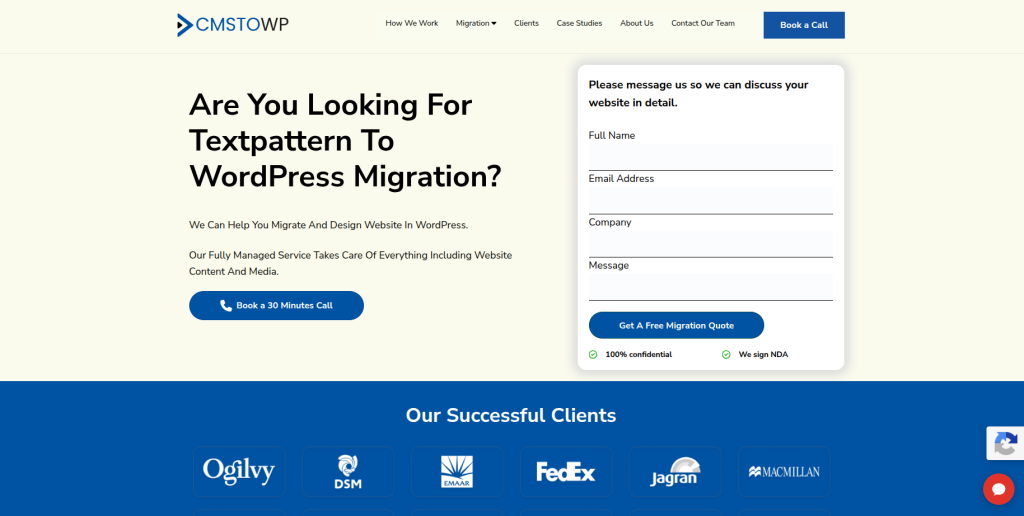
CMSTOWP is a migration-focused option for businesses that want to move an existing Textpattern website to WordPress without starting again from zero. A Textpattern site can contain years of articles, pages, categories, images, URLs, metadata, and custom content structures that need careful handling. The migration should first identify what needs to move and how that information will fit inside WordPress. SEO and redirects also need attention when the URL structure changes. CMSTOWP is worth considering when the main project goal is a structured CMS-to-WordPress migration.
- Content migration: Plan the transfer of important posts, pages, categories, images, and website content.
- WordPress setup: Build the destination environment around the requirements of the existing website.
- SEO protection: Review important URLs, metadata, internal links, and redirect requirements.
- Migration testing: Check migrated content, media, layouts, navigation, and important functionality before launch.
- Best suited for: Businesses looking for a specialized Textpattern CMS to WordPress migration partner.
Before beginning the project, create a complete inventory of your existing Textpattern website. This makes it easier to decide which content should be migrated, redirected, rebuilt, or removed.
For website owners looking for a focused migration service, CMSTOWP provides a complete Textpattern to WordPress migration solution for content-rich business websites.
2. EbizON Digital
Textpattern Migration With Custom WordPress Development and Redesign Support
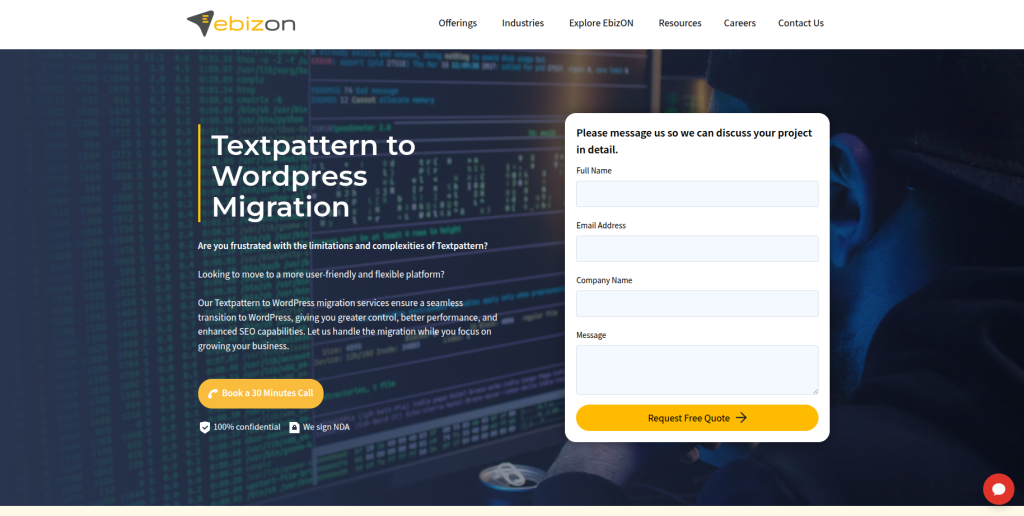
EbizON Digital can be considered when moving from Textpattern is only one part of a larger WordPress project. Some websites need content migration, while others also need a fresh design, custom functionality, third-party integrations, performance work, or changes to the content structure. This wider development approach can be useful when the old website has grown over many years and cannot simply be copied into WordPress. The project can then focus on preserving useful content while improving how the new website works. This makes EbizON relevant for businesses with more complex migration and development requirements.
- CMS migration planning: Useful for projects where existing Textpattern content needs to move into a new WordPress structure.
- Custom WordPress development: Relevant when old functionality needs to be rebuilt rather than simply transferred.
- Website redesign: Suitable when the migration also includes improvements to layouts and user experience.
- Integration support: Helpful when the website connects with forms, analytics, marketing tools, APIs, or business systems.
- Best suited for: Businesses needing Textpattern migration combined with custom WordPress development and modernization.
Not every old feature needs to be rebuilt exactly as it exists today. Migration is also a good time to remove outdated functionality and simplify the website.
Businesses with broader development needs can review EbizON Digital’s Textpattern website to WordPress migration service with custom development support.
3. NetiApps
A Development Partner to Evaluate for Custom WordPress Migration Projects
NetiApps is another company businesses can evaluate when creating a shortlist for a Textpattern migration project. The important step is to confirm its current WordPress and CMS migration capabilities against the needs of your website. Ask how the team would handle Textpattern content, database records, images, URL structures, templates, and any custom functionality. A good proposal should explain the migration process instead of only giving a development cost. Direct Textpattern examples should also be requested before choosing the company for the project.
- WordPress capability: Ask for recent WordPress development work similar to your website.
- Content transfer: Confirm how articles, pages, images, categories, and other content would be handled.
- Custom development: Check whether existing Textpattern features can be recreated when required.
- Experience to verify: Request direct CMS migration examples and Textpattern experience where available.
- Best suited for: Businesses evaluating a development-led Textpattern website migration to WordPress.
4. 3techno
Technical WordPress Development for Websites With Custom Migration Needs
3techno can be evaluated by businesses whose migration involves more than moving standard articles and pages. Older Textpattern websites may contain custom templates, special content structures, scripts, forms, or integrations that need technical review before migration. The first step should be understanding what exists on the current website. The team should then explain what can be migrated directly and what needs to be rebuilt in WordPress. Ask for relevant WordPress and CMS migration examples before finalizing the project.
- Technical discovery: Review the current Textpattern setup before deciding how the new WordPress site should work.
- WordPress development: Confirm experience building and customizing WordPress websites.
- Custom functionality: Check how existing features, forms, scripts, and integrations would be handled.
- Migration testing: Ask for a staging environment and a clear quality-check process.
- Best suited for: Businesses with custom technical requirements during a Textpattern to WordPress move.
5. Active Services
A WordPress Migration Option to Assess for Business Website Projects
Active Services is another provider businesses can investigate when planning a Textpattern to WordPress project. Instead of looking only at general web development experience, ask specifically how the company approaches CMS migrations. The team should be able to explain how content is extracted, transformed, imported, checked, and launched. SEO-sensitive websites also need a plan for URLs and redirects. Relevant migration references should be checked before making the final decision.
- Migration planning: Look for a documented process covering the old website and new WordPress environment.
- Content handling: Confirm how articles, pages, media, categories, and other website information will move.
- WordPress configuration: Ask how themes, plugins, users, menus, and settings will be created.
- SEO checks: Make sure URLs and redirects are included in the migration discussion.
- Best suited for: Businesses comparing WordPress migration support for established Textpattern websites.
6. Looper Devs
Development-Led Support for Rebuilding Textpattern Features in WordPress
Looper Devs can be evaluated when a Textpattern migration requires development work as well as content transfer. A website may have custom layouts, content types, forms, integrations, or features that cannot be moved automatically. In these situations, the team needs to understand both the source website and the WordPress destination. Businesses should ask how the company would map existing Textpattern features to WordPress themes, plugins, custom post types, or custom code. Direct migration examples should be requested as part of the evaluation.
- WordPress development: Confirm recent experience with custom WordPress website projects.
- Feature rebuilding: Ask how Textpattern-specific functionality would be recreated or replaced.
- Content structure: Review how existing sections, categories, and content relationships would map to WordPress.
- Quality assurance: Ask who checks content, responsive layouts, forms, links, and functionality before launch.
- Best suited for: Websites needing development support alongside a Textpattern CMS migration.
7. Monica Garrett
Hands-On Support for Smaller Textpattern to WordPress Website Moves

Monica Garrett can be considered by website owners who prefer a smaller or more direct working relationship for their migration project. This approach can suit websites where the scope is clear and the number of custom technical systems is limited. The important part is confirming that the complete migration can be handled, including content, images, URLs, WordPress setup, testing, and launch. Smaller projects can still have SEO and content risks if migration steps are missed. Ask for relevant WordPress work and migration examples before proceeding.
- Direct collaboration: May suit clients who prefer working closely with the person handling their website.
- WordPress setup: Confirm support for themes, plugins, menus, pages, and other destination-site requirements.
- Content migration: Ask how existing Textpattern content and media would be transferred and checked.
- Project capacity: Confirm support for development, testing, redirects, launch, and post-launch issues.
- Best suited for: Smaller businesses seeking hands-on support for moving a Textpattern site to WordPress.
8. GrafxApps
WordPress Development Support for Migration and Website Modernization
GrafxApps is another company worth assessing when migration is connected with broader website development. Moving away from an older CMS can be a useful time to review navigation, page templates, content presentation, mobile usability, and technical functionality. The key is to make sure redesign work does not cause important migration tasks to be overlooked. Existing content and URLs should be documented before major structural changes begin. Businesses should also request direct WordPress migration examples before selecting a partner.
- Website development: Relevant when the new WordPress site needs broader development work.
- Design modernization: Useful if the existing Textpattern website also needs a visual update.
- Content planning: Confirm how old content will fit into the redesigned WordPress structure.
- Migration verification: Ask for evidence of relevant WordPress and CMS migration projects.
- Best suited for: Businesses combining Textpattern migration with WordPress website modernization.
9. Dharma
A Digital Development Option for Broader WordPress Transformation Projects
Dharma can be investigated when moving from Textpattern is part of a wider website improvement project. Some companies do not simply want to change CMS platforms. They also want to improve how content is organized, how visitors navigate the website, and how internal teams manage pages after launch. In these cases, migration planning and information architecture should work together. Before choosing Dharma, verify its current WordPress capabilities and ask for examples that match the size and complexity of your Textpattern website.
- Website planning: Useful when migration includes changes to website structure and content organization.
- WordPress evaluation: Confirm current WordPress development and migration capabilities.
- Content architecture: Ask how existing Textpattern sections will translate into the new site structure.
- Relevant proof: Request migration examples involving similar content volumes and technical requirements.
- Best suited for: Organizations planning a broader website transformation alongside CMS migration.
10. IQ Techway
Technical WordPress Support for Structured CMS Migration Projects

IQ Techway completes our list of companies to evaluate for Textpattern to WordPress migration. A structured migration should begin with discovery rather than immediately importing data into WordPress. The team needs to understand content volume, images, categories, users, URLs, custom features, integrations, and SEO requirements. Once the existing website is documented, a migration plan can be built around the new WordPress structure. Businesses should ask for relevant migration examples and a clear testing process before choosing IQ Techway.
- Migration discovery: Review the existing Textpattern installation and content before development starts.
- WordPress implementation: Confirm how the destination site, theme, plugins, and content structure will be created.
- Data planning: Ask how content and database information will be mapped into WordPress.
- Testing process: Look for checks covering content, media, links, forms, redirects, and mobile pages.
- Best suited for: Businesses comparing technical partners for structured Textpattern to WordPress migration projects.
What Should Be Migrated From Textpattern to WordPress?
This is where many migration projects become more complicated than expected.
A Textpattern website is not just a collection of articles.
Textpattern’s official documentation shows that an installation can involve a MySQL database, website files, images, themes, plugins, and configuration. Its official guide for moving a Textpattern installation begins with exporting the database and creating a copy of the existing installation files.
That tells us something important.
Before moving to WordPress, you need to know exactly what exists.
A migration inventory may include:
- Articles and posts
- Static pages
- Categories
- Sections
- Images
- Files and downloads
- Authors and users
- Publication dates
- Tags or custom classifications
- Meta titles and descriptions
- Internal links
- Navigation
- Forms
- Templates
- Custom fields
- Plugins
- Scripts
- Old URLs
- Redirect requirements
Do not assume every item needs to be moved.
An old website may contain outdated articles, duplicate pages, broken files, unused categories, or features nobody uses anymore.
Migration is a good time to clean things up.
How Does Textpattern Content Move Into WordPress?
There is no single migration method that works for every Textpattern website.
WordPress has built-in tools for importing content from several platforms. Its official WordPress import documentation explains that WordPress can import content from several external sources.
For a Textpattern project, however, the final method depends on how the existing site is structured and customized.
The migration team may need to extract content from the Textpattern database, transform it into a format suitable for WordPress, map fields, import media, create WordPress content types, and then verify the results.
This is why a test migration is useful.
Instead of moving everything at once, migrate a sample first.
Check:
- Are titles correct?
- Are publication dates correct?
- Are images attached properly?
- Are categories mapped correctly?
- Are authors correct?
- Are internal links working?
- Are special characters displaying correctly?
- Is metadata preserved?
- Do new URLs match the redirect plan?
Fix mapping problems before importing the complete website.
Why SEO Matters During Textpattern to WordPress Migration
Your CMS can change overnight.
Search engines do not forget your old website overnight.
If a Textpattern article has ranked in Google for years, changing its URL without a redirect can create problems.
This is why SEO migration planning should happen before the new WordPress website goes live.
Create a list of important existing URLs.
Then decide what happens to each one.
An old page should normally:
- Keep the same URL where practical.
- Move to a new relevant URL with the correct redirect.
- Be intentionally removed when it has no useful replacement.
Avoid sending hundreds of unrelated old URLs to the homepage.
You should also review:
- Page titles
- Meta descriptions
- Headings
- Canonical URLs
- Internal links
- Image URLs
- Alt text
- Structured data
- XML sitemaps
- Robots settings
- Analytics
- Search Console
- Backlinked pages
SEO should not be something the team checks two hours before launch.
It should be part of the migration plan from day one.
Why WordPress Can Be a Good Destination for Textpattern Websites
Textpattern and WordPress are both publishing systems, but their ecosystems are different.
WordPress has grown into a large open-source platform. According to WordPress.org’s overview of the platform, it powers more than 43% of websites across the web.
One of the main advantages is extensibility.
The official WordPress features documentation explains that developers can extend WordPress through plugins, themes, APIs, custom post types, taxonomies, and metadata.
For a business, this can make it easier to expand a website later.
You might start with a content website and later need:
- Landing pages
- Advanced forms
- CRM integration
- Ecommerce
- Membership features
- Multilingual content
- SEO tools
- Analytics integrations
- Custom content types
- Marketing automation
That does not automatically mean WordPress is better for every website.
A migration should solve a real problem.
If your Textpattern website already works well and your team is comfortable maintaining it, changing CMS simply because WordPress is popular may not provide enough value.
How to Choose the Best Textpattern to WordPress Migration Company
Do not choose a migration company based only on a nice website or a low quote.
Ask questions.
Lots of them.
1. Ask About Textpattern Experience
Start with the obvious question.
Have you migrated a Textpattern website before?
If yes, ask what kind of website it was.
Was it a small blog with 100 articles or a publishing website with 50,000 pages?
Those are very different projects.
If the company does not have direct Textpattern experience, ask how it would inspect the database and create the migration mapping.
2. Ask How Your Content Will Be Mapped
Textpattern content does not magically become WordPress content.
Your migration company should explain where everything will go.
For example:
- Textpattern articles to WordPress posts
- Website pages to WordPress pages
- Sections to categories or custom taxonomies
- Images to the WordPress Media Library
- Custom fields to WordPress metadata
- Authors to WordPress users
The exact mapping depends on your website.
That is why discovery comes first.
3. Check Their SEO Migration Process
Ask for a clear SEO checklist.
It should cover old URLs, new URLs, redirects, titles, metadata, internal links, indexability, sitemaps, analytics, and post-launch monitoring.
If the answer is simply “we install an SEO plugin,” keep asking questions.
An SEO plugin does not create your migration strategy.
4. Ask for a Test Migration
A test migration can reveal problems before the main move.
Ask the company to migrate a sample containing different content types.
For example, test:
- A normal article
- A page with many images
- A long article
- A page with downloads
- An article with special formatting
- A page with custom fields
- A popular SEO landing page
This makes it easier to find mapping problems early.
5. Check WordPress Development Skills
Sometimes there is no direct replacement for a Textpattern feature.
The company may need to rebuild it.
WordPress provides support for custom content types, taxonomies, metadata, plugins, and themes, so a capable developer has several ways to recreate existing functionality.
Ask which features will use standard WordPress functionality, which will use plugins, and which require custom development.
6. Ask About Backups and Rollback
Never start a CMS migration without backups.
Textpattern’s own documentation explains how a database can be exported and installation files copied when moving or upgrading a site.
Your migration team should have a backup of the original site before making major changes.
You should also know what happens if launch day goes wrong.
A rollback plan is much nicer to have before you need it.
7. Ask About Post-Launch Support
Migration does not finish when someone changes the DNS.
After launch, check:
- Important pages
- Images
- Forms
- Downloads
- Navigation
- Redirects
- Internal links
- Mobile layouts
- Search
- Analytics
- Search Console
- Page indexing
- Website speed
Agree on a post-launch support period before the project begins.
Common Textpattern to WordPress Migration Mistakes
Most migration problems are not mysterious.
They happen because something was forgotten.
One common mistake is moving content without creating a URL map. Another is redesigning the entire website while changing every URL at the same time. Some teams forget old images. Others import articles but lose authors, dates, formatting, or metadata.
A few common mistakes include:
- Migrating without a complete backup
- Moving everything without cleaning old content
- Forgetting image files
- Changing important URLs without redirects
- Ignoring internal links
- Losing publication dates
- Losing author information
- Rebuilding templates without checking mobile layouts
- Forgetting analytics
- Forgetting Search Console
- Launching without testing forms
- Ignoring old pages with backlinks
- Not checking indexability after launch
- Having no rollback plan
- Having no post-launch support
The safest migration is usually the one where boring details are handled well.
A Simple Textpattern to WordPress Migration Checklist
Before migration:
- Back up the Textpattern database.
- Back up website files and images.
- Crawl and record existing URLs.
- Identify important organic landing pages.
- List existing features and plugins.
- Review forms and integrations.
- Remove content you do not want to migrate.
- Define the new WordPress structure.
During migration:
- Create WordPress in a staging environment.
- Import a sample first.
- Check field mapping.
- Migrate content.
- Migrate media.
- Rebuild necessary functionality.
- Configure themes and plugins.
- Create redirects.
- Test important pages.
Before launch:
- Check content.
- Test forms.
- Test navigation.
- Check mobile layouts.
- Test redirects.
- Check metadata.
- Check internal links.
- Verify analytics.
- Create a fresh backup.
After launch:
- Crawl the new website.
- Check redirect errors.
- Monitor important URLs.
- Check Search Console.
- Monitor organic traffic.
- Fix broken links.
- Check forms and conversions.
- Review indexing.
FAQs
1. What is Textpattern to WordPress Migration?
Textpattern to WordPress Migration is the process of moving a website from the Textpattern CMS to WordPress. It can include articles, pages, categories, sections, images, users, metadata, URLs, files, templates, and custom functionality. The exact migration scope depends on how the existing Textpattern website was built.
2. Can I migrate all my Textpattern articles to WordPress?
In many cases, yes. Articles can be extracted from the existing Textpattern setup and mapped into WordPress posts or other content types. The migration team should test titles, content, publication dates, authors, categories, images, formatting, and metadata after import.
3. Can Textpattern images be moved to WordPress?
Yes, images and other media can generally be migrated, but they need to be checked carefully. The migration team should make sure image files are copied, URLs are updated, images display on the correct pages, and important alt text or metadata is retained where required.
4. Will moving from Textpattern to WordPress affect SEO?
It can if the migration is not planned properly. Changing URLs, losing metadata, breaking internal links, removing useful content, or blocking search engines can affect organic visibility. A good migration plan should include URL mapping, redirects, metadata checks, internal-link checks, sitemap updates, and post-launch monitoring.
5. Do I need 301 redirects when moving to WordPress?
You generally need redirects when an old Textpattern URL changes to a different WordPress URL. A redirect helps visitors and search engines reach the relevant new page. If a valuable URL can stay exactly the same, a redirect may not be needed for that page.
6. Can the design also be changed during migration?
Yes. Many businesses use migration as a chance to modernize their website. However, changing the CMS, design, content structure, and URLs at the same time increases project complexity. Important pages and SEO elements should be documented before redesign work begins.
7. How long does Textpattern to WordPress migration take?
The timeline depends on the size and complexity of the website. A small content site can be simpler than a website with thousands of articles, custom templates, plugins, integrations, complex URLs, and special content structures. A technical audit is usually needed before giving an accurate timeline.
8. Can custom Textpattern features be recreated in WordPress?
Many custom features can be recreated, but they may not work in exactly the same way. WordPress supports plugins, themes, custom post types, taxonomies, metadata, APIs, and custom development. The migration company should review each Textpattern feature and decide whether to rebuild, replace, simplify, or remove it.
9. What should I back up before migrating?
Back up the complete Textpattern database and important website files before starting. Textpattern’s own migration and upgrade documentation recommends database exports and copies of installation files. You should also preserve images, downloads, configuration information, and anything else required to restore the original website.
10. How do I choose a Textpattern to WordPress migration company?
Look for CMS migration knowledge, WordPress development skills, a clear content-mapping process, SEO migration planning, staging and testing, backup procedures, redirect planning, and post-launch support. Ask for relevant migration examples and make sure the company explains how your specific Textpattern website will be handled rather than giving you a generic migration plan.
Conclusion
Moving from Textpattern to WordPress can give your team a different way to manage content, build pages, add functionality, and expand the website over time.
But a successful migration is not just about installing WordPress.
Your existing Textpattern website may contain years of useful content, images, URLs, metadata, links, custom templates, and search visibility.
Protect those assets.
Start with a complete website audit. Decide what should move, what should be rebuilt, what should redirect, and what can finally be removed.
Then compare migration companies based on their actual process.
Ask about Textpattern. Ask about WordPress. Ask about content mapping. Ask about redirects. Ask about SEO. Ask about testing. And ask what happens after launch.
The right Textpattern to WordPress migration company should leave you with more than a website that simply looks right.
It should give you a WordPress site where your content, important URLs, functionality, and future growth have all been carefully considered.